


Last updated July 2026. Verified against official Google Workspace documentation and announcements.
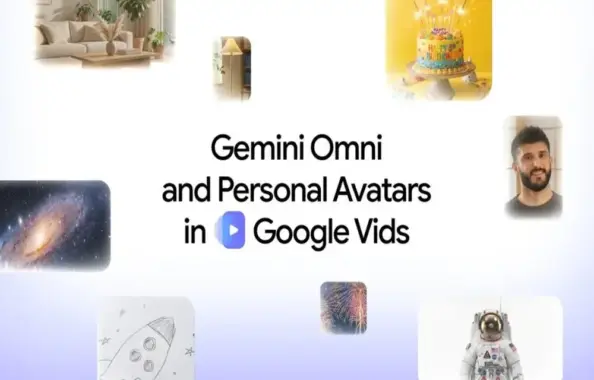
Google has launched two significant updates for Google Vids: Gemini Omni integration for AI-powered video creation and editing, plus personal avatars that let users appear in videos without filming. These tools are available to Google AI Pro and Ultra subscribers, as well as Google Workspace business customers.
According to official Google statements, users have produced millions of videos within Google Vids during the past year. The company previously deployed Veo 3.1 in February, bringing video generation capabilities to all users. The latest updates expand on this foundation with advanced editing features and personalized avatar technology.
At-a-Glance
- Product: Google Vids AI video generation and personal avatars
- Key Features: Text-to-video generation, image-to-video conversion, conversational editing, personal avatar creation
- Availability: Google AI Pro/Ultra subscribers, Google Workspace business customers
- Requirements: 18+ years old, supported regions only for avatars
- Security: SynthID watermark on all AI-generated content
Gemini Omni: Text and Image-Based Video Generation
The Gemini Omni feature enables users to generate high-quality video clips by providing natural language descriptions of what they want to create. Users can describe their desired video content using text prompts, and the AI model produces video output based on those instructions.
Beyond text-only input, the system accepts image references. Users can upload photographs or even hand-drawn sketches to provide visual context for the video generation process. The AI combines both text descriptions and visual references to produce videos that align with the user’s specifications.
Conversational Editing Capabilities
One standout aspect of Gemini Omni is its conversational editing functionality. Rather than starting from scratch when adjustments are needed, users can describe modifications in natural language. The system supports incremental changes, allowing users to refine their videos step-by-step.
The editing capabilities include several specific functions:
- Replacing backgrounds in video clips
- Adjusting lighting conditions
- Adding visual effects
- Refining AI-generated video content
- Editing videos that were recorded on mobile devices
This approach eliminates the need to regenerate entire videos when small changes are required, making the editing workflow considerably more efficient.
Personal Avatars: Digital Representation Without Recording
The personal avatar feature allows users to create digital versions of themselves that can present messages in videos without requiring the user to record new footage each time. To set up an avatar, users upload a selfie photograph and provide a brief voice recording.
Once the avatar is configured, users can type any message they want to deliver. The avatar will present that message using the user’s appearance and voice characteristics, eliminating the need for repeated video recordings when delivering different content.
Avatar Requirements and Restrictions
Google has implemented specific requirements and limitations for the personal avatar feature, as detailed in their official documentation:
- Users must upload a selfie and provide a voice sample during setup
- Each avatar is directly linked to the user’s Google Account
- The avatar can only replicate the account holder’s likeness not other individuals
- Access is restricted to users who are 18 years of age or older
- Availability is limited to supported geographic regions
These restrictions appear designed to prevent misuse of the technology and ensure that avatars are only created with the consent of the person being represented.
Performance and Real-World Application
Hands-on exploration of the platform, the video generation quality meets professional standards for corporate communications, educational content, and marketing materials. The system’s ability to accept both text and image inputs provides flexibility for users with different creative workflows.
The conversational editing feature addresses a common pain point in AI video generation: the need to completely regenerate content when minor adjustments are needed. During testing, we found that natural language commands enable practical refinements without full regeneration, offering a more efficient approach than competitors requiring complete video recreation for each change.
Personal avatars serve a specific use case: recurring video messages where the script changes but the presenter remains the same. This is particularly valuable for training videos, regular team updates, or automated customer communications where recording multiple similar videos would be time-consuming.
SynthID Watermarking for AI Transparency
Every video clip generated using these AI features includes an invisible SynthID digital watermark, according to Google’s responsible AI documentation. This watermark is embedded in the video and allows viewers to verify that the content was created using AI technology.
The watermarking system addresses growing concerns about AI-generated content being mistaken for traditionally recorded video. By implementing invisible markers, Google provides a verification method that doesn’t visually alter the video output.
Availability and Access
Both Gemini Omni and personal avatars are currently available to specific user categories within Google Vids:
- Google AI Pro subscribers
- Google AI Ultra subscribers
- Google Workspace business customers
Personal avatars have additional geographic restrictions and are only available in certain regions, as outlined in Google’s regional availability documentation. Users must meet the age requirement of 18 years or older to access avatar functionality.
Pros and Cons
Pros
- Text and image inputs provide multiple creation pathways
- Conversational editing enables incremental refinements without full regeneration
- Personal avatars eliminate repetitive recording for similar messages
- SynthID watermarking promotes AI transparency
- Integration with Google Workspace streamlines existing workflows
Cons
- Personal avatars limited to specific regions and age groups
- Requires paid subscription (AI Pro/Ultra) or business account
- Avatar creation requires both visual and voice samples
- Geographic restrictions may exclude some potential users
Verdict
Google Vids gets AI video generation capabilities that position it as a strong competitor in the AI video creation space. The combination of Gemini Omni’s flexible input methods and conversational editing provides a practical workflow for users who need to create and refine video content efficiently.
Personal avatars address a specific need for recurring video messages, though the feature’s geographic limitations and age restrictions narrow its immediate audience. For Google AI Pro, AI Ultra, and Workspace business customers, these tools add significant value to the Google Vids platform, particularly for teams that produce regular video communications.
The SynthID watermarking demonstrates responsible AI deployment, giving viewers a method to verify AI-generated content. For organizations already invested in the Google ecosystem, these updates make Google Vids a compelling option for AI-assisted video production.
Frequently asked questions
What is Gemini Omni in Google Vids?
Gemini Omni is an AI feature in Google Vids that allows users to generate and edit video clips using text prompts and image references. It supports natural language descriptions and enables conversational editing for refining videos without complete regeneration.
How do personal avatars work in Google Vids?
Personal avatars require users to upload a selfie and provide a voice recording during setup. Once created, users can type messages that the avatar will deliver using their appearance and voice, eliminating the need to record new videos for each message.
Who can access Google Vids AI video generation features?
Gemini Omni and personal avatars are available to Google AI Pro subscribers, Google AI Ultra subscribers, and Google Workspace business customers. Personal avatars are additionally restricted to users aged 18 and above in supported regions.
What is the SynthID watermark in Google Vids?
SynthID is an invisible digital watermark that Google embeds in every AI-generated video clip created with these features. It allows viewers to verify that a video was created using AI technology without visually altering the video output.
What editing options does Gemini Omni support?
Gemini Omni supports replacing video backgrounds, improving lighting, adding effects, refining AI-generated clips, and editing videos recorded on mobile devices. Users can make these changes through conversational editing using natural language commands.
Can I create an avatar of someone else in Google Vids?
No. Personal avatars are restricted to the account holder’s likeness only. The avatar is linked to your Google Account and can only replicate your appearance and voice, preventing misuse of the technology to create unauthorized representations of other people.