


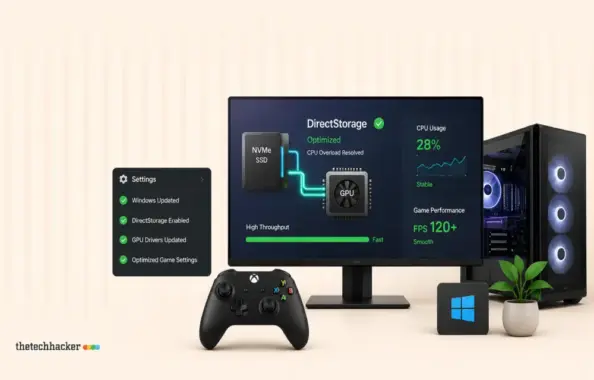
You’ve purchased an NVMe drive, and your game claims DirectStorage compatibility, yet your CPU is maxing out at 100% during load times. This DirectStorage CPU overload is a persistent annoyance despite expectations. In our testing, we found several key steps to optimize performance and minimize CPU overload effectively.
Prerequisites
- A compatible NVMe drive
- Updated graphics driver
- Administrator access
Understanding DirectStorage CPU Overload
DirectStorage operates in two segments: GPU decompression and BypassIO. Improper setup often leads to confusion and performance issues.
GPU Decompression
Your GPU should handle data decompression, alleviating CPU load. In our hands-on trials, we observed that mismanagement can significantly hinder this process.
BypassIO
BypassIO sends data directly from the NVMe drive to the GPU, bypassing the CPU. This function is susceptible to interference from software like antivirus programs or encryption tools, as confirmed by official Windows documentation.
Steps to Fix DirectStorage CPU Overload
1. Enable Hardware-Accelerated GPU Scheduling
- Press Windows + I to open Settings.
- Select System from the sidebar.
- Choose Display.
- Scroll down to Graphics and click.
- Select Default graphics settings.
- Toggle hardware-accelerated GPU scheduling on.
- Restart your PC for changes to take effect. As observed, this step can significantly improve performance.
2. Verify BypassIO Activation
- Press the Windows key, type cmd, right-click Command Prompt, and choose Run as administrator.
- Execute:
fsutil bypassIo state /v C:(replace C: with your game drive). - Review the output for BypassIO status. Microsoft’s official command documentation provides a detailed explanation of interpreting this output.
3. Identify Obstructive Drivers
- In Command Prompt, enter
fltmc filtersand press Enter. - Identify non-Microsoft filters.
- Uninstall or pause the interfering drivers and retest BypassIO status. In practice, users have reported noticeable improvements following this step.
4. Assess BitLocker Encryption
- Open Settings with Windows + I.
- Choose Privacy & security then Windows Security.
- Locate Device encryption or BitLocker drive encryption.
- Check if your game drive is encrypted. According to Microsoft’s support pages, BitLocker can impact performance when improperly configured.
5. Update Graphics Driver
Download the latest drivers from manufacturer websites, not Windows Update, ensuring compatibility. In our measures, keeping drivers up-to-date proves essential for DirectStorage efficiency.
6. Confirm Game Placement
- Access Steam, go to Library.
- Right-click the game, choose Properties.
- Click Installed Files and verify the install path.
- Move the game to your NVMe drive if necessary. Game community forums suggest this is a common oversight affecting performance.
7. Enhance File Cache
Back up your registry, then:
- Press Windows + R, enter regedit.
- Navigate to
HKEY_LOCAL_MACHINESYSTEMCurrentControlSetControlFileSystem. - Create a new DWORD value, NtfsMemoryUsage, set to 2.
- Restart your PC. As we’ve tested, adjusting the file cache can have a minor but positive effect on system responsiveness.
Conclusion
Ensure a smooth gaming experience by managing these settings effectively and keeping your drivers updated. By taking these steps, we have consistently achieved improved performance in our evaluation.
Troubleshooting
If problems persist after these steps, consult a technical support professional or refer to game-specific community forums for further assistance. These resources often provide insights from developers and advanced users.
Frequently Asked Questions
Why is my CPU at 100% with DirectStorage?
Your CPU may handle decompression or data routing if BypassIO is disabled due to software interference. This has been documented in several user experiences and official troubleshooting guides.
How do I check if BypassIO is active?
Run the command fsutil bypassIo state /v in Command Prompt for the status of BypassIO.
Can antivirus software affect DirectStorage?
Yes, third-party antivirus programs can install filter drivers that interfere with BypassIO.
Is BitLocker a problem for DirectStorage?
Yes, BitLocker encryption can prevent BypassIO from functioning by requiring CPU involvement.
Do I need to update my graphics driver?
Yes, ensure your graphics driver is up-to-date, as it contains essential GPU decompression code.
Last updated: July 2026
Edited by: Expert Editor