


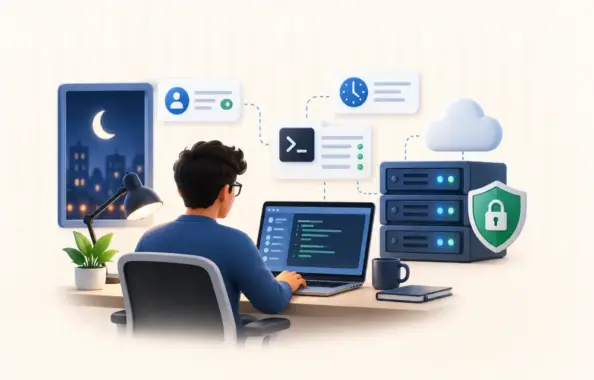
Small IT teams face a recurring challenge when critical server issues arise outside standard business hours. Remote support tools enable technicians to access and troubleshoot systems from any location, eliminating the need for physical presence at the office or data center. This capability has become essential for maintaining uptime and resolving urgent problems quickly.
Remote IT support relies on software that establishes secure connections between support staff and target machines. These platforms allow technicians to view screens, transfer files, and execute commands as if they were sitting at the affected workstation. For organizations with limited personnel, this technology changes how after-hours incidents are handled.
The right remote management software reduces response times and prevents minor issues from growing into costly outages. Teams can address authentication failures, application crashes, and network disruptions without leaving home. This approach keeps operations running while reducing the stress and expense associated with emergency on-site visits.
Why After-Hours Server Access Creates Unique Challenges for Small IT Teams
Small IT teams often operate with just a few technical staff members. They cannot maintain physical presence around the clock. A server problem at 2 a.m. will only be fixed quickly if good tools and clear protocols are already in place.
Many small and mid-sized businesses encounter critical server issues outside standard business hours. Budget constraints make it difficult for small organizations to staff dedicated night shifts. Security concerns increase when access protocols are relaxed for convenience during emergencies.
The Real Cost of Delayed Response Times
Delays in updates or fixes increase exposure to vulnerabilities. Authentication hold-ups during emergencies can result in greater security problems. Fast access is necessary, but how that access is secured matters just as much.
Managing approval and coordination of remote support can be time-consuming for SMBs. Compliance rules require tracking not only who accessed critical systems but also exactly when and why. Industries like healthcare and finance must audit every after-hours event to pass regulatory checks.
Security-First Remote Access Frameworks That Work for Limited Budgets
Remote access presents one of the biggest security challenges. Security experts often identify remote access as a significant attack vector. It typically requires multi-factor authentication and session encryption as standard controls. Good frameworks balance accessibility with security through layered authentication, session recording, and time-based access policies.
Teams can enable multi-factor authentication in their chosen software. Every emergency session is protected. It is important to configure automatic recording and limit access to set hours. This approach blocks attackers while still allowing urgent fixes when required.
Multi-factor authentication is widely recognized as an effective way to help prevent credential-based attacks. Security organizations recommend implementing least-privilege access models even in emergency scenarios. Cloud-hosted platforms remove the need for complex in-house VPNs. Any solution evaluated should follow established authentication standards.
Essential Security Controls for Off-Hours Access
Session recording capabilities allow post-incident review without requiring real-time supervision. Automated access revocation after predetermined time windows helps limit exposure from forgotten active sessions. IP whitelisting and geofencing add contextual security layers appropriate for small team environments. A practical security checklist should include MFA setup, session recording configuration, access policy documentation, and emergency contact procedures.
Practical Implementation Steps for Small IT Teams
Small IT teams benefit from clear, written emergency access procedures. This document should state when after-hours access is allowed, who can approve it, and what steps must be followed before connecting. Without such a guide, mistakes and security lapses become more likely.
Many workplaces use Windows, Linux, and macOS devices. Platforms with full compatibility let teams set up cross-platform, attended, and unattended access. Built-in session recording helps meet compliance. Support for macOS endpoints ensures no device is left out.
Regular testing helps avoid surprises. Teams can run after-hours drills to check for technical issues or unclear procedures. A good process includes an escalation plan naming backup staff in case a main contact is unavailable. For strong auditability, automated monitoring can capture screenshots and activity logs in each session.
Building a 30-Day Rollout Plan
First, review how after-hours access works currently. Many teams find they use outdated workarounds with no reliable records. Write out each step and locate any spots with missing authorization or tracking. This initial review phase can often be completed within a week.
Next, choose a tool that supports multi-factor authentication and session recording. Set up all accounts and turn on required security features before putting the system into use. Test with low-risk systems in controlled scenarios to find problems while the stakes are still low. This configuration and testing phase may take up to two weeks.
Staff must know how to launch emergency sessions. They must know how to retrieve session logs when needed. Training ensures procedures are followed every time and builds confidence. Establish a regular review schedule so real-world use patterns can guide changes as threats and requirements shift. Training and initial deployment typically take about a week.
Measuring Success and Adjusting Your Approach
The main metric for after-hours support is mean time to access. This measures how quickly technicians connect after an alert. Lower numbers show processes are working well. Delays highlight areas for attention. Monitoring failed authentication attempts can point out usability or security issues.
Organizations may see cost savings by reducing overtime expenses or minimizing delays in incident resolution when using remote IT support. This can lead to fewer emergency callouts, less downtime, and more savings for budget-sensitive organizations.
Review session audit logs quarterly to check compliance with access policies and identify training needs. Looking at session audit logs and tracking common patterns allows a small IT team to keep improving. Modify access policies based on actual usage patterns rather than theoretical threat models.
Clear access rules, practical tools, and regular staff training help address the gap between urgent overnight needs and what small teams can provide. Focusing on these steps keeps business systems safe and running, no matter the hour.