

Turn Your Android Phone Into PS3 Remote Control Using BlueputDroid App
PS3 is a very popular gaming console. Joysticks are meant for gaming if you want to surf the net or browse the youtube videos on PS3 you need to type the words. Words typing in Joystick is very difficult and time taking. PS3 remote are available in the market.


PS3 is a very popular gaming console. Joysticks are meant for gaming if you want to surf the net or browse the youtube videos on PS3 you need to type the words. Words typing in Joystick is very difficult and time taking. PS3 remote are available in the market. But accessories are very costly to buy. You can easily use your Android phone as a remote controller for PS3. BlueputDroid is a free app available in Google Play store to download. The application allows you to pair your Android phone up with your PlayStation 3 and use the phone as an input device. You can easily use phone’s keyboard to input text and there’s a virtual trackpad that lets you move the cursor inside the web browser.
Related: Wondershare TunesGo Music Downloader
Note: Only some API’s are used, there is no way by now to ensure 100% compatibility with all devices. If the log says “Invalid or Inactive Bluetooth device” try a different ROM like Cyanogenmod (if available).

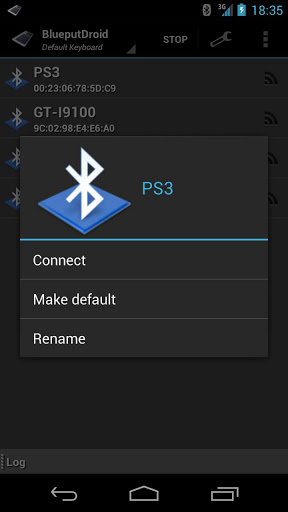
How to use Blueputdroid
- Your phone need to be Rooted first to use the App.
- Install the app from Google Play Store.
- Open the application and click on the start button.
- Pair your device with a host of your choice.
- Once paired, click on the lens button (secondo top/left) to refresh the available Bluetooth devices.
- Click on a device of your choice to establish a connection.
- Once connected a green screen should appear.
- Single press to simulate the left mouse button (the background should change in blue)
- Double press to simulate the right mouse button (the background should change in red)
- Hit “menu” to show/hide/change the keyboard
Update: Some of the users reported that the BlueputDroid app is no longer working fine. So try your luck or kindly apologize. 🙂 There are hundreds of such nice articles on this website. Kindly check out the homepage or search your favorite terms. We believe you will love reading them.
More in Mobile
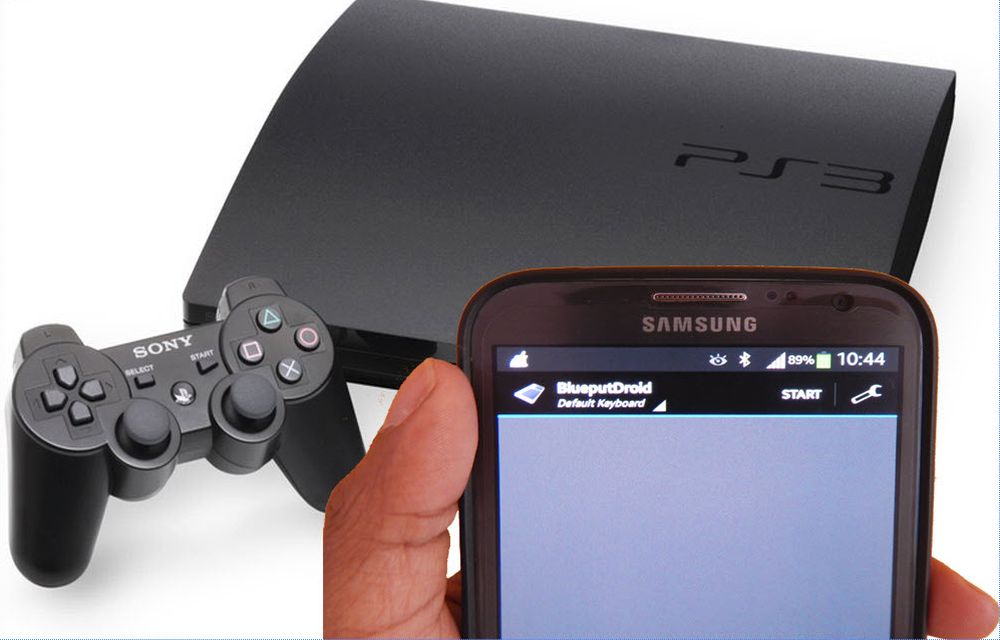
Control Your PS3 From Your Android Device With BlueputDroid App
PS3 is a fantastic gaming console, but the PS3 controller usability is limited. When you want to surf the net on PS3 you need to type words. Words typing in Joystick is very difficult and time taking. Alternatively, you can buy remote, there are so many PS3 remotes are available in the market, but PS3…

Turn Your Android Device Into A Universal Remote With These Apps
Smartphones replaced almost all gadgets into pocket friendly versions. A smartphone is a music player, video player, radio, television and even a universal remote. These days most of us have Smart TV’s, PC, Home Theaters and gaming consoles. A universal remote is capable of controlling all the gadgets, luckily these remotes are now replaced by…
Make your Android as a Tool Box Using Smart Tools for Android
Android mobiles are turning out to be a lot more flexible than any other gadgets available. Of course, that is the reason why Smartphones are the number #1 consumer electronics product. While we know of its functionality, why just use the Android device as if it is something worth a couple of bucks? Even if…
The week in tech, minus the noise.
New reviews, fixes and the stories that matter — once a week, straight to your inbox.
We only use your email to send the newsletter. Unsubscribe any time. See our privacy policy.
5 comments
i have the new nexus 7 (2013) and it is not supported. Not sure about wath i’ll have to do if i put Cyanogenmod
If you change the ROM it may works.
Note:
Only some API’s are used,there is no way by now to ensure 100% compatibility with all devices.
Tested and working decently on Samsung Tab 3.
CharleswMayer I have cyanogenmod, still does not work.
nickademus420 CharleswMayer Doesn’t work with ANY ROM 4.2.x or newer. Dev claims he has to "rewrite the entire app". After numerous people stating they’d pay for it, he hasn’t yet.