

Control Your PS3 From Your Android Device With BlueputDroid App
PS3 is a fantastic gaming console, but the PS3 controller usability is limited. When you want to surf the net on PS3 you need to type words. Words typing in Joystick is very difficult and time taking. Alternatively, you can buy remote, there are so many PS3 remotes are available in the market, but PS3…

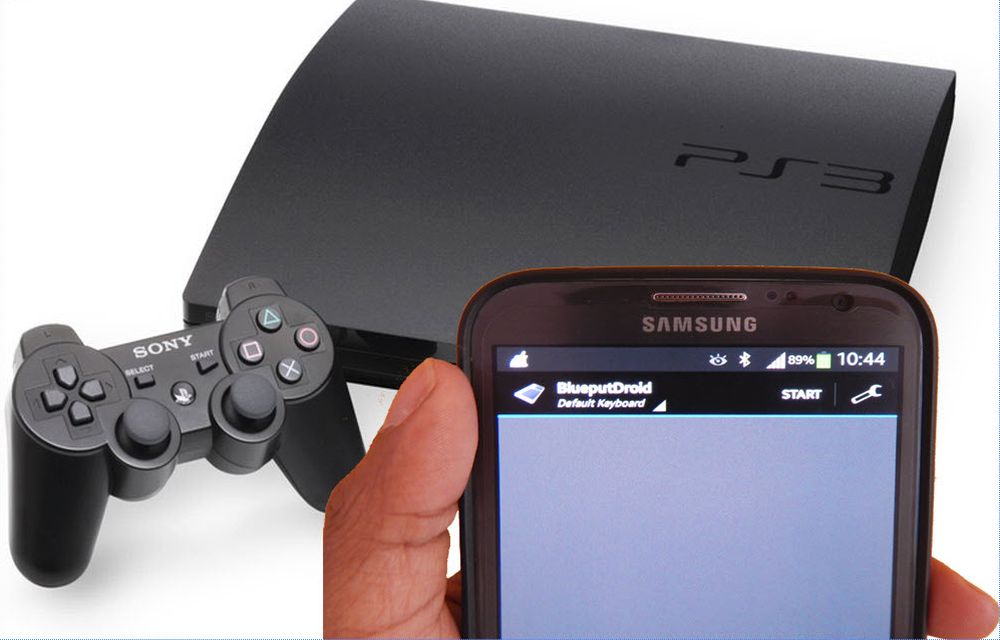
PS3 is a fantastic gaming console, but the PS3 controller usability is limited. When you want to surf the net on PS3 you need to type words. Words typing in Joystick is very difficult and time taking. Alternatively, you can buy remote, there are so many PS3 remotes are available in the market, but PS3 accessories are very costly to buy. The ultimate handy trick is turning your Android device into PS3 remote control.This application will allow using your device as a remote mouse and keyboard for your PC/PS3.

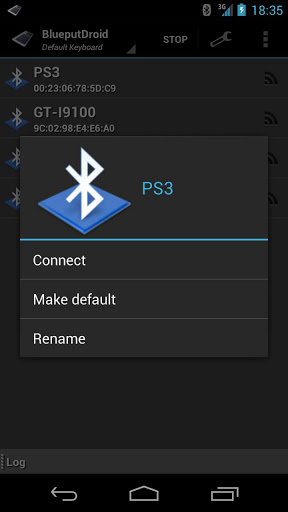
You can easily use your Android phone as the remote controller for PS3. BlueputDroid is a free app available in Google Play store to download. The application allows you to pair your Android phone up with your PlayStation 3 and use the phone as an input device. You can easily use phone’s keyboard to input text and there’s a virtual trackpad that lets you move the cursor inside the web browser.
Note: Some API’s are used, there is no way by now to ensure 100% compatibility with all devices. If the log says “Invalid or Inactive Bluetooth device” try a different ROM like CyanogenMod (if available).
How to use BlueputDroid?
- To use the app, your phone needs to be Rooted first.
- Install the BlueputDroid app on Google Play Store.
- Open the app and tap the start button.
- Now, Pair the device with a host of your choice.
- Once paired, click on the lens button (second on top/left) to refresh the available Bluetooth devices.
- Click on a device of your choice for establishing a connection.
- Once connected a green screen should appear.
- Click to simulate the left mouse button (the background should change in blue.)
- Then, double press to simulate the right mouse button (the background should change in red.)
- Hit “menu” to show/ hide/change the keyboard.
More in Mobile

Turn Your Android Phone Into PS3 Remote Control Using BlueputDroid App
PS3 is a very popular gaming console. Joysticks are meant for gaming if you want to surf the net or browse the youtube videos on PS3 you need to type the words. Words typing in Joystick is very difficult and time taking. PS3 remote are available in the market.
Advantages And Disadvantages Of Google Android
Android is the most used mobile platform now and it is followed by iOS. When you go to choose a mobile that runs on Android, iOS, Windows etc… you need to read these.

All New Features And Complete Details Of Android 5.0 Lollipop
The Android is particularly the center of attraction for most of the smartphone lovers. The Android has removed the all the barriers to the user to use a smartphone in a most simplified and easy way.
The week in tech, minus the noise.
New reviews, fixes and the stories that matter — once a week, straight to your inbox.
We only use your email to send the newsletter. Unsubscribe any time. See our privacy policy.
Comments