

Save Online Text Easily On Google Drive With Save Text To Google Drive Chrome Extension
It is very complicated to save the important text in websites manually when browsing. Better is to use Save Text To Google Drive extension for Google Chrome. It is a very simple and feature rich extension; it does what it says.


It is very complicated to save the important text in websites manually when browsing. Better is to use Save Text To Google Drive extension for Google Chrome. It is a very simple and feature rich extension; it does what it says.
Using this extension you can directly save plain text to your Google Drive directly. After installing the extension, it works from Chrome navigation bar. First, you need to authorize the extension with your Google account.
Must read: How to Remove Duplicate Songs from OneDrive Cloud Microsoft
Developer Words
Owlsee will cache the opened file for the user experience and performance reason. When opening the gdrive’s file by owlsee.com, Owlsee will turn the plain text file to well-structured format for human view, remove redundancy empty line, remove html tags, separate the long file to multiple parts. Caching file will reduce overhead and improve response time.
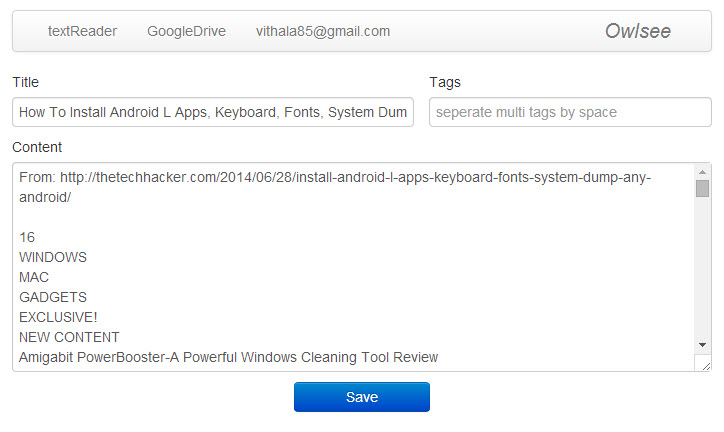
After authorization clicking on the icon shows the present opened entire web page text including links if you want to be selected text just copy the text and paste in the box.
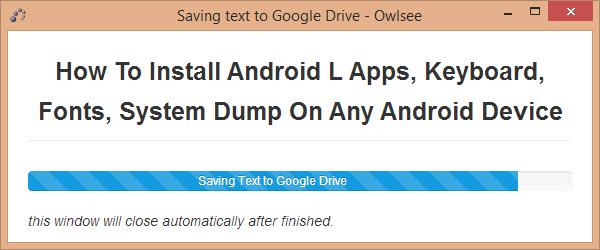
After editing the custom text click on save button to directly save into your Google Drive. It shows the saving progress in a separate window, after successful saving the window automatically closes.
You can view the saved files in Google Drive in simple text format or use the Owlsee textReader app. The textReader app comes as a built in feature in extension. It is worth mentioning here that the Save Text To Google Drive is a very useful extension for students and working people. It is available in Chrome Web Store for free.
Owlsee Features
- Save Text to Google Drive.
- You can set a path for saving, the default path is the root.
- You can read it by Owlsee textReader.
More in Internet

How To Save Internet Files Directly To Cloud With Ballloon Chrome Extension
Nowadays everyone using cloud services to store files. Typically when we want to save a file from the internet, first we download it to a computer and then upload it to cloud services like Google Drive or Dropbox. You can simplify this process by using Ballloon for Google Chrome extension. If it is a regular…

Access Dropbox From Google Chrome Using EasyDrop Extension
Dropbox is one of the most popular cloud storage service available for almost all platforms. The ease of use, user interface, and free storage offering makes the Dropbox very popular across masses. It has multi-platform support; you can access Dropbox from Windows, Mac, Linux, Android, and iOS. One Google Chrome extension will let you access the dropbox from…

Access Cloud Accounts From Google Chrome Browser With These Extensions
The cloud is a favorite word among all of you. The influence of the cloud technology has changed the market in a very short span of time. Now, in this years, we can’t work better without the cloud storage or cloud technology. Being a cloud dependent, I can assure that the service offered by those storage…
The week in tech, minus the noise.
New reviews, fixes and the stories that matter — once a week, straight to your inbox.
We only use your email to send the newsletter. Unsubscribe any time. See our privacy policy.
Comments