

How To Create A Coupon Site In WordPress
After the evolution of online stores coupon sites also taking place with them. Online shopping saves a lot of money when compared to traditional shopping. Upon adding a coupon code for online shopping, you can save more money. Anyone can easily create coupon site using WordPress CMS. As a WordPress fanboy, I’m suggesting WordPress over…


After the evolution of online stores coupon sites also taking place with them. Online shopping saves a lot of money when compared to traditional shopping. Upon adding a coupon code for online shopping, you can save more money. Anyone can easily create coupon site using WordPress CMS. As a WordPress fanboy, I’m suggesting WordPress over other CMS and traditional web building tools to build a coupon or daily deals site.
WordPress is one of the best CMS with fully customizable options. The user doesn’t require coding skills to build a site. This tutorial involves themes and plugin collection to build a simple, robust and user-friendly coupon site.
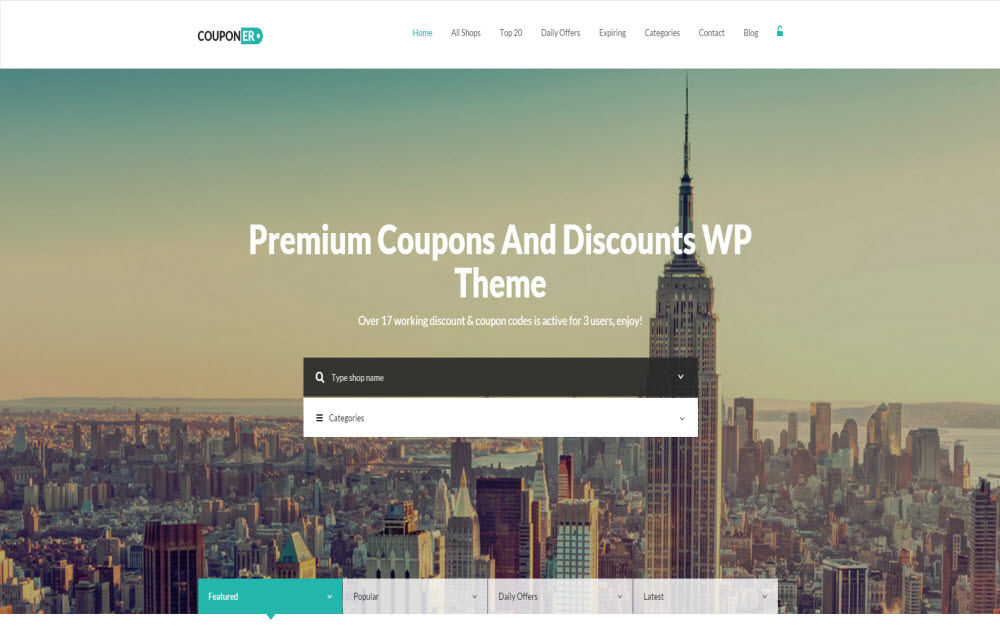
How To Create A Coupon Site In WordPress – Simple Tutorial
- In the first step, you need to select an affiliate, custom taxonomy, responsive, retina ready, SEO friendly theme for a coupon site.
- Luckily we have wonderful themes from Themeforest market.
- Couponer – Coupons & Discounts WP Theme
- REHub – Directory, Shop, Coupon, Affiliate Theme
- Coupon – Responsive Coupons and Promo Theme
- And Clipper Theme from App Themes.
- Select any one of the themes from above. A now you need to select a perfect web hosting service to serve your website all over the world without any hiccups. We recommend Bluehost as a hosting partner for your website. If you already have a hosting account in any other service now you can proceed to next step.
- After purchasing a theme and hosting account install WordPress and upload the theme.
- Now install required plugins like WordPress SEO by Yoast, Akismet, and essential security plugins to protect your site.
- Here comes best and most tough part, understanding the site options, customization’s and finding coupon codes. Settings and customization of WordPress theme vary from theme to theme.
If you already have a well built WordPress site you can create a coupon site by creating a sub-domain. Creating a site with subdomain has so many advantages, we will discuss further sub-domains in our next post.
Or if you want to create a coupon site with the existing site without changing WordPress theme you can use plugins like Coupon Creator.
More in Wordpress

How to Install WordPress on Digital Ocean with Apache (LAMP)
WordPress on Digital Ocean, the dreams come true. One of the best cloud hosting providers hosting the CMS powering almost 40% of the entire internet known to mankind. What could be better than that? Today we are going to unveil the secrets of combining them both. Whether it’s a blog or a professional website, if…

Clix SEO: The WordPress SEO Plugin Built for the AI Search Era
Your organic traffic is down. Your content is still being read but not on your site. It is being read in Google’s AI Overviews, inside ChatGPT answers, and as Perplexity citations. For the first time in the history of SEO, you cannot see the traffic you are losing. Until now. Clix SEO is a modern all-in-one…

How to Do WordPress BackUp
Backups are very crucial yet it is one of the things that is most of the time forgotten. Maybe you have no idea how to do backups just yet. Or maybe you think that backups are automatically done by the web hosting company for you. Maybe you haven’t had the time to backup your WordPress site.…

The week in tech, minus the noise.
New reviews, fixes and the stories that matter — once a week, straight to your inbox.
We only use your email to send the newsletter. Unsubscribe any time. See our privacy policy.
Comments