

Top 3 Best File Manager Apps to Start 2017!
2017 is all here, and it seems that the “Best Apps” game is running too well according to searches. So here we present something unique which is all about the Best File Manager Apps! Have a look- ASTRO File Managers: So, Astro File Manager is one of the best file manager app available for Android that lets…
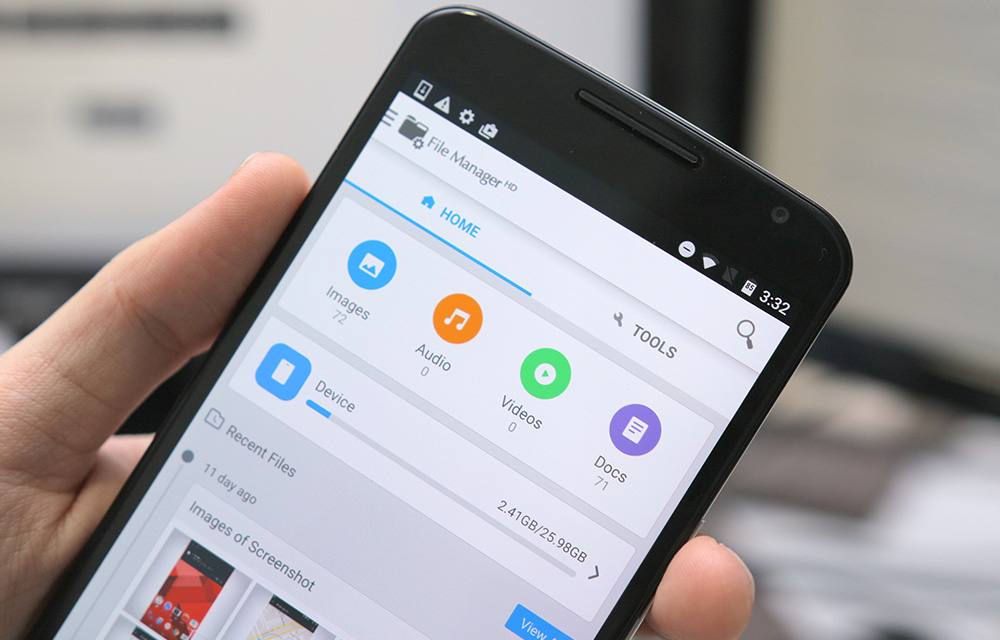
2017 is all here, and it seems that the “Best Apps” game is running too well according to searches. So here we present something unique which is all about the Best File Manager Apps! Have a look-
- ASTRO File Managers: So, Astro File Manager is one of the best file manager app available for Android that lets you manage & organize all your files regardless of where they are stored.Furthermore, this file manager comes with a unique feature called ‘CLOUD HOPPING,’ which lets you move files from one cloud platform to another in a single copy and paste – without having to download them first before sending to your destination cloud. It supports all major cloud services, like Dropbox, Box.net, Google Drive, Facebook, and OneDrive. Also has a built-in image viewer to open images, PDFs, and even text-viewer. Other features of Astro file manager include app backup, app manager, download manager, task killer, networking, and SSH File Transfer (SFTP). Which impressed me a lot!
- FX File Manager: This one is really unique, FX File Explorer is a free file manager app that is designed to let you easily manage all content on your Android phone or tablet.FX file explorer comes with a built-in image viewer, hex viewer, text editor, and cleaning tools for removing duplicates and viewing large files. It also can archive any file or folder in most formats (zip, .tgz, .tar.gz, .tar.bz2, .7z).But..The only downside of this app is that it does not provide network connections and cloud services that the other free file manager apps do, but it does offer a paid “Plus” add-on which adds network and cloud integration as well as media management features. But it’s fine; it isn’t anything worse!
- ROOT Explorer: Well, this is something for our Root Members! Man, this is the one of my preference! It is an ultimate file manager app available for Android mobile device. It can access the whole file system including the intangible data folder. This application has SQLite database viewer, text editor, create and extract zip files, execute scripts, search files, remount, permissions, bookmarks, e-mail, thumbnails and APK binary XML viewer. Being able to access your file system means so much freedom in the name of customization that you can do to your Android device. Note: This app will work on rooted devices only.
So, that was all about our preferences on the best and unique Android file managers. We have used these thoroughly and have tested them to levels. Thanks for going through and have a great year ahead! Cheers.
More in Android

Must Have Apps For Rooted Android Devices
Rooting your Android means you are unleashing its hidden superpowers. If you want to know what the benefits of rooting Android are, it is clear: you can access unavailable features of Android like WiFi and Bluetooth Tethering, performance updates, a better keyboard, etc. But before starting, you must be aware of the disadvantage of rooting…

How to Password Protect your Photos Using Vaulty on your Android device
Worried about the protection of your personal photos and videos being accessed or viewed by anyone else?. If you are living in a crowdy condition, it might happen. So, you want to take some precautions for preventing others from accessing your Images or videos. Vaulty is an android app which helps you to hide or…

Listen High Quality Podcasts With Ads Free Using AntennaPod For Android
A podcast is something that many people are interested in listening to. Listening podcast is a pleasure, but most podcatchers are premium apps. There is a lot of different kind of publishing houses such as BBC, NPR, and CNN, who podcasts on a daily basis. Even we have some independent podcasters who daily or weekly…
The week in tech, minus the noise.
New reviews, fixes and the stories that matter — once a week, straight to your inbox.
We only use your email to send the newsletter. Unsubscribe any time. See our privacy policy.
Comments