

Synergy Review: Share your Mouse and Keyboard between Computers
Ever wanted to share your mouse and keyboard between your computers? Especially, for those that have multiple computers or running a business with many workstations, sharing the controlling devices would be a great productivity hack. Instead of reaching all workstations using the wheelchair, wouldn’t it be great if you could simply control your mouse and…

Synergy Symless
Ever wanted to share your mouse and keyboard between your computers? Especially, for those that have multiple computers or running a business with many workstations, sharing the controlling devices would be a great productivity hack. Instead of reaching all workstations using the wheelchair, wouldn’t it be great if you could simply control your mouse and keyboard through all the systems?
Synergy is a software which makes this possible. If you want to use two computers with one mouse or two computers with one keyboard, you could use this software for that. Just installing and setting up the software will give you the complete control over each one of your workstations without having to move your position.
After understanding the need for such a productive idea, we have decided to have a deep look into the Synergy and its features. As usual, we will be analyzing its features and will list out the best functions of the software. Without wasting your time, let’s directly dive into the Synergy review.
Synergy Interface
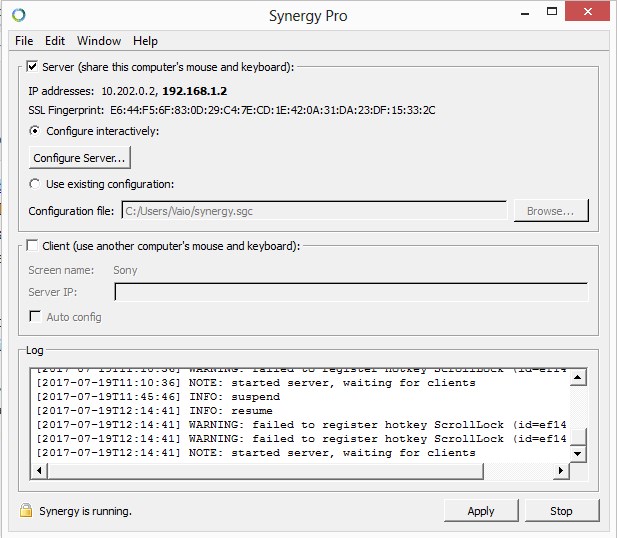
Synergy interface is a basic windows style window with no complicated functionalities or buttons. You could configure the software by clicking on the “Configure Server” button. One important thing to notice is that, during the setup, you should select the main PC with the keyboard and mouse you are controlling as the server and others as the client. Then only you will be able to successfully share your mouse and keyboard.
Synergy will display the real-time log of the actions right on the main interface itself. So that you can always get an idea about what is happening in the software. All in all, the software has a quite nice interface with only necessary functions listed. No complications at all.
Synergy Features
Synergy has a complete feature set to seamlessly integrate the functionality on all of the systems in your control. You could seamlessly share the mouse or the keyboard utilizing these handy functions. If you are interested in knowing more about it, have a look at this section.
Seamlessly Control your PCs
Installing and setting up the Synergy is extremely simple. You just have to install the server version on the main PC that has a keyboard and mouse and choose the client version on all other connected devices. The only thing that you should make sure is that all of your devices should be on the same network. Moving your mouse, as usual, will do the trick. When you reach the corner of a display, and if you move further, the cursor will disappear from the current monitor and will appear on the next one. Cool, isn’t it?
Add as Many Devices as you Want
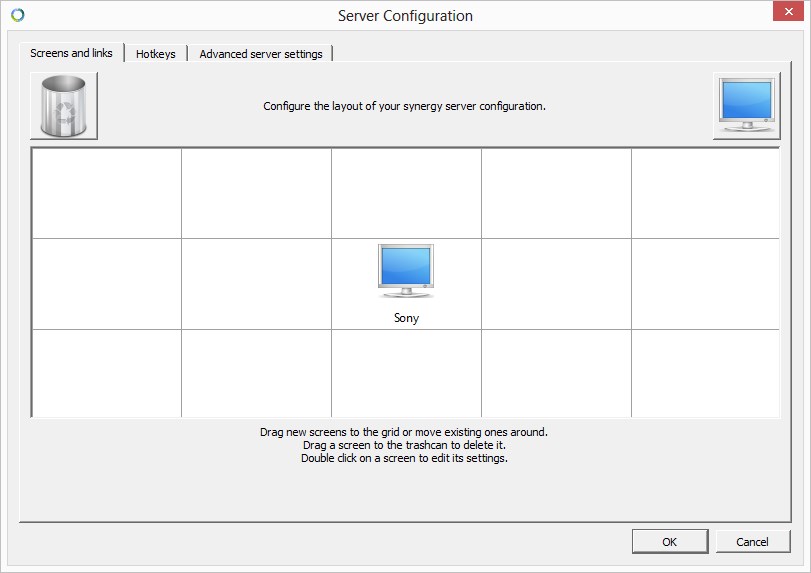
You could add as many computers as you have (well… we hope you don’t have a room full of PCs to control.) We tested it using 10+ computers in our office, and it works. If you have more PCs in your collection, lucky you. You could give it a try and let us know your experience.
This keyboard and mouse sharing software really did its job, and nothing else made complications in controlling our computers. There were no lags during the virtual KVM switch which provided a seamless usage session. And most importantly, it was fun to control 10 PCs at once ;).
Easily Transfer Files Between the Computers
If you have the Synergy installed, you don’t need to carry a flash drive to copy small files between your computers. One of the best features of this software is its syncing ability and the drag and drop functionality.
You could just use the shortcuts to copy files between your computers or simply drag and drop them as per your requirements. The transfer speed is very fast that you never have to sit in your chair for long. We really impressed with this feature that made us think about installing the software on more of our computers.
Compatible with All Popular OS
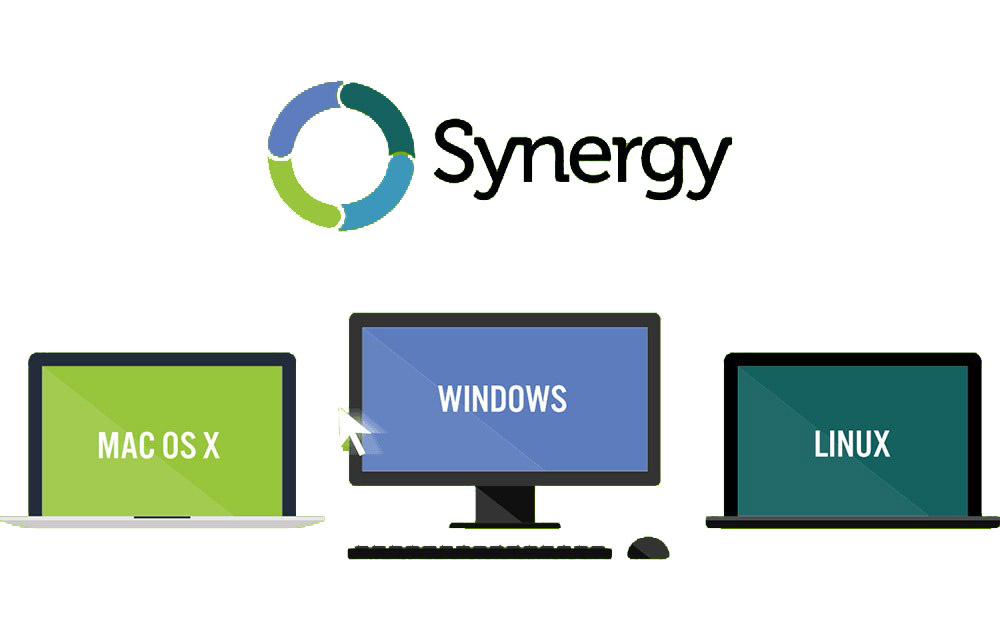
Either you own a Windows PC or has some Mac books, or even has some Linux installed, the software is compatible with all of them. Regardless of the operating system or the version of the OS, you could seamlessly use this mouse and keyboard sharing software. We tested it on one of our MacBooks and few Windows operating systems. There were no bugs found. So, you could fearlessly give it a try. If you are running a Linux OS, as per the developers, there would be no problems as well.
Highly Encrypted Connection
As a network-based software which has access to all your data residing in all the connected devices, it is very important to ensure the security of those files. So, this KVM software is coming with all the necessary security measurements including a highly encrypted connection. During the usage of the network, no one will be able to get into your computers without your knowledge. So, you don’t have to worry about any such possible security breaches during the usage.
Pros
- Seamless movement of the controlling devices across the computers
- Very fast switching between the devices
- Highly secure connection
- Compatible with all popular operating systems
- Easy synchronization and file sharing
Cons
- Not free
Verdict
If you are one of those people who own multiple workstations either in your office or at home, you should give a try to this extremely productive tool. It will surely help you to improve your productivity on a large scale. After talking with the Synergy officials, we were able to get you an exclusive discount of 25% on the product dedicated for thetechhacker readers. So, if you are planning to buy the software, you could use the following link to avail this amazing offer.
More in Software Reviews
TeamViewer Review
TeamViewer is the quickest and the easiest way for Remote Desktop management over the internet. TeamViewer connects the computers in any part of the world within a matter of seconds. Anyone can control the PC of the partner as using their own computer. TeamViewer creates a virtual working environment over the internet which outputs the…
Wondershare PDFelement for Mac Detailed Review
PDFs (Portable Document Format) are one of the most used file formats to create, edit and share documents between users and computers. Since the format is independent of application software, operating system, and the hardware, it has quickly grown in popularity and has become a part of our lives when it comes to online documents.…
AnyTrans- Your Must-Have iPhone Manager for iPhone 12, Keep All iPhone Data in Your Control!
AnyTrans is an all-in-one tool that allows you to manage, transfer, backup, and organize data on your iOS devices. Using the tool you can easily manage your iPhone data in a much better and easier way. Today we are going to take a deep look at the AnyTrans to decide whether it worth using the…
The week in tech, minus the noise.
New reviews, fixes and the stories that matter — once a week, straight to your inbox.
We only use your email to send the newsletter. Unsubscribe any time. See our privacy policy.
Comments