

How to Get Unbanned from CamSurf: Official Appeal Steps
Getting banned from CamSurf can be confusing, especially when the ban screen appears without much explanation. The good news is that CamSurf has an official way to ask for a review. Its Contacts page includes a “Banned from Chat” option, and CamSurf says it will review your case if you believe the ban was a…


How to get unbanned from CamSurf ban
Getting banned from CamSurf can be confusing, especially when the ban screen appears without much explanation. The good news is that CamSurf has an official way to ask for a review. Its Contacts page includes a “Banned from Chat” option, and CamSurf says it will review your case if you believe the ban was a mistake.
In this guide, we explain why CamSurf bans users, how long bans last, how to contact CamSurf the official way, and how to avoid future bans.
What Is CamSurf?
CamSurf is a random video chat service that connects you with people around the world through your webcam. It works much like Chatroulette: you press Start, meet a stranger, and press Next to move on. You can chat by voice or text and filter connections by location or language.
CamSurf is still active, with a web version and an Android app. It also has a paid PLUS membership. If you want to compare it with similar services, see our list of video chat apps for Android.
CamSurf’s Rules: Why Users Get Banned
CamSurf publishes Community Guidelines and Terms of Service on its official website. Most bans come from breaking one of these.
1. You must be 18 or older
CamSurf’s Terms say you must be at least 18 to use the service. If CamSurf reasonably believes you are under 18, it may restrict or end your access without notice, and it may use age verification tools.
2. Be respectful
The guidelines prohibit obscene or abusive comments, harassment based on religion, race, sexual orientation, gender, or other factors, threats, and showing violent or illegal behavior.
3. No nudity or sexual behavior
Being undressed on camera, showing intimate body parts, offering virtual sex, suggestive touching, and aiming your camera below your chest are all against the rules. CamSurf asks users to keep the camera centered on their face.
4. Use a real, live camera
You may not broadcast your monitor, point your camera at pictures or text, or use software that imitates a webcam.
5. No spam
Commercial images, marketing comments, uninvited links, mass messaging, and asking users to review material or buy something are treated as spam.
6. Don’t record other users
CamSurf’s FAQ explains that recording and sharing another user’s video without permission may break its Terms and that person’s privacy rights.
7. Don’t get around moderation
The Terms prohibit bots, automation tools, impersonation, and getting around moderation systems, blocking tools, or geographic restrictions.
How reports work
Any user can file a complaint by hovering over another user’s video and pressing “Report Abuse”. CamSurf says complaints are reviewed based on how many complaints a user has received and how serious they are, and moderators then decide what action to take.
How Long Does a CamSurf Ban Last?
CamSurf does not publish a list of ban lengths. Its Contacts page makes two things clear, though:
- If your ban is temporary and you don’t think it was a mistake, CamSurf asks you to wait for it to expire before using the chat again.
- If you have been permanently banned, CamSurf says you are not authorized to access the website again.
So the length depends on the violation, and only CamSurf can lift a ban early.
How to Get Unbanned from CamSurf (Official Steps)
CamSurf asks users to read its guidelines before contacting support about a ban. It notes that many users break the guidelines without realizing it. If you have read them and still believe your ban was unfair, follow these steps:
- Take a screenshot of your ban screen and note your ban ID. CamSurf specifically asks you to include it.
- Write down the date, the approximate time, and whether you were on the website or the Android app.
- Read the Community Guidelines on camsurf.com from start to finish.
- Go to the Contacts page on the official CamSurf website.
- Under “What is this concerning?”, choose Banned from Chat.
- Fill in your name, email, and subject, then explain fully what happened at the time of the ban.
- Send your message once and be patient.
CamSurf’s Terms also list [email protected] as the address for support requests and other communications. Check the current Terms on the official site before using it, and use the contact form first if you can, since it routes ban questions directly.
What to include in your message
- Your ban ID.
- The date and approximate time of the ban.
- Your device and whether you used the web or the app.
- A short, honest description of what you were doing.
- If you made a mistake, say so and confirm you have read the guidelines.
Keep it calm and short. CamSurf also says it usually only replies to messages that need a response, so you may not hear back on every message.
Why We Don’t Recommend VPNs, Proxies, or New Accounts
An earlier version of this article recommended using a VPN to get back on CamSurf after a ban, or to reach it from countries where it is blocked. We no longer recommend this. CamSurf’s Terms say banned users must not use the service and prohibit getting around moderation systems, blocking tools, or geographic restrictions. Using a VPN, a proxy, or a new account to return after a ban breaks those rules.
If you are caught, a temporary ban can turn into a permanent one. If CamSurf is blocked where you live, it is also important to respect local laws. The official contact form is slower, but it is the only route that can actually remove a ban.
Be Careful with “Unban” Services and Modded Apps
Never pay a website or social media account that promises to unban you, and don’t install modified versions of the CamSurf app. Only CamSurf can review a ban, and unofficial apps can carry malware or steal your login details. Download the app only from an official app store link on camsurf.com.
How to Avoid Future CamSurf Bans
- Keep your face visible and centered, with good lighting.
- Dress as you would in public and keep the camera above your chest.
- Don’t use virtual cameras, filters that replace your video, or screen sharing.
- Don’t send links or promote anything.
- Don’t record other users.
- If someone is rude, press Next and report them instead of arguing.
Safety Tips for Chatting on CamSurf
- Never share your full name, address, school, workplace, or phone number.
- Be wary of anyone who asks for money, gift cards, or private photos.
- Remember that other people may record you, even though it breaks the rules. CamSurf itself advises not to do anything you wouldn’t want others to see.
- Report nudity, abuse, or illegal behavior with the Report Abuse button.
FAQ
How do I appeal a CamSurf ban?
Go to the Contacts page on camsurf.com, choose “Banned from Chat”, include your ban ID, and explain what happened.
Will CamSurf reply to my appeal?
Not always. CamSurf says it reviews ban cases but usually only replies when a message needs a response.
Can I use CamSurf if I am under 18?
No. CamSurf’s Terms say users must be at least 18.
Should I use a VPN to get around a CamSurf ban?
No. It breaks CamSurf’s Terms and can lead to a permanent ban. Use the official contact form instead.
Conclusion
A CamSurf ban is not always the end of the road. Read the guidelines, note your ban ID, and send a clear, polite message through the “Banned from Chat” option on the official Contacts page. If the ban is temporary and deserved, waiting it out is the simplest fix.
Have you dealt with a CamSurf ban before? Let us know in the comment section below.
More in How-to
How to Get Unbanned from Fortnite: Epic’s Official Appeal Process
Getting banned from Fortnite can feel like losing years of skins, progress, and V-Bucks in one moment. If you think the ban was a mistake, Epic Games has an official way to ask for a review. In this guide, we explain the types of Fortnite bans, how to check your account status, how to appeal…
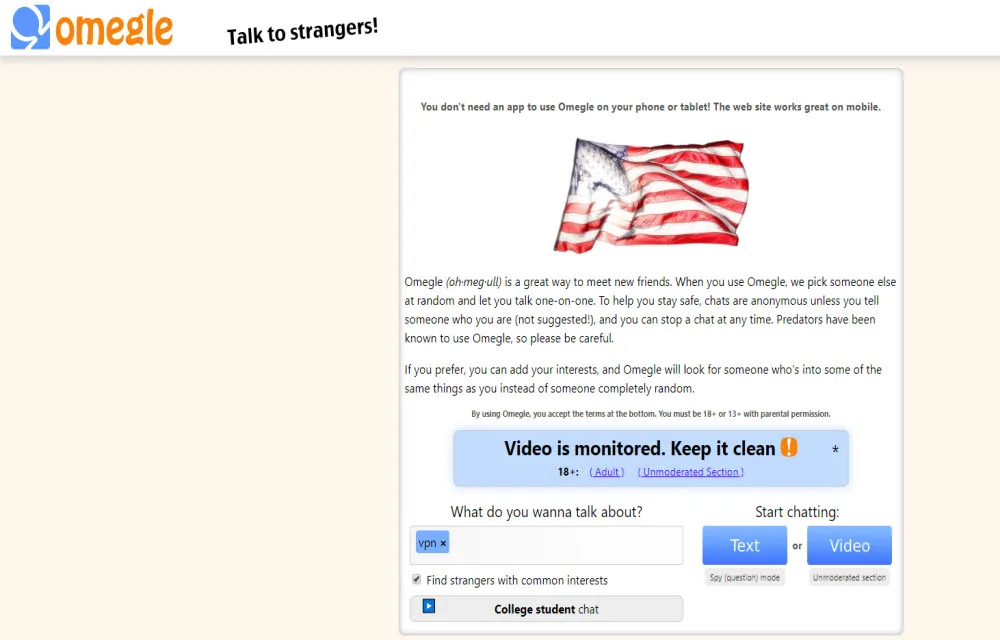
Can You Get Unbanned from Omegle? (Omegle Shut Down — Here’s What to Do)
If you are searching for a way to get unbanned from Omegle, there is something important you should know first: Omegle no longer exists. The site shut down permanently in November 2023, so there is no ban to remove and no account to restore. In this article, we explain what happened to Omegle, why “Omegle…

Real Estate Branding: A Step-by-Step Global Guide to Building Trust and Generating Online Leads Through Meta, Google AdWords, and LinkedIn
Real estate is an evergreen business model whether you’re dealing with apartments in New York, villas in Spain, or condos in Singapore. In this new age of digital-first decision-making, buyers want properties they can trust and agencies that promise transparency, reliability, and a seamless experience. How does one create a real estate brand that stands…
The week in tech, minus the noise.
New reviews, fixes and the stories that matter — once a week, straight to your inbox.
We only use your email to send the newsletter. Unsubscribe any time. See our privacy policy.
Comments