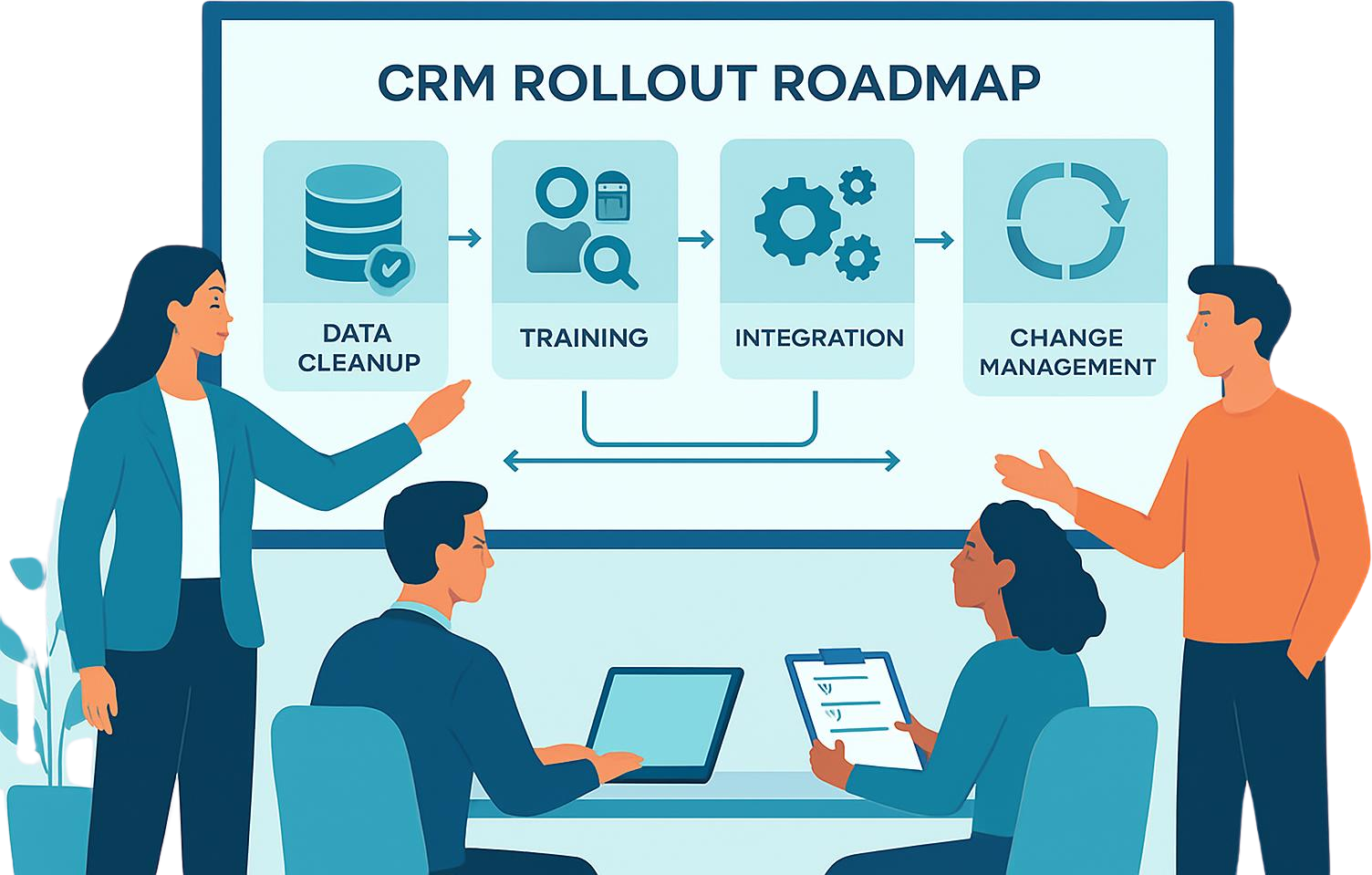
When implementing a CRM system, you want to make it easy for your sales, marketing, and customer service to perform their jobs; unfortunately, the opposite usually happens with most CRM projects in the USA due to the fact that many people do not properly roll out the system, have poor data quality and that they do not truly utilize the system as intended.
CRM implementations should be treated as business transformation projects rather than just software installations. Companies that do this properly will first define their problem, clean their data, involve users at the beginning of the project, and implement their solutions in phases.
Why CRM Projects Fail
Most CRM projects fail in similar ways: management purchases the product, IT builds the system for them; and they expect sales to just use the system without any further input from them. When this happens, there will be low usage of the system, inaccurate reports generated from the system & it will be viewed as a high cost database rather than as an engine to help grow their business.
In the USA, the most common failure points for CRM systems are unclear objectives, poor data migration, inadequate training and poor systems integration. The answer is not to have more features; the answer is to plan better, have more ownership of the process, and create a rollout plan that matches how the different teams are actually working in the organization.
Challenge #1: Vague Goal Statements
One of the biggest errors that businesses can make is undertaking CRM implementations with no clear success measures. If your team cannot articulate whether the CRM’s purpose is to enhance lead tracking, improve forecast precision, increase customer retention, or improve service response time, then the CRM project will drift off course.
The way to avoid this is to define a finite number of clear outcomes prior to starting implementation efforts. For example, a sales department might define a reduction in lead response time (50%) as an outcome, while a customer support department may identify logging of all (90%) customer interactions in one system as an outcome.
Steps to resolving this challenge:
- Define 3-5 measurable business goals for the CRM project.
- Establish key performance indicators (KPIs) and attach them to each goal so you can measure progress from the outset.
- Assign one person to be accountable for each KPI to hold each team member responsible for achieving their goal.
- Discuss the outcomes with executive leadership prior to beginning CRM configuration.
Challenge #2: Low User Adoption
Without consistent use, even the best CRM implementation will face issues. Several reasons teams resist the adoption of CRM systems include feeling that they’re being asked to do more administrative tasks, lack of flexibility in field requirements, and their training has been focused primarily on basic button-pushing instead of useful real-world examples.
Laziness is often not the primary reason reps don’t use CRM systems. Instead, the problem typically comes down to friction. Reps will revert back to spreadsheets and emails if they have to enter multiple sets of data, switch between too many programs, or attempt to navigate an unintuitive interface.
Steps to resolving this challenge:
- To overcome this challenge, you should incorporate your users’ needs at the start of the implementation, so that the CRM can integrate with the way they work in their daily jobs.
- When you train your users on how to use the new software, train them based on the real-world scenarios they will experience, rather than just on software definitions.
- Start with a quick and easy implementation of your CRM, focusing on only the most significant, high-value workflows.
- Once the CRM is rolled out, enlist the support of a small group of users (internal champions) to help their colleagues acclimate after the implementation.
- A good rule of thumb is to make the CRM feel more like a shortcut than a burden. If the CRM saves your users time, they will be more likely to use it.
Challenge #3: Bad Data and Bad Data Migration
When businesses migrate to a new CRM, many organizations transfer all of the old data into the new CRM without first cleaning it up. Migrating to a new CRM with duplicate contacts, missing fields, stale or out-of-date records, and misclassified data formats can result in poor decisions based on incorrect data, and create confusion within teams and with external partners who require accurate reports based on the consolidated data.
This problem is commonly referred to as “garbage in, garbage out.” When the data within a CRM is incomplete or inaccurate, it is impossible to obtain reliable insights from it.
Steps to resolving this challenge:
- Conduct an audit of your existing database before the move. Look for duplicates, old records, or irrelevant fields.
- Be careful when you map the fields from your old database to the new one.
- Before migrating the whole dataset, test a few sample records to see how they will look and function in the new CRM.
- Validate that the migration is valid after you have completed importing the new data and not just during the import process.
- As you can see, this is a time-consuming process, but it will pay off in the long run. Clean data leads to better reports, improved automation, and greater user trust in the CRM.
Challenge #4: Lack of Integration
A CRM works in a vacuum; if it cannot connect to email, marketing automation, customer service, billing or ERP software – many users will just continue doing the data entry by hand, resulting in having data that is “trapped” in separate locations.
In the United States, this issue creates a lot of frustration for users since many teams already use multiple systems. If data is not flowing between systems cleanly, the CRM becomes just another place to enter data instead of being the ‘central source of truth.’
Steps to resolving this challenge:
- Make a list of the integrations that are must haves before you begin the implementation process.
- Identify the API limitations and technical requirements of the software you will be integrating with.
- Recognize which systems your employees use on a daily basis, and list those as a priority.
- Test the flow of data through multiple tools together before you perform the complete rollout.
- If at all possible, do not add any integration before there is a need; this will only delay the successful implementation of the entire project. An organized integration strategy will be of greater value than a long list of features. You should start your integration projects by adding the systems that have been most beneficial in helping your company succeed. Upon the completion of those projects, you can then determine if there are more systems that need to be added.
Challenge 5: Excessive Customization
Numerous CRM projects run into complications because too much customization is attempted immediately. A single modification is adequate, but an excessive amount of unique fields, workflows, and rules make supporting the system much harder, and eventually impossible to scale.
Most of this happens due to groups wanting their CRM to fit all exceptions before standardizing their processes. The consequence is a system that looks custom, but works erratically.
Steps to resolving this challenge:
- Standardize your core workflow prior to extensive customized changes.
- Only customize where it is apparent that the business will require it to function correctly.
- Make the configuration as simple as possible so that all members of the team can easily use it.
- Revisit your customizations after a couple of months.
- The best method to set up a CRM, is the least complex way for a team member to work on it daily.
Challenge 6: No Change Management
Many CRM projects fail because project leaders manage the implementation of CRM as a technical task and not as a change management initiative. If team members do not understand what has changed in CRM, what is expected of them, and how the new tool will benefit them, they will be slow to adopt it.
Change management is important, as people don’t just resist software, they resist disruption, uncertainty, and additional work.
Steps to resolving this challenge:
- Communicate the Business Reason for CRM Rollout
- Communicate the changes for each team and the importance of the changes.
- Utilize Role Based Training for Sales, Marketing, Service, and Operations
- Develop a Clear Timeline & Support Path for the Initial 60 – 90 Days
If People Understand the Benefits, They Are More Likely to Accept the Change
Improved Rollout Model for CRM
Instead of launching everything at once, use a phased rollout. Start with one team, one workflow, or one region. Then test, collect feedback, and improve the setup before scaling across the organization.
This approach reduces risk and gives leadership a chance to fix issues before they spread across the business.
What Does Effective CRM Implementation Look Like?
An effective CRM implementation should not only go live, but establish the usage of the system, deliver sales visibility, deliver data integrity, deliver reduced follow-up time, provide leadership with improved reporting.
In practice, that means reps log activity consistently, managers trust the pipeline data, and teams can work from the same customer record without chasing information across systems. That is when the CRM starts producing real ROI.
FAQs
1.What is the biggest CRM implementation challenge in the USA?
The biggest challenge is usually low user adoption, often caused by poor planning, weak training, and systems that do not match real workflows.
2. Why do CRM implementations fail even with good software?
CRM projects often fail because the business goals are unclear, the data is messy, the integrations are incomplete, or the team does not use the system consistently.
3.How do I improve CRM adoption?
Involve users early, train them on real workflows, reduce unnecessary complexity, and show how the CRM makes their work easier.
4.What should I do before migrating data into a CRM?
Audit, clean, and map your data first. Remove duplicates, standardize fields, and test sample records before full migration.
5. Should CRM implementation happen all at once?
No. A phased rollout is safer because it lets you test the system, solve problems early, and improve adoption before scaling.
6. How long does a CRM implementation usually take?
The timeline varies, but planning, migration, testing, training, and optimization often take several weeks to a few months depending on complexity.