

How To Download iPhone Photos From iCloud To Your Mac
Apple has a fantastic storage option called iCloud to save our precious documents, photos and many more in their cloud storage. The free plan allows you up to 5GB of space and whereas the paid subscription model lets you use 50GB, 200GB and up to 1TB of online storage. Most of the people are using…


How To Download iPhone Photos From iCloud To Your Mac
Apple has a fantastic storage option called iCloud to save our precious documents, photos and many more in their cloud storage. The free plan allows you up to 5GB of space and whereas the paid subscription model lets you use 50GB, 200GB and up to 1TB of online storage.
Most of the people are using iCloud service to save their memories. Yes, all your photos on your iPhone are automatically uploaded to iCloud service when you enable the option. It is the best option to save and backup the photos and it lets you download on any other platforms if you want.
If you are planning to download iPhone photos from iCloud to your Mac, then you are in the right place. In this tutorial, you will know “How to download iPhone photos from iCloud to your Mac“.
How To Download iPhone Photos From iCloud To Your Mac
To download your iPhone photos from iCloud follow the below steps.
-
- Open iCloud website on you Mac.
- Log in with your Apple ID which is used on your iPhone and then click next button.
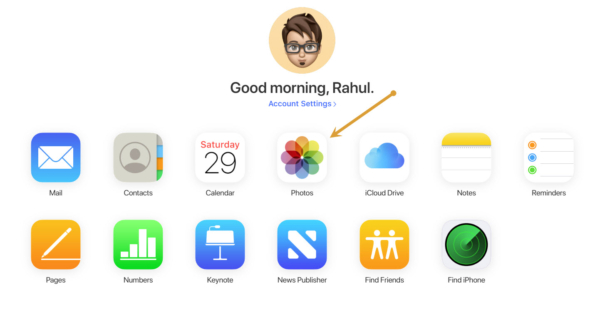
- After opening the iCloud Dashboard, click on “Photos“.
- Now you will see your iPhone photos on the iCloud user interface.
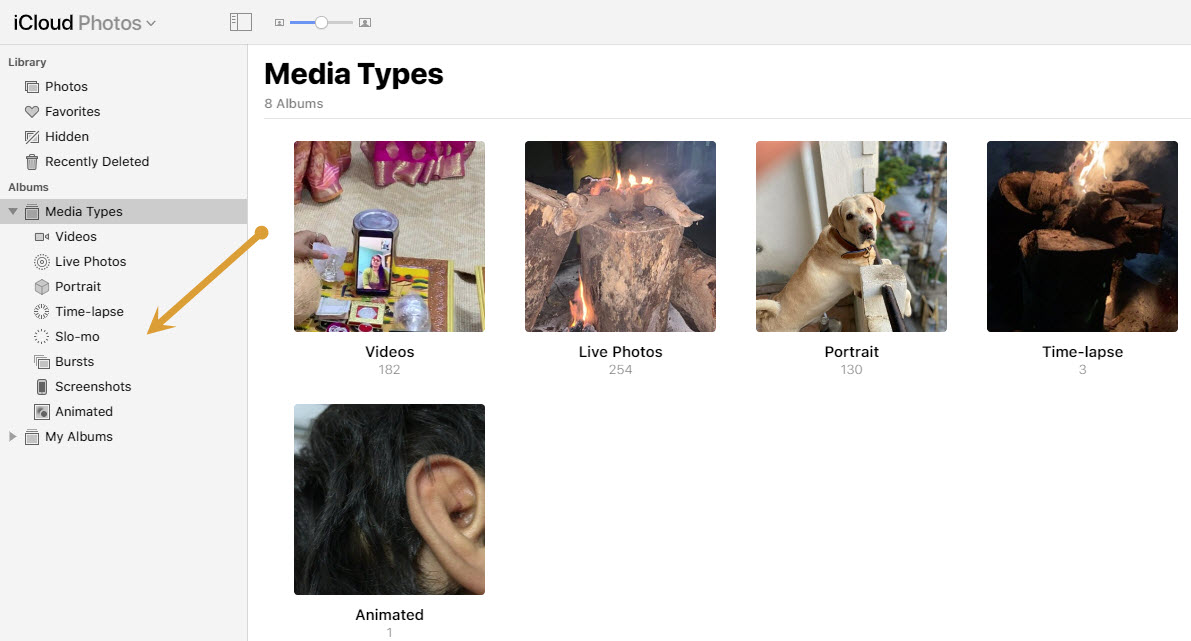
- Here, you can navigate the albums and media types on the left pane.
- Now click on the photos and highlight them to download.
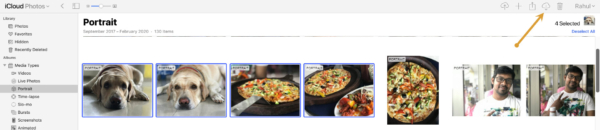
- Here, click on the download button at the top of the screen to download the selected photos from iCloud on your Mac.
That’s it. Now you can download the iPhone photos on your Mac without any hassle. Let us know your experience while downloading the iPhone photos from iCloud on your Mac in the comment section below.
More in How-to
How to Switch from iPhone to Android Smartphone
iPhone is great, it is one of the best devices in terms of quality, it has some unique functions, and everything is perfect. But, then there is Android, which has more features, extremely flexible, various brands to choose from, and a ton of apps to accomplish almost anything that you can do with a smartphone.…
Best Tips For Freeing Up Storage Space On Your iPhone
Are you an iPhone user? So this article will definitely help you. Many iPhone users are frustrated by the problem of running out of storage space, which prevents them from receiving new messages, and files, or even saving new images and videos. If you’re experiencing this problem, don’t worry; there are various ways to free…
How to block emails on iCloud mail?
iCloud mail is a good emailing service from the very popular Apple. iCloud mail is one of the services comes with every Apple user. An Apple ID is essential for every Apple device user including Mac, iPhone, and iPad. The iCloud email is a feature-rich email service with a decent user-interface. No matter whether it…
The week in tech, minus the noise.
New reviews, fixes and the stories that matter — once a week, straight to your inbox.
We only use your email to send the newsletter. Unsubscribe any time. See our privacy policy.
Comments