

How to block emails on iCloud mail?
iCloud mail is a good emailing service from the very popular Apple. iCloud mail is one of the services comes with every Apple user. An Apple ID is essential for every Apple device user including Mac, iPhone, and iPad. The iCloud email is a feature-rich email service with a decent user-interface. No matter whether it…
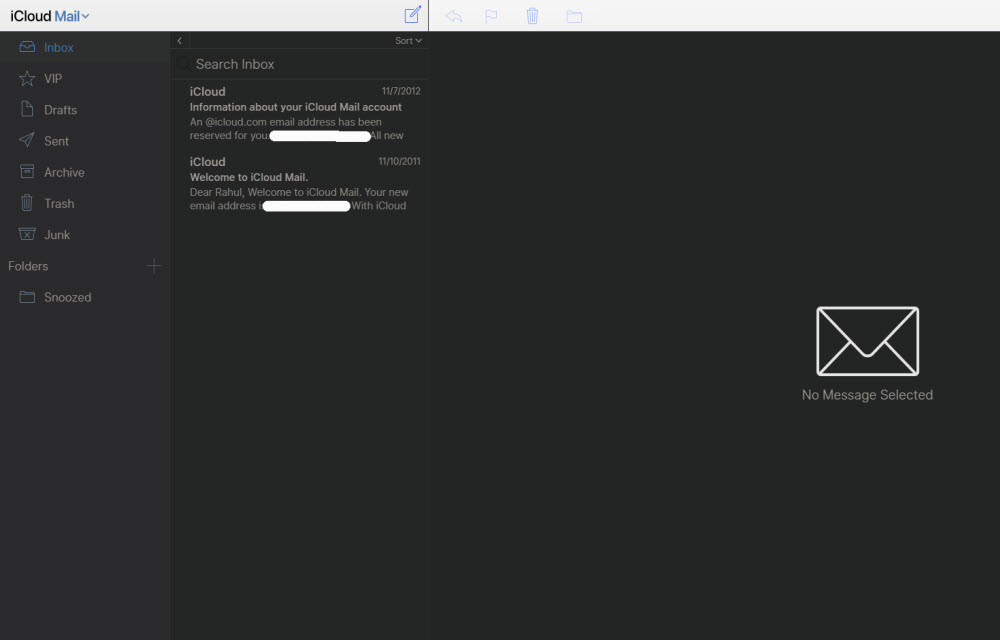
How to block emails on iCloud mail
iCloud mail is a good emailing service from the very popular Apple. iCloud mail is one of the services comes with every Apple user. An Apple ID is essential for every Apple device user including Mac, iPhone, and iPad.
The iCloud email is a feature-rich email service with a decent user-interface. No matter whether it is iCloud or Gmail, spam and junk problem are most common while using an email service.
If you are using iCloud as your main email account, then combating with junk mails is a simple process. The iCloud has the ability to move unwanted emails to folders like junk and trash. In this article, you will know how to block emails on the iCloud account.
How to block emails on iCloud?
Usually, there is a simple technique to block emails on iCloud. If you put unwanted or junk emails in the junk folder, the email service will learn the step and from the next time, it will automatically place these kinds of emails in the junk folder.
It is a special feature for Apple iCloud mail service which is not available on other email services like Gmail or Outlook. Once you move to the junk folder, next time the service checks the email sender and it automatically moves to the junk folder.
However, it won’t help to stop all the junk mails. This feature just disappears the unwanted mails from the main inbox. If you want to completely shut down an email sender to stop sending junk mails, you have to take another step in the mail account.
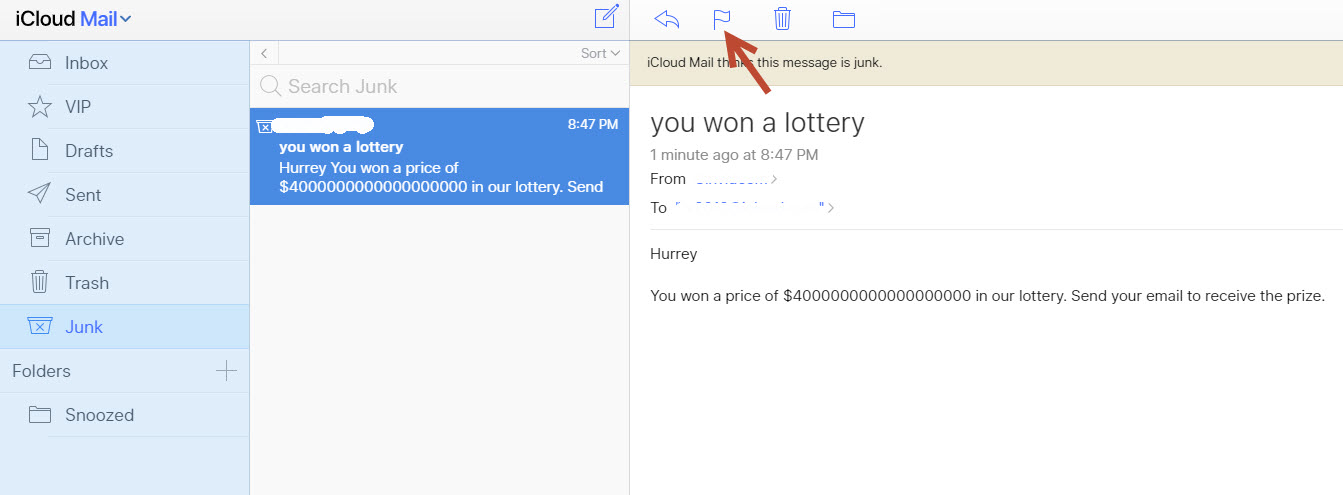
To completely block an email sender, open the mail you want to block in the future and tap the “Flag” icon and tap to the “move to junk” option.
That’s it. Now onwards you will have a nice inbox with important emails. This process needs to repeat on every spam email you want to remove. Once you block an email, you won’t receive the emails from the same email address.
More in How-to
How to Customize Gmail for More Productivity
How to Customize Gmail for more productivity: Gmail is the best Email provider around. You can customize Gmail for more productivity. You can tweak Gmail very easily with simple steps. Follow these steps to grab more from Gmail. Want to set up a signature to your Gmail? hmm line up with your name, website, company,…
How To Obtain A Free Zoho Mail Account
Even though you have Yahoo, Hotmail, and Gmail, you can keep on experimenting new web-based email service providers as long as they provide excellent features and user interface. Zoho Mail is a web-based hosted mailing solution, which provides advertisement free minimalist interface. Moreover, Zoho Mail provides several features oriented for business and professional purpose. You…
How to Undo Sent Mail in Gmail Account
Gmail has become the largest and dominated mailing service all over the globe. Millions using Gmail for their mailing needs and various purposes. Many of you may be using the Gmail for sending serious business related emails that have a lot of important information in it. How would it be if you accidently sent a…
The week in tech, minus the noise.
New reviews, fixes and the stories that matter — once a week, straight to your inbox.
We only use your email to send the newsletter. Unsubscribe any time. See our privacy policy.
Comments