

ReclaiMe File Recovery Ultimate Review
Did you accidentally delete a file from your computer, memory card, or external hard disk? Maybe you accidentally deleted an important file from RAID storage? Data recovery from your internal hard drive, external hard, laptop and memory card can be performed through many tools available in the software market. But ReclaiMe File Recovery Ultimate is…


Did you accidentally delete a file from your computer, memory card, or external hard disk? Maybe you accidentally deleted an important file from RAID storage? Data recovery from your internal hard drive, external hard, laptop and memory card can be performed through many tools available in the software market. But ReclaiMe File Recovery Ultimate is the best recovery tool which upholds the idea of recovering precious data from RAW file system drives. ReclaiMe can recover files in physically damaged hard drive by creating disk image drive only to recover data from it without affecting the original drive.
How does it work?
Unlike other recovery tools available, it is very small and efficient in data recovery to restore your precious data showing in complete files/folders tree structure. It supports almost all file allocation structures like FAT, exFAT, NTFS, ReFS, HFS, HFSPlus, UfsBE and UfsLE, Ext, XFS, or Other.
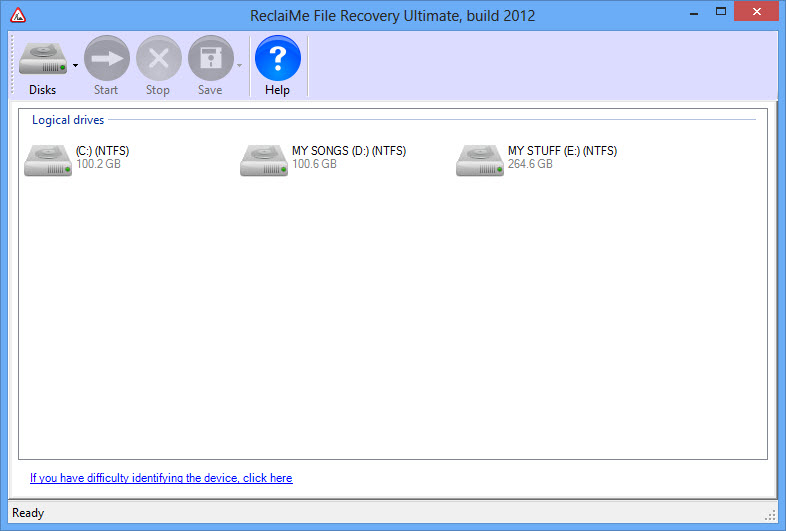
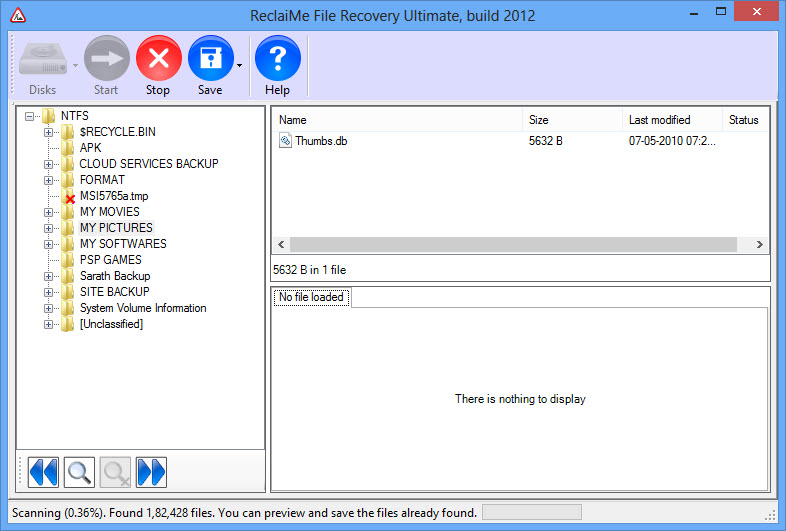
It is very simple to use and very professional in recovery, no technical skills are required to use the software. Download the program from ReclaiMe site and install the software. After installation when you open the program it quickly checks the available logical hard drives, partitions in the computer. The user interface of ReclaiMe carries five icons disk, start, stop, save and help.
ReclaiMe is a very slow program, you’ll need to be very patient while the recovery in the process. It is very important to scan every deleted file accurately to recover them. Personally, I tested the software with my 500GB hard disk by deleting some game files, images, and songs.
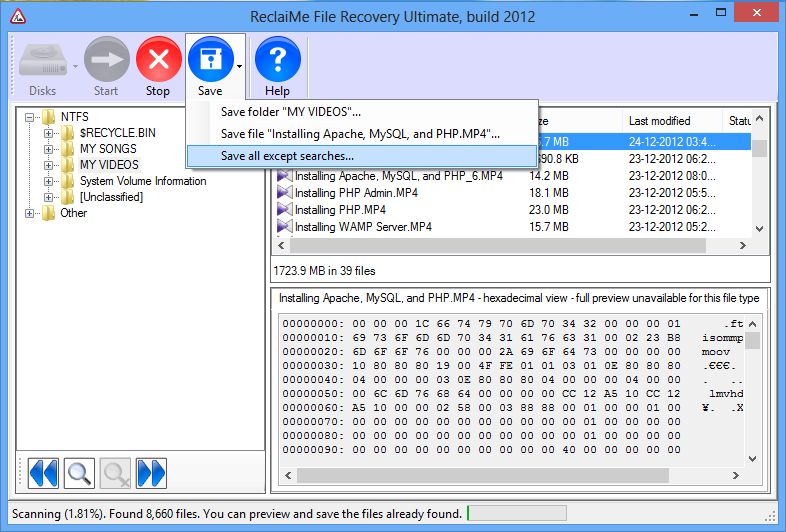
The complete scan of 100GB partition completed approximately in 31 min. It shows the results in right panel along with a preview of the file. To save the file click on the “Save” button and select your file saving destination folder. The data will be immediately recovered to your specified destination.
ReclaiMe is particularly built for Windows only. But you can scan and recover deleted file in Linux and Mac systems using an Ethernet connection. This is a very good useful option for large business areas to recover data from workstations.
Quick Overview of ReclaiMe File Recovery Ultimate:
- Able to work with RAID arrays
- Undelete a single file or multiple files.
- Unformat a hard drive (desktop and laptop).
- Recover data in case of boot failure.
- Various formats support like FAT, exFAT, NTFS, ReFS, HFS, HFSPlus, UfsBE and UfsLE, Ext, XFS, or Other.
- Recovers data from famous NAS drives such as Drobo, Synology, WD MyBook, and LaCie etc.
- It can unformat the hard drive like traditional hard drives, SSD’s and memory cards.
ReclaiMe available in trial and paid versions, trial version only allows you to preview all the data. To recover and save data you need the full version of the software. ReclaiMe paid available in Standard and Ultimate versions. In the standard version, you can recover files from Windows disks (FAT, exFAT, NTFS, and ReFS) whereas Ultimate can recover files from Windows disks, Mac OS disks ( UFS, HFS, and HFS+) and Linux ext2, ext3, ext4, and XFS filesystems.
An impressive performance and fully satisfied recovery of data, we highly recommend.
More in Software Reviews

Wise Data Recovery Review-Recovers Deleted Data On Your PC
It is quite often some times we delete data accidentally on our PC . Luckily, there are many file recovery tools available out there that let you recover deleted files.
Recover Lost iPhone Media, Messages Data Easily With Aiseesoft FoneLab-Review
Some times we accidentally deletes the data on iPhone which contains all photos, contacts, calendar, SMS messages, recordings, videos, voice mails, notes, and call history.

Wondershare Data Recovery: An Efficient Data Recovery Software
Data recovery softwares are all around you to help in critical data loss. Too many names might be confusing you in the selection of the best out of them. All of them offer high-end features that are almost similar one another. But the bitter truth is that most of them fail in providing what its…
The week in tech, minus the noise.
New reviews, fixes and the stories that matter — once a week, straight to your inbox.
We only use your email to send the newsletter. Unsubscribe any time. See our privacy policy.
Comments