

Advanced SystemCare Pro 7.1 Review
Advanced SystemCare Pro 7.1 is a comprehensive system tune-up an application that comes with a large collection of PC optimization tools. It designed to clean and optimize your computer to improve performance. Advanced SystemCare Pro 7.1 has 44 different tools including Malware removal, Registry Defragmentation, Internet Boost, Game Booster, Undelete and Turbo Boost.

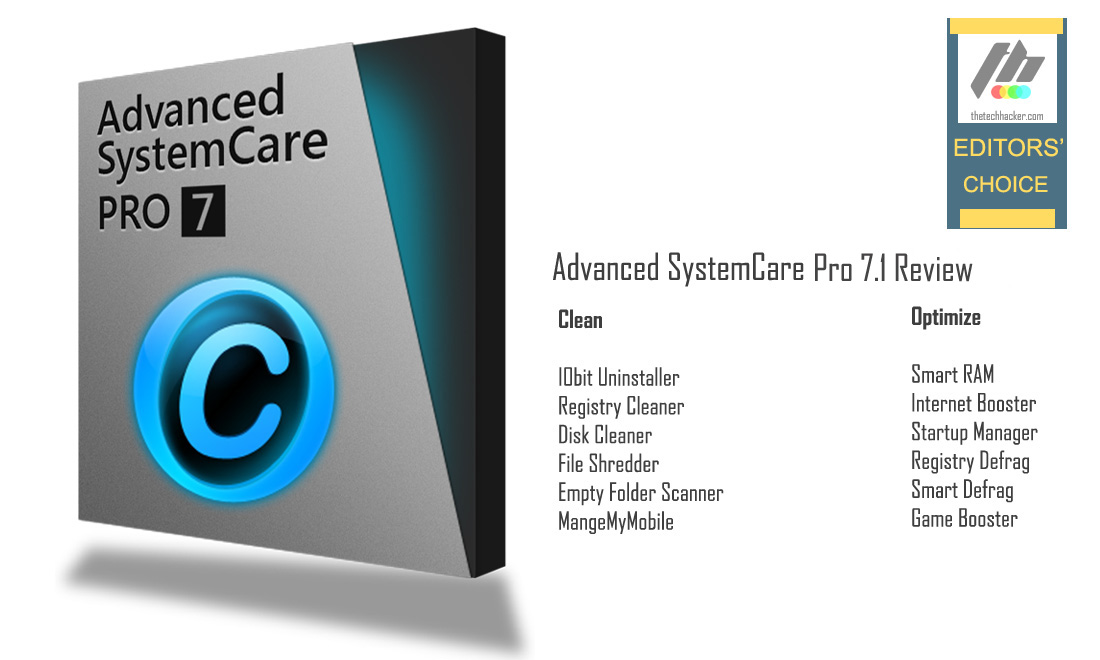
Advanced SystemCare Pro 7.1 is a comprehensive system tune-up an application that comes with a large collection of PC optimization tools. It designed to clean and optimize your computer to improve performance. Advanced SystemCare Pro 7.1 has 44 different tools including Malware removal, Registry Defragmentation, Internet Boost, Game Booster, Undelete and Turbo Boost.
Advanced SystemCare Pro 7.1 has everything you would need to keep a PC in shape. After installation, it launches with decent black and blue colored Tron inspired user interface with big Scan button. Top of the user interfaces it displays individual sections for clean-up. On the top, you’ll see exclusive features like Care, Toolbox, Turbo Boost, and Action Center.
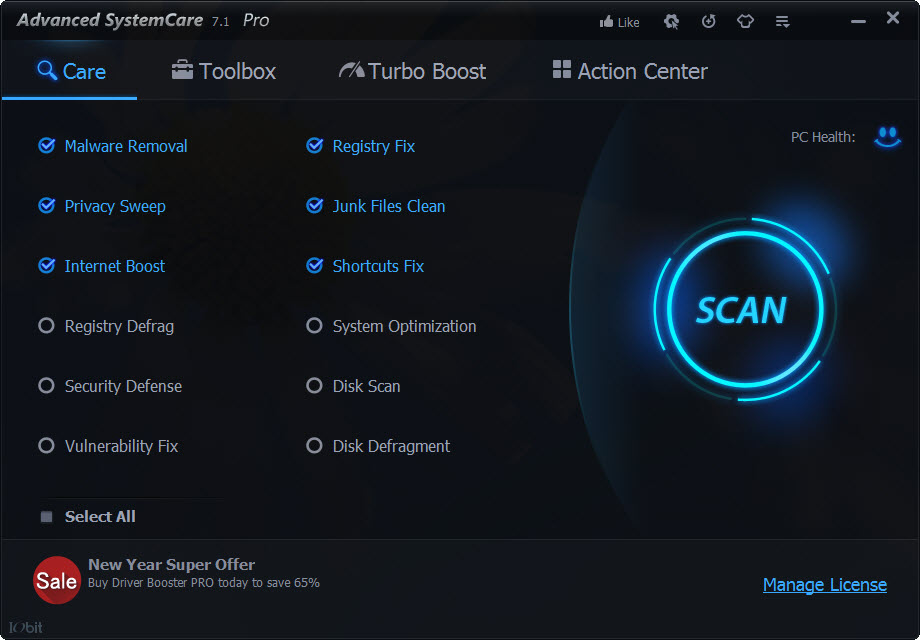
The first section Care carries useful tools like Malware Removal, Registry Fix, Privacy Sweep, Junk Files Clean, Internet Boost, Shortcuts Fix, Registry Defrag, System Optimization, Security Defence, Disk Scan, Vulnerability Fix and Disk Defragment.
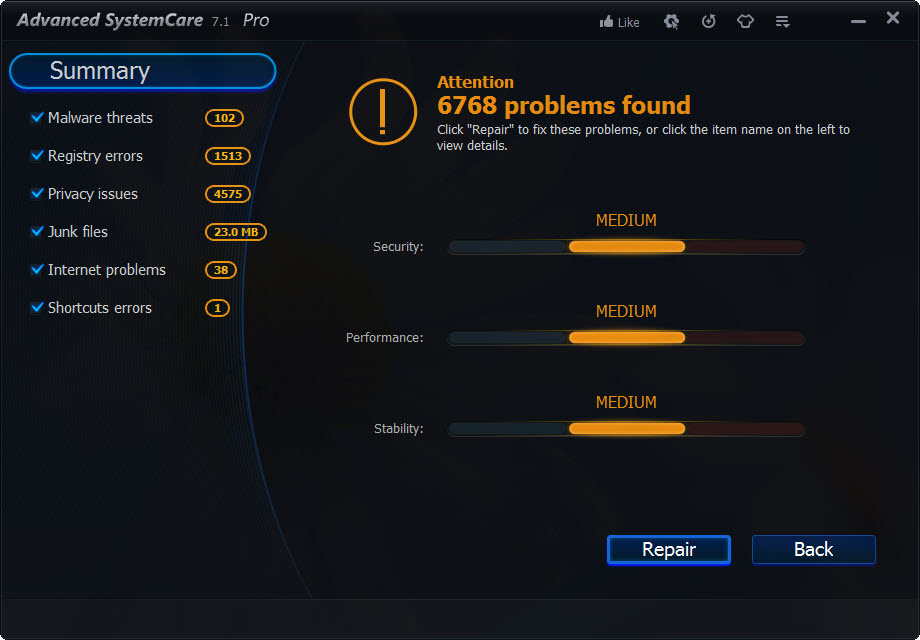
After clicking the scan button it instantly scans Malware threats, Registry errors, Privacy issues, Junk files, Internet options and Shortcuts errors. After scanning it show the list of errors and threats, clicking on the Repair tab will clean all the unnecessary files and threats. Even though the scan process depends on the size and number of files, traces, and other leftovers, generally it’s quite fast.
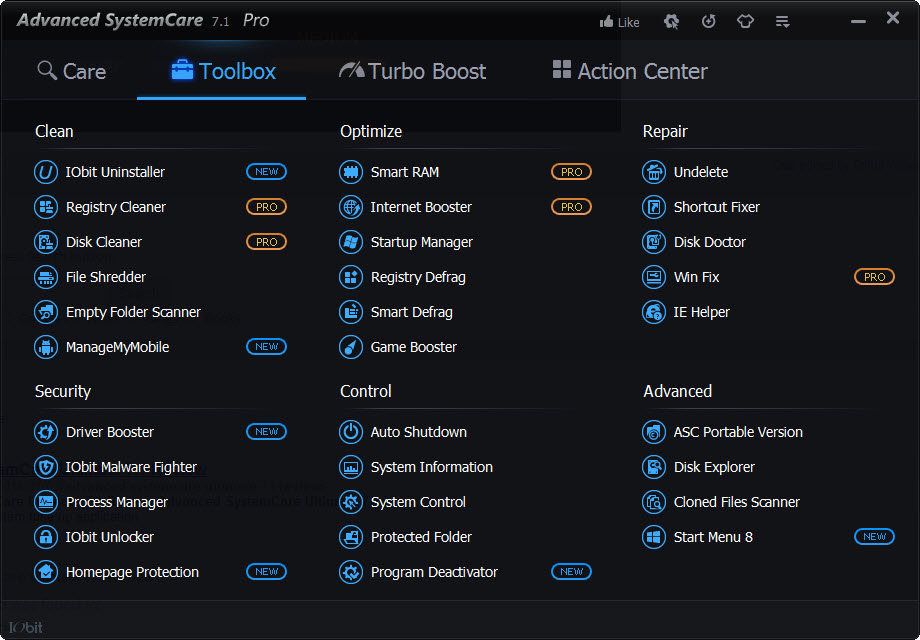
The toolbox contains more than 30 tools to Clean, Optimize, Repair and Control your computer.
Clean
- IObit Uninstaller
- Registry Cleaner
- Disk Cleaner
- File Shredder
- Empty Folder Scanner
- MangeMyMobile
Optimize
- Smart RAM
- Internet Booster
- Startup Manager
- Registry Defrag
- Smart Defrag
- Game Booster
Repair
- Undelete
- Shortcut Fixer
- Disk Doctor
- Win Fix
- IE Helper
Security
- Driver Booster
- IObit Malware Fighter
- Process Manager
- IObit Unlocker
- Homepage Protection
Control
- Auto Shutdown
- System Information
- System Control
- Protected Folder
- Program Deactivator
Advanced
- ASC Portable Version
- Disk Explorer
- Cloned Files Scanner
- Start Menu 8
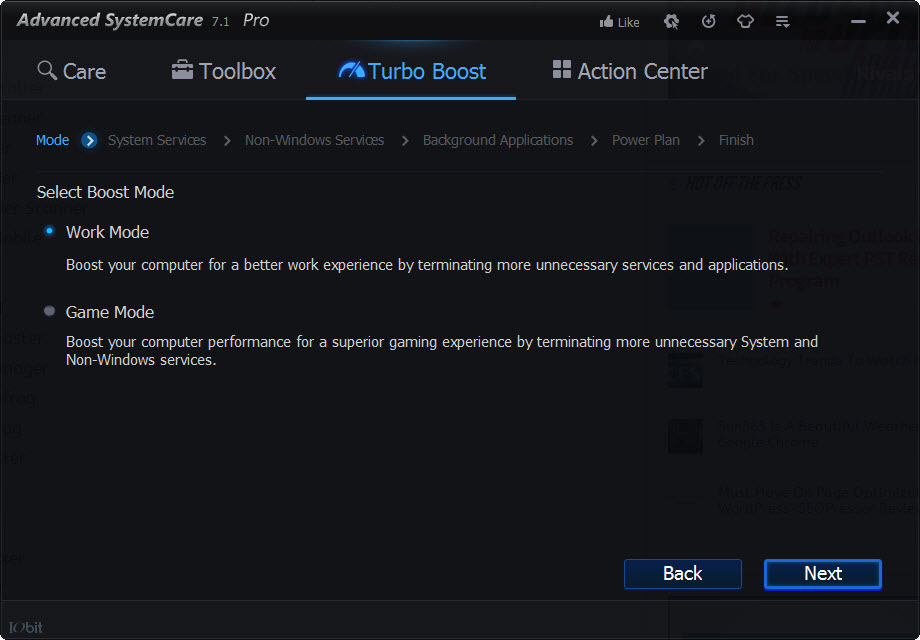
Next section contains Turbo Boost mode. Turbo Boost contains two boost modes i.e Work Mode and Game Mode. Work Mode terminates the unnecessary services and applications whereas Game Mode boost your PC gaming experience by terminating unnecessary and non-Windows services.
Another feature that caught our attention was Start Menu 8 which is a very useful tool for Windows 8 users. It brings Start Menu to the Windows 8 OS.
IObit Advanced System Care is arguably one of the best system caretakers we have come across. It is fully packed with features to improve your system performance easily. It comes in free, Pro and Ultimate variants. We tested Pro version on Windows and Windows 8 64-Bit editions.
More in Software Reviews
IObit Advanced SystemCare 9 Free Review
IObit Advanced SystemCare is a comprehensive system cleanup and utility solution. It is an all-in-one solution to clean, optimize, speed up and protect your PC. The software is completely compatible with the Windows 10. The speedy one-click approach of the tasks is quite an impressive feature. Apart from the previous versions, IObit had accepted a modern UI…
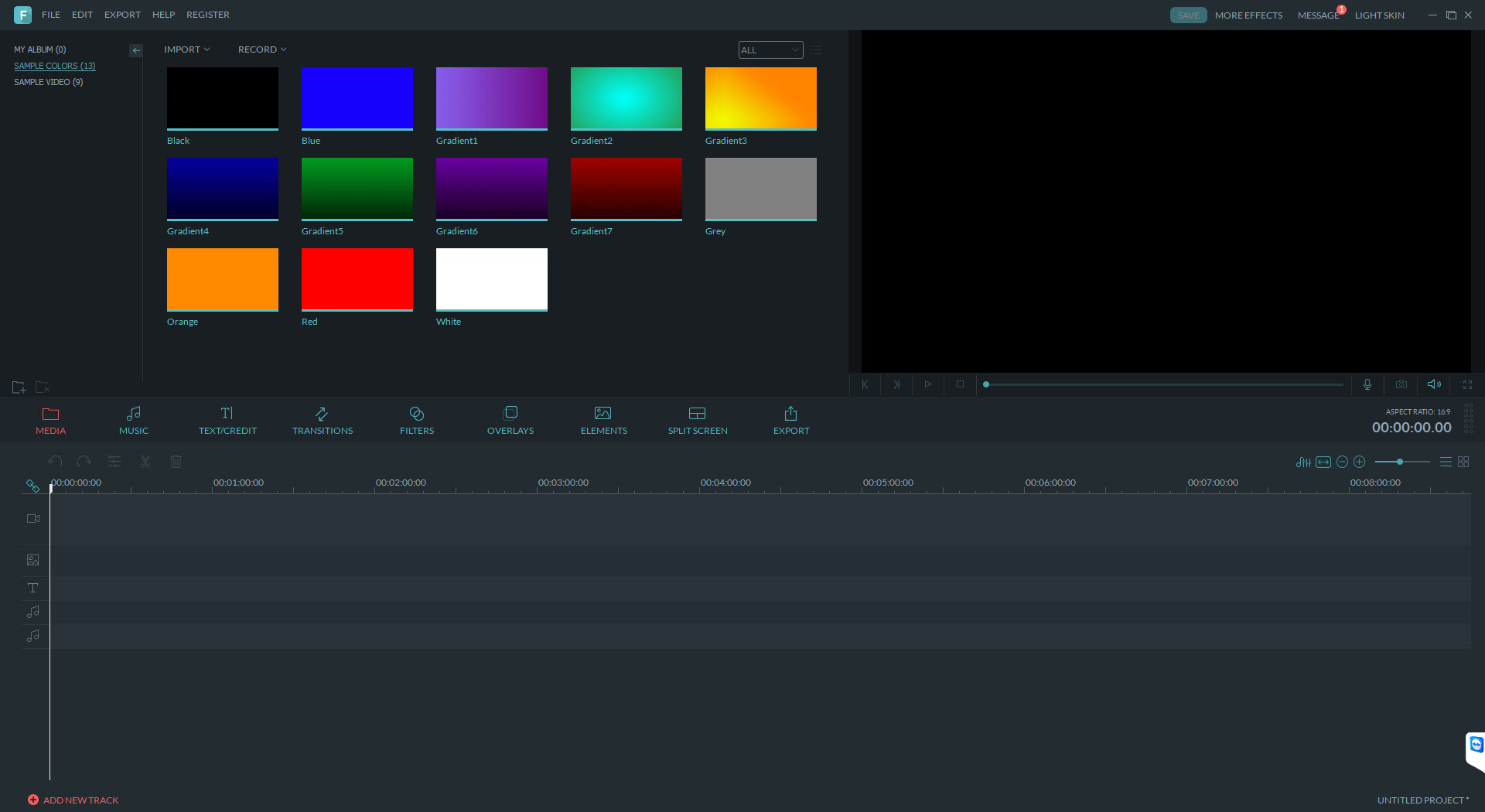
Wondershare Filmora (v7.8.0) Review
Wondershare Filmora is a video editing software available for windows and mac that is simple and effective for video editing needs. Even there are no advanced features as we’ve seen on professional video editing software, the Filmora is one of the best fits for the basic video editing needs. For the beginners who feel trapped…

VSDC Free Video Editor Review
VSDC Free Video Editor is a blessing for those who need to edit their videos by putting minimum effort. Using the software, users will be able to produce professional looking video files even without any professional video editing knowledge. Different from many other advanced video editors, this software is coming with the minimal functions that…
The week in tech, minus the noise.
New reviews, fixes and the stories that matter — once a week, straight to your inbox.
We only use your email to send the newsletter. Unsubscribe any time. See our privacy policy.
Comments