

SQLBackupAndFTP Review-Backup And Schedule Databases
SQLBackupAndFTP aim is simple, it lets you to backup database SQL with various options. You can save your SQL database in Zip format with encryption on a remote FTP location.
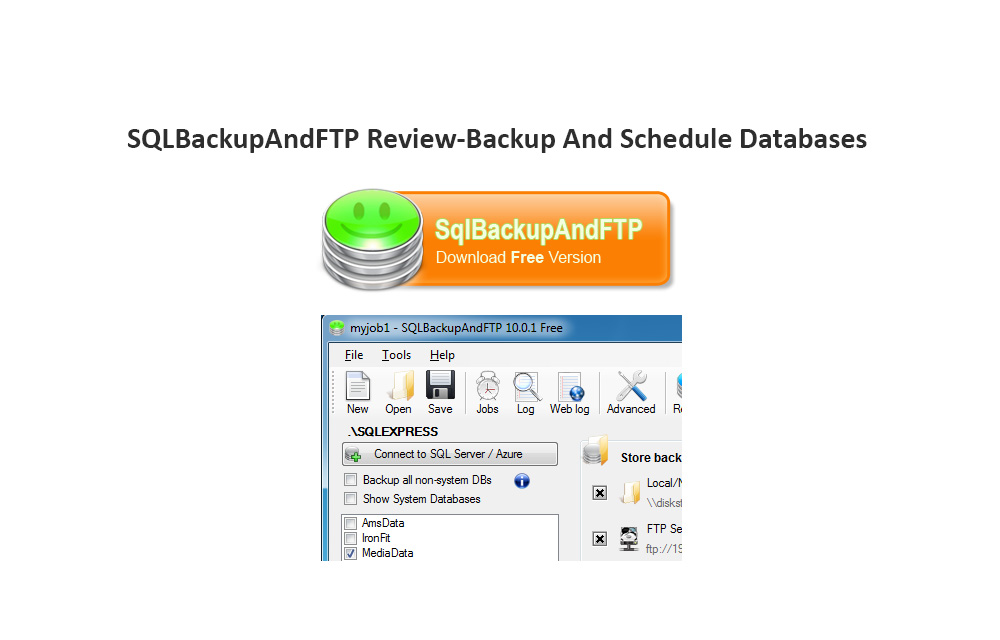
SQL Database backup is a must have task to protect your data from unexpected loss. There are so many reasons for the data loss in servers. Database mirroring, hackers attack and sometimes unexpected failures in servers causes the data loss. It is good to have regular backups to backup and restore the data in your MS SQL server databases.

Most of the servers offers database backup feature on their cPanel, but the features are limited and don’t offer compression modes, custom locations and regular backups. It is better to opt for third party database management tools to perform daily database management tasks. Today I found a perfect database management tool to schedule, backup your databases easily with SQLBackupAndFTP. Here is our full SQLBackupAndFTP Review. This tool is capable of easy SQL backup database and allows a pretty easy process of restore SQL database from backup.

SQLBackupAndFTP aim is simple, it lets you to backup database SQL with various options. You can save your SQL database in Zip format with encryption on a remote FTP location. To get started download the program from the official website and install it. After opening the program, it starts with a simple box with login options. In order to login into the server, you need to enter your server name using Windows Authentication or SQL server authentication.
After secure connection established with your server, the program shows its main user interface. The program main user interface contains all the required backup options and features. Even a newbie can understand the usability of the program using their fairly understanding options.
Here in the main UI the left side shows the connected database file system, to backup you can check the selected files. On the right side, it has the options like backup destination, email confirmation and scheduling options.
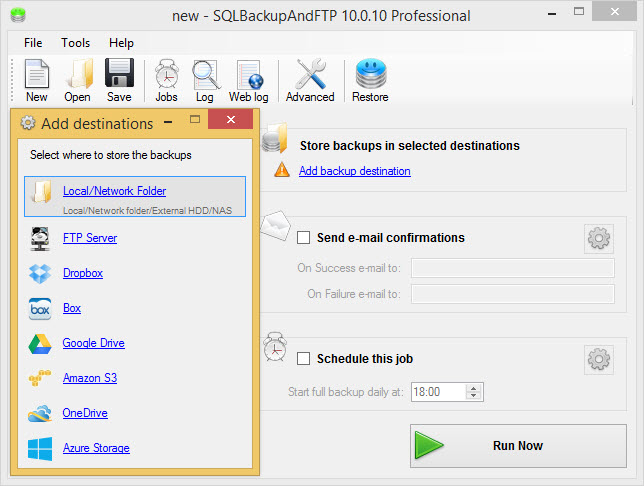
Here the best part of the program comes, SQLBackupAndFTP allows various locations to store your backups automatically. You can run scheduled backups of SQL database files into Zip format and store them on FTP server, Amazon S3, Google Drive, Box, Dropbox and Windows Azure cloud drives directly.
It also sends email to you about the successful backup completion. For security, the program encrypts files in the Zip format with AES encryption, which is a strong encryption method followed by US Government.

For the first time to connect cloud drive as a destination for your database backup first, you need to authorize the service with your cloud credentials. For example, it opens a web page after selecting Dropbox as “add backup destination” in the program.

Email confirmations are useful to notify about the success or failure of the backup task. For backup logs and notifications the program offers free email settings to Gmail, if you are using another email account you can configure settings manually clicking on the gear icon.

The “Schedule this job” offers advanced backup schedule option to the user. It is a very useful option to automate the backup task easily on a particular time and date.

Advanced settings option lets you to backup in temporary folders for large databases. You can also save log in your local PC by clicking on the Miscellaneous option. For advanced users, the compression settings come very handily to backup files in desired zip formats like .zip and .7z.
The program is very extensively useful for every SQL user to secure their databases before any unexpected data loss. The SQLBackupAndFTP is available in free, lite, standard, professional and Professional Lifetime versions. The free version only offers 2 databases at a time and Dropbox as a cloud destination. If you want the full working program and remove limitations you can go for paid version. This tool is useful for users using cloud based server hosting, the user can use it as a secondary backup solution for safe side.
SQLBackupAndFTP
Outstanding
- Features9.5
- Performance9.5
- Value for money9.5
What we like
- Features
What we don't
- None
No ratings yet — be the first.

You might also like

Driver Talent Review
Driver Talent (Formerly called DriveTheLife) is a driver solution software that helps to find missing or corrupted drivers in Windows PC and to fix them. It also helps to update the outdated drivers by finding the best-matched ones from the internet. The Driver Talent offers a unique way to find and install any of the…

CloudBerry Lab Cross-Platform Cloud Backup Software Review
CloudBerry Lab Cross-Platform Cloud Backup Software allows you to backup your Windows, Linux, Mac systems (both personal computers and servers) and restore them whenever it is necessary. The service has numerous advanced features that will not only save you from data loss but will also make sure that you’re backed up data is highly secure…

SQLBak – Freely Backup, Restore or Monitor SQL Server Database With Easy
Yes with easy!! SQL Server database is the backbone of any business that helps you make better business decisions and track performance.
The week in tech, minus the noise.
New reviews, fixes and the stories that matter — once a week, straight to your inbox.
We only use your email to send the newsletter. Unsubscribe any time. See our privacy policy.
Comments