

Rocket: Battery Saver, Booster-Android App Review
Google’s Android is one of the most popular operating system in the world. Which is no doubt the Android is a fully features packed OS for portable devices.

Google’s Android is one of the most popular operating system in the world. Which is no doubt the Android is a fully features packed OS for portable devices. However, the features and hardware consumes lot of power from the battery. The technology improved in the hardware and operating system development, but the battery life of portable devices is still an important factor.
The good news is there is an app available for Android to save the battery life. Rocket: Battery Saver, Booster is an option packed Android app to improve the life of your device.

What is Rocket: Battery Saver, Booster?
The main purpose of the app is to save your device battery by stopping the power consumption for needless services. Using the app is quite simple, just click on the icon select your preferred profile and click on the profile to activate it.
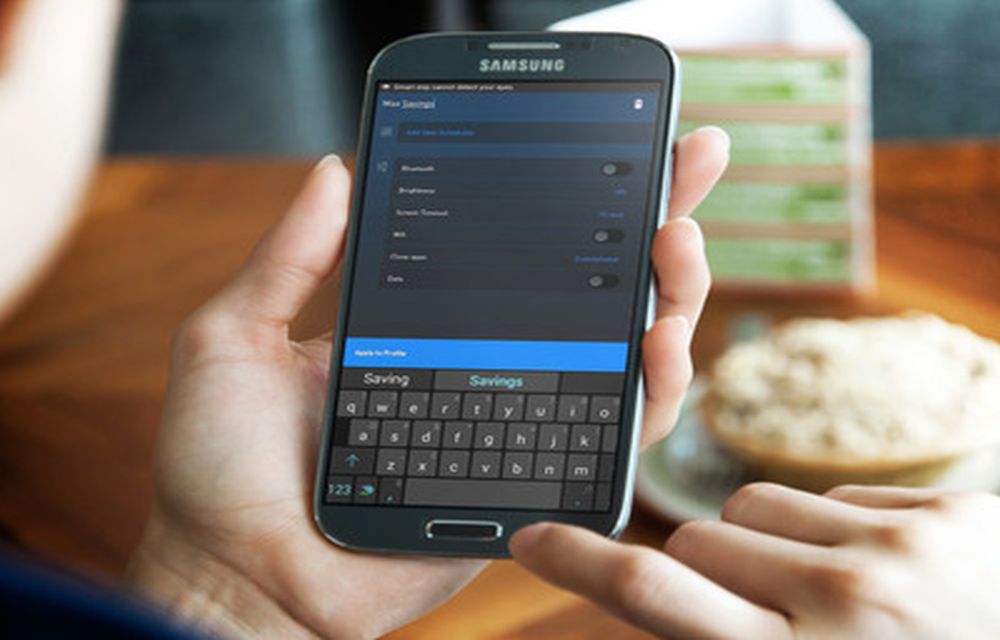
The app user interface is very decent and easy to understand. On the top of the program UI it shows the current battery level and remaining stand by time. Below the program carries two default profiles. Max Savings and Normal are the two default profiles. You can edit the existing profiles or you can create a new profile of your custom settings by tapping on the create new profile button at the bottom of the program.

Each profile is managed by the app is capable of controlling certain aspects of your device while it’s in stand by mode. By default the app comes with Max Savings profile of least settings enabled. The app’s each profile offers control over several phone option like Bluetooth, Brightness, Screen timeout, WiFi, close apps and data connection settings. You can also add select apps to a whitelist to prevent them from being killed.

User can add as many profiles as required, and user can add schedules depending on the battery level, time and screen off. The app will keep you informed about the current battery level as well as the selected profile through its notification panel widget.
Verdict
Rocket: Battery Saver, Booster is available in Google Play Store as both free and $0.99 variant. I’ve tried out a number of battery saving apps over months, now I found Rocket as a promising app. If you’re looking for an easy battery saving app, Rocket: Battery Saver, Booster is definitely worth giving a shot.
Download Rocket: Battery Saver, Booster Free.
Download Rocket: Battery Saver, Booster Paid.
More in Mobile

All New Features And Complete Details Of Android 5.0 Lollipop
The Android is particularly the center of attraction for most of the smartphone lovers. The Android has removed the all the barriers to the user to use a smartphone in a most simplified and easy way.
What is Data Saver Mode in Android
Google has released the developer preview version of Android N which is exclusive to Nexus range devices. In our previous article, we guided how to install Android N on Nexus device. This tutorial will help you to install Android N on the suitable Nexus device using two methods. To simplify steps Google has released the…

Android N – The Next Android OS Update with New Features
Most awaited Android 6.0 Marshmallow is rolling worldwide. Before the Marshmallow gets rolling on all Android devices, the News about next Android software update rolling in the industry. The next Android update is code named as “Android N”.

The week in tech, minus the noise.
New reviews, fixes and the stories that matter — once a week, straight to your inbox.
We only use your email to send the newsletter. Unsubscribe any time. See our privacy policy.
Comments