

Free HD Video Converter Factory Review: A Best Video Converter Freeware
Today the topic is about the best free Video Converter tool for Windows. Free HD Video Converter Factory is a free video converter software designed to give you a hand to deal with multiple video formats, such as 4K, AVI, MPEG, MP4, MWV, MKV, MOV, DV, etc. with superior embedded media formats transformation solution.

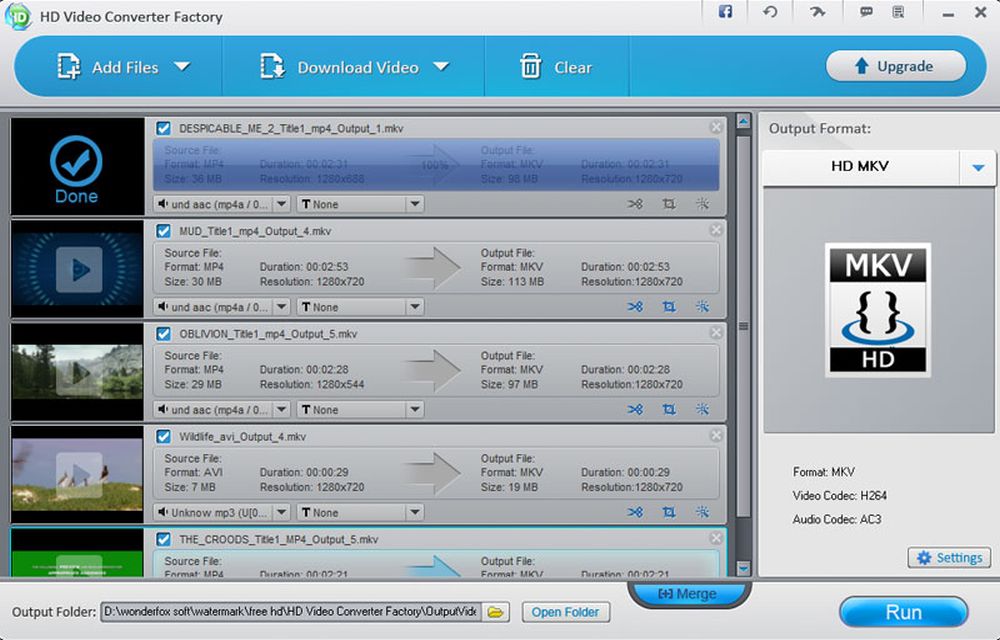
Today the topic is about the best free Video Converter tool for Windows. Free HD Video Converter Factory is a free video converter software designed to give you a hand to deal with multiple video formats, such as 4K, AVI, MPEG, MP4, MWV, MKV, MOV, DV, etc. with superior embedded media formats transformation solution.
You may keep numerous videos, but your new device may not support them, or you got tons of videos in hand while they are in different formats, you want to convert them into a same smaller size format, then you are good luck enough to have it for free, this software we introduced merely meet your needs.

The interface of Free HD Video Converter Factory is awesome, totally friendly and easy to work on.
Main Features:
- Free HD Video Converter Factory enables users to convert videos easily among 150+ most trendy video formats, like MKV, MP4, AVI, HD etc.
- Even H265 or VP9 tech is a piece of cake for our smart tool.
- Downloading videos from network is one of its eye-catching features.
- Hands on user experience, totally easy for newbies.
- No speed lost in free edition. 6 times converting speed faster than other converters.
- Permanent free. Users can to keep it as long as they want with no charge at all.
The review part:
Three Selections are enough for your choice:
Add Files, to choose which video you want to modify. This selection allows you to add video files. Download Video, enables you to download a video from a website. Choose this button, Fill the Add URL blank with your video website, click Analyze and wait about several seconds, the Download button will turn to active, you can change download destination by choosing the file image . Click Download then the rest will be done in a few seconds or minutes due to the online video size.
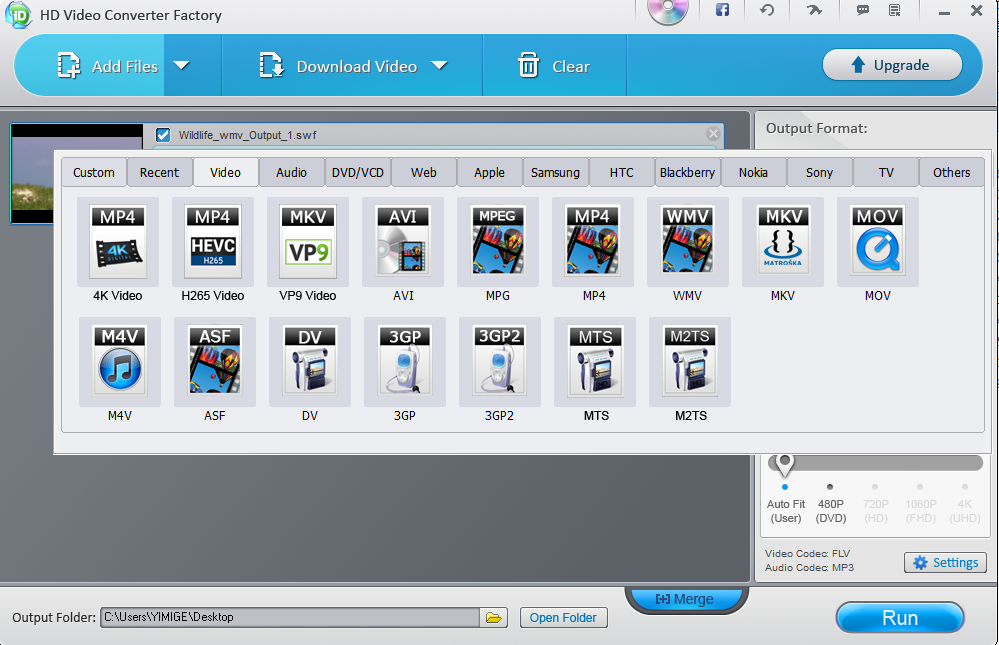
Clear, to clean the tasks on the list, this choice will wipe the work list.
The right side is the place to choose the output formats, 150+ video format video files are its advanced features, H265, VP9 and even html 5 video formats are included. The category classifies the video formats to the main devices, audio, web, video etc. So you don’t have to spend much time in finding the the output format. Easy visual using experience is its golden treasure.
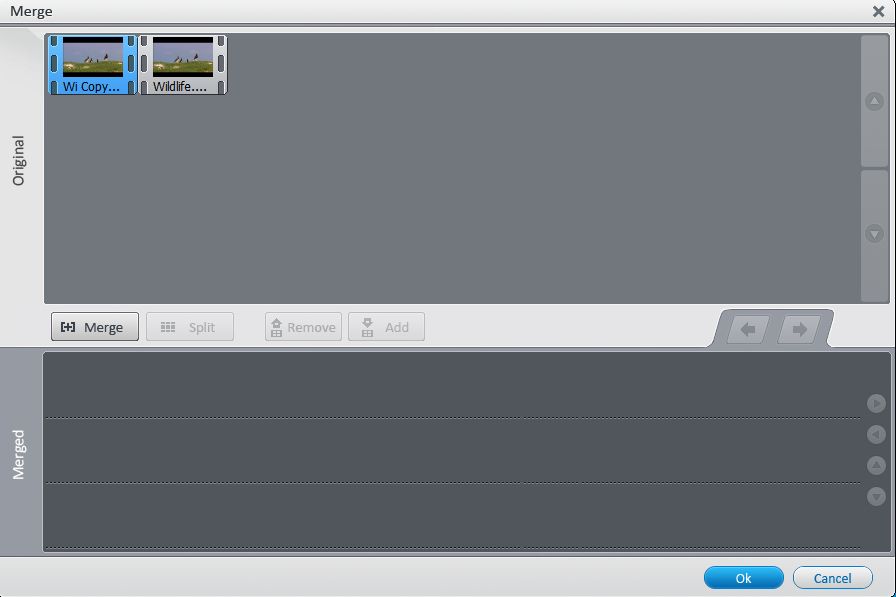
Merge button is used to merge two or more video into one: click Merge to create a merge task in the merged part, drag the above videos to the merge task you created, then clicked ok you can have the merging job done.
The speed is what I like to recommend it. It provides up to 30 times faster than normal converter tools in the market. It can convert a 150 mins, 1280*720, 2GB video to most trendy formats video as fast as in 10 mins to 30mins. While other same kind software needs 1h to finish it. Above is the example I pictured for you, just for your information.
What’s more, this Free HD Video Converter Factory is a freeware, which means you can enjoy a lifetime updates of no charge at all for this soft. Come on! Don’t hesitate to get one copy, because who knows this masterpiece will still be a freeware next time.
More in Software Reviews
Wondershare Video Converter Ultimate Review
Video converters are essential for converting the unsupported video formats to the supported ones. In other words, using a video converter, you could turn a video to any format so that it is compatible with any of your devices including PC, smartphones, tablets, etc. There are numerous video converters out there which don’t actually provide…
Tuneskit DRM Media Converter for Windows – DRM Removal Software Review
DRM (Digital Rights Management) is a technology used by certain media distributors to protect the content distribution beyond their control. Many people are against this technology as this is used to restrict the ownership of the purchased media content. For example, a video or TV Show purchased from iTunes can only be played on Apple…
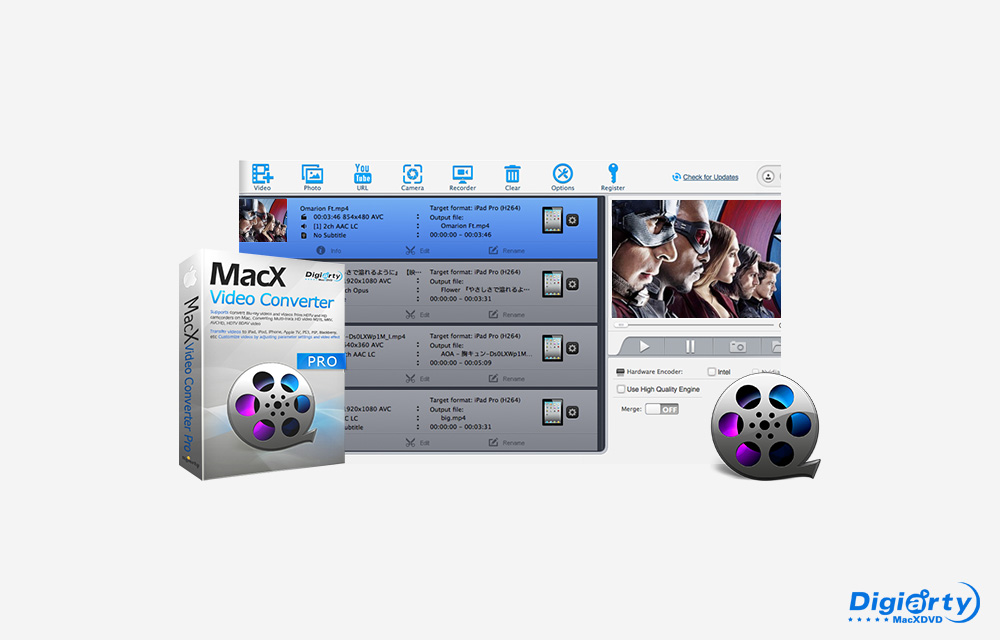
MacX Video Converter Pro Review
Today we are going to look at a Video Converter for Mac OS called MacX Video Converter Pro. There are plenty of video converter available for Mac. How this MacX Video Converter differentiate itself from others? It concentrates a lot on 4K video conversion on Mac, compression, processing and even downloads them from multiple online…
The week in tech, minus the noise.
New reviews, fixes and the stories that matter — once a week, straight to your inbox.
We only use your email to send the newsletter. Unsubscribe any time. See our privacy policy.
Comments