

How to Stream Playstation 4 Games on your PC or Mac
If you’ve already bored with your PS4 and the TV for the gaming, it is the time to try it in your Mac or PC. The latest update of the Sony PS4 let you stream games to your PC or Mac. The features will work on all PCs which is running on Windows 8.1 or…

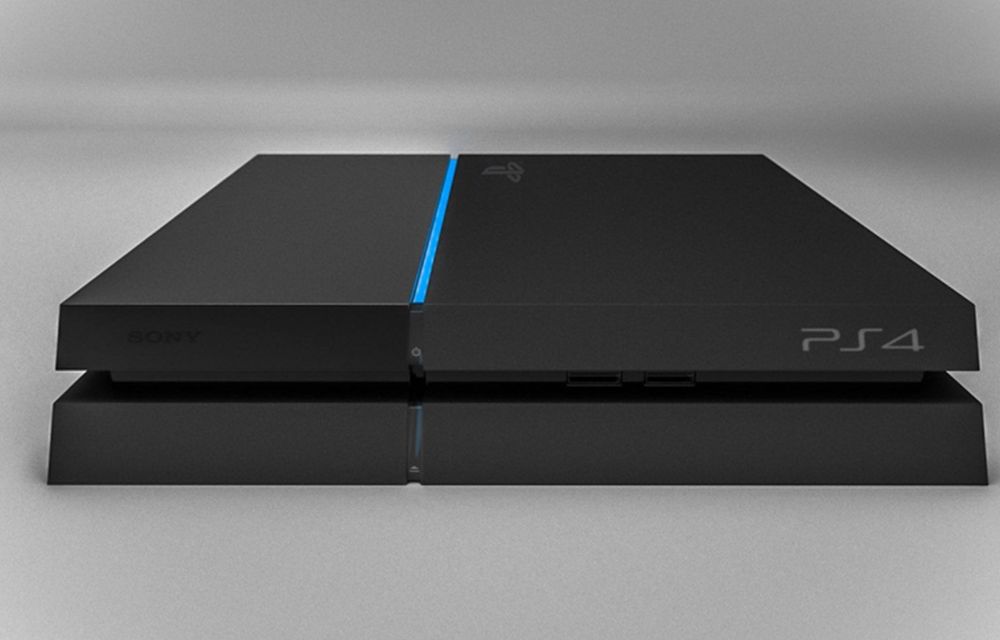
If you’ve already bored with your PS4 and the TV for the gaming, it is the time to try it in your Mac or PC. The latest update of the Sony PS4 let you stream games to your PC or Mac. The features will work on all PCs which is running on Windows 8.1 or higher and Macs which is running on OS X Yosemite or higher.
The PC or Mac should have at least 2GB RAM, 1,024×768-pixel or higher resolution display, and at least a 2.4GHz Core i5-520M processor to stream games. Sony also recommends an internet connection with at least 12Mbps for better performance.
- You can check your internet connection speed here
Directly coming to the matter, follow the simple steps given below to stream PlayStation 4 games on your PC or Mac.
- Update your PS4
- Go to the Settings screen of your PS4
- Select System Software Update
- Then Update if any updates available
- Enable Remote play in PS4
- Go to the Settings screen of your PS4
- Click Remote play connection settings
- Then select the checkbox
- Set PS4 as the Primary System
- Go to settings
- Click PlayStation Network/Account Management option
- Select Activate As Your Primary PS4 option and click Activate
- Change PS4 Power Settings
- Go to settings
- Click Power Save Settings
- Then Select Set Feature Available in Rest Mode
- Enable both “Stay Connected to the Internet” and “Enable Turning on PS4 from Network” boxes
- Install Remote play on Mac or PC
- Go to this link to download the Sony Remote play software
- Install it on your Mac or PC by following the simple steps
- Ready to play the game
- Open Remote play software on your PC or Mac
- Click Start button in Remote play software and Sign in to your PlayStation account. You can create one from here.
- The software will now start searching for your PS4. Make sure that your Playstation is turned on.
- Connect the DualShock 4 controller to your PC or Mac using a Micro-USB cord.
- Now, start playing your favorite games on your PC or Mac
If you’ve carefully followed the steps given above, your should be able to stream the PlayStation 4 games on your PC or Mac. If you have any further queries or doubts about the same, don’t hesitate to leave a comment.
More in How-to

How Much Is GTA 6? The Full US Price Breakdown Before You Buy
GTA 6 is two days away, and “GTA 6 price” is suddenly one of the most searched gaming questions in the US. Fair enough. The standard version alone is $80, and once you add an upgrade, a collector’s box or more storage, the total can climb fast. So I put every official price in one…

What Time Does GTA 6 Come Out? Unlock Times for Every US Time Zone
It is finally launch week. If you are like me, the only question left is exactly when you can stop staring at the pre-loaded GTA 6 icon and actually press start. I went straight to Rockstar’s support site, Xbox Wire and the PlayStation Blog to pin down the official answer, because there are a lot…
How to Update PS5 for GTA 6: Install the Required System Update
If GTA 6 won’t start on your PS5, the most likely reason is the console itself. PlayStation says Sony released a PS5 system software update that is required before you can play Grand Theft Auto VI, and the game unlocks at midnight on November 19. This guide shows the three official ways to install it,…
The week in tech, minus the noise.
New reviews, fixes and the stories that matter — once a week, straight to your inbox.
We only use your email to send the newsletter. Unsubscribe any time. See our privacy policy.
Comments