

8 Essential Travel Apps
Whether you’re headed down the highway, across the country, or over the oceans, you’ll want to download and install these eight travel apps to make your experience smooth and enjoyable.

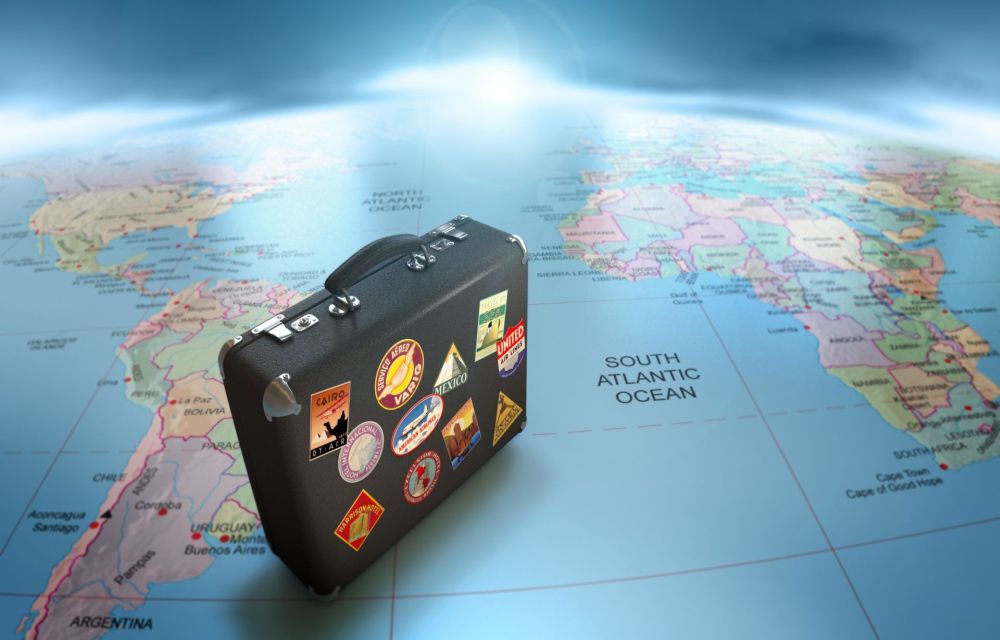
8 Essential Travel Apps
Whether you’re headed down the highway, across the country, or over the oceans, you’ll want to download and install these eight travel apps to make your experience smooth and enjoyable.
1. Hunt for the Internet: WiFi Finder
Even if you have a satellite phone or are going in an area with decent tower coverage for cell phones, a stable Internet connection that can handle high volumes of data quickly without obliterating your data plan is always a welcome sight. The free WiFi Finder will hunt out open wireless networks that have an active Internet connection, alerting you to their location.
Best of all, the app works whether or not you currently have Internet access!
2. Find Your Way Thanks to Google Maps
Travelers of the past had to deal with predetermined pathways or collections of folded paper maps, landmark recognition, and knowing how to find their orientation if they wanted to explore without getting lost. Google Maps can guide you step by step from anywhere in the world to a destination by land, sea, or air. Chances are you’ll be most interested in the modes designed for walking or driving, of course.
In most places in the Americas, Europe, Russia, and Oceania, you’ll be able to go right into the street view from your phone so you can familiarize yourself with the area before you hit the road.
3. Found in Translator: Google Translate
Humans communicate on a primitive level through our gestures and basic sounds, but the complex social interactions of modern life require the ability to express more evolved concepts. If you don’t have the spare time to learn a new language for your trip, you can download a translation widget like Google Translate to quickly transition from walls of blank stares to nods of understanding that you are desperately seeking a bathroom. You won’t pass as a native through the automatic translation, but it’s much better than the alternative of being unable to talk to the locals at all. If you have a smartwatch such as the Apple Watch, you can be less conspicuous by letting the watch listen into the conversation and parse it through the Google Translate app.
4. Culture: Keep It Local
Multinational businesses, bored students in their dorms and government agencies are all realizing the ease of the creating mobile apps and the value that they can have. Local municipalities are increasingly becoming more likely to have a self-created mobile app that points visitors to the area towards attractions, restaurants, storefronts, and vital services. Grabbing one of these when available can clue you into the cultural pulse of the region.
The unfortunate consequence of the specialized applications means there is no one app that you can download to cover every destination. Instead, check your app store for programs that specifically mention your planned stops.
5. Try a Bite: Foodspotting
Getting sent to the oft-quoted best restaurant for your travel destination is one enjoyable aspect of food tourism, but they could very well serve you a dish that would fit better in your hometown than abroad. Foodspotting is an app that focuses on the cuisine of the best restaurants to eat. Users all over the world rank local dishes and recommend them to both their friends at home and the new ones who will be traveling into town shortly.
6. When a Vacation Comes Along, You Must: TripIt
Some people thrive in chaos and mayhem, but most people will find a dose of unwanted excitement to be horrible when a plane flight is missed or a once-a-lifetime tour is forgotten just long enough to require a high-speed rush down the road.
Before you even pack your bags, download and install the TripIt app. Once you and the app’s information crawlers figure out the trip’s itinerary, you can quickly access it from any computer or mobile device as well as share the plan with your friends and family.
7. Coordinate the Wanderers: Travefy
Group trips have to strike a balance between keeping everyone on relatively similar schedules and allowing them the freedom to explore the local area and find something new and unique. Like TripIt, Travefy is an app for creating travel plans, but it has an enhanced focus towards making it easier to keep everyone in your group up to date and ready to roll out whether they’re hitting the local dance clubs or at the top of a national monument.
8. You Can’t Predict: The Weather Channel
You can still have fun in the pouring rain or during a furious snowstorm, but being caught in severe weather without proper preparation can waylay your trip quickly. Stick the Weather Channel app into your smart device and use it to shift your plans around the drifting clouds, heat waves, and pressure fronts.
More in Mobile

Real Apps To Earn Real Money Directly From Your Mobile Device
It doesn’t matter if you are using an Android Device or an iPhone, it is a known fact that there are plentiful mobile apps that are mainly designed to take money to give you fun using the gameplay and stuff.
Best GPS Apps for Android and iOS – For Better Navigation and Accuracy
Best GPS Apps for Android and iOS: The amount of mobility that smartphones are providing us with is amazing. Not only are they allowing us to do a ton of things on the go, which was previously only possible if we were somewhere near a PC, but they also have a ton of apps that…

Top 5 Travel Apps For iPhone To Organize Your Travel Plan
When you are planning a business trip or a holiday, organizing or planning trip is a must have task. Before stepping into the flight we need to do Hotel booking, car rentals, restaurant reservations checking weather conditions and much more. Proper planning of the trip results in a more safer, convenient and enjoyable journey. For our…
The week in tech, minus the noise.
New reviews, fixes and the stories that matter — once a week, straight to your inbox.
We only use your email to send the newsletter. Unsubscribe any time. See our privacy policy.
Comments