

Best Google Search Tricks To Improve Productivity
We search for information on Google every day. As a user, you will provide the required content and Google will display the results in a paginated format. However, you can do more with Google searches by applying the below-mentioned tips and tricks. Make use of quotes If you make use of the quotes in the…


Google Search
We search for information on Google every day. As a user, you will provide the required content and Google will display the results in a paginated format. However, you can do more with Google searches by applying the below-mentioned tips and tricks.
Make use of quotes
If you make use of the quotes in the search keyword, you will be able to view the results with the same words. If you provide the following search keyword enclosed in double quotes, you will view the results in the same order.


Use asterisk within quotes
If you search a keyword enclosed with an asterisk within the quotes, you will be able to view all variations of the specific keyword. For example, if you want to search for a song but doesn’t know the complete lyrics, you can make use of this technique.
Use Minus sign
If you want to eliminate search results with a particular word, you can use minus sign. For example, if you search for “Mohanlal -songs”, you will view the results which are not related to songs in the Mohanlal films.

Search using website names
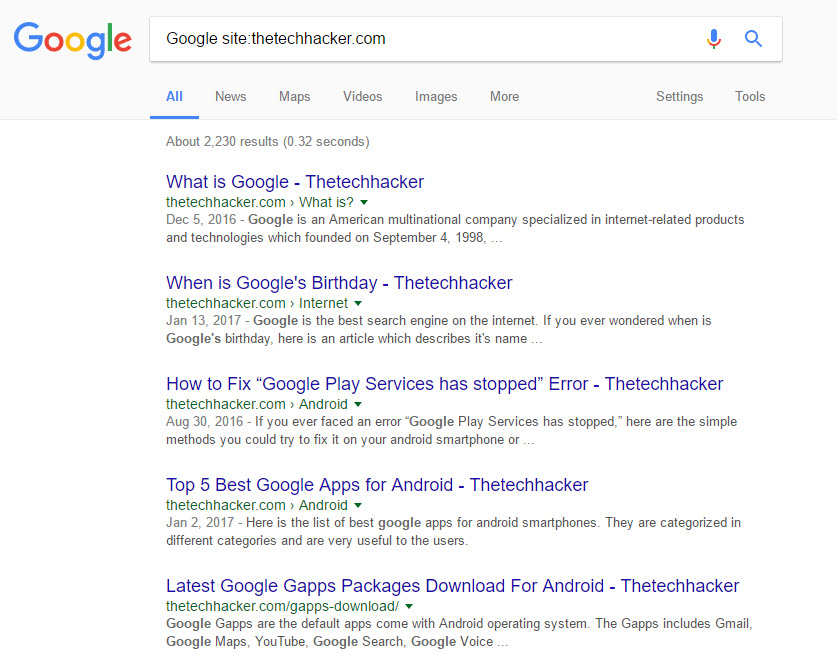
If you provide the relevant website address on the search, Google will display results only with the website name. Try searching for Google site:thetechhacker.com and check out the result
Search Archives
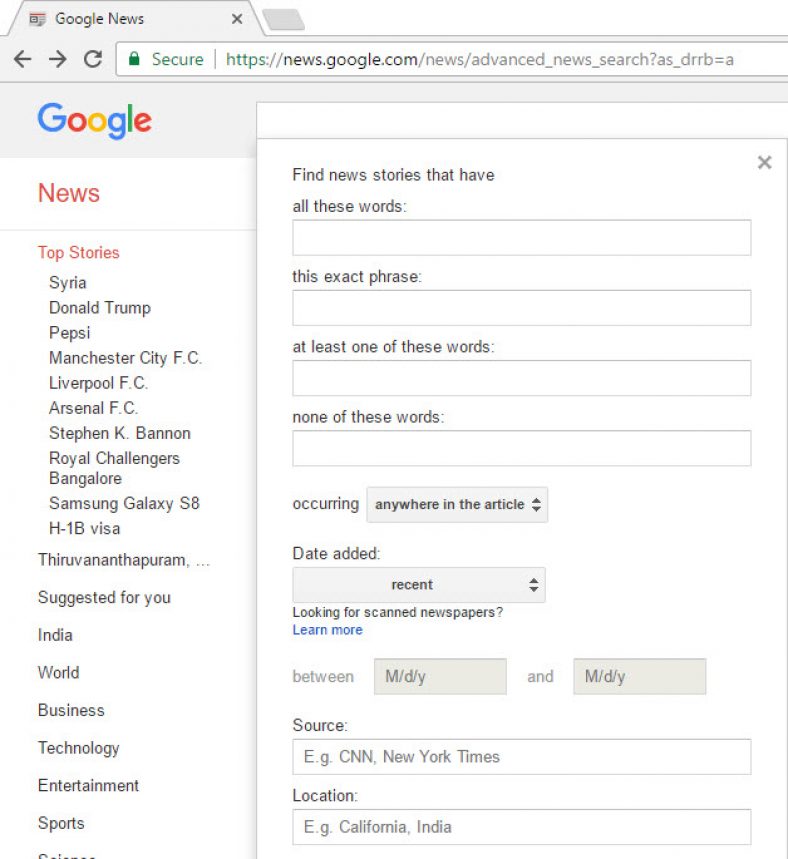
You can fetch news and information dating back to 100 years by visiting the Google Archive page. You just need to select specified dates from the Date added option and pick the date and month from the between & and options. You will view the news published by various portals on the web during that time.
Compare Search Results
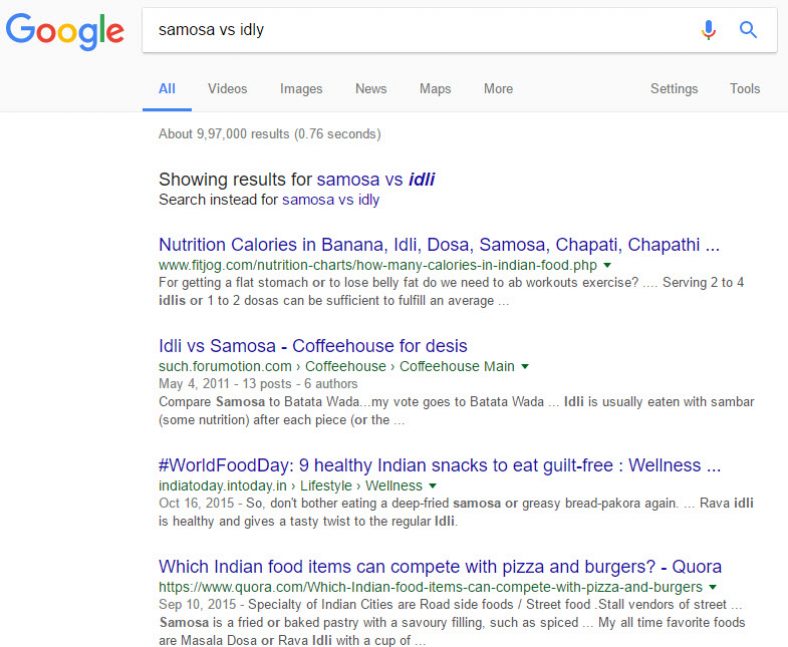
Do you want idly or samosa for your breakfast? You can compare both of them by searching with “vs.” between both keywords.
Make use of DEFINE
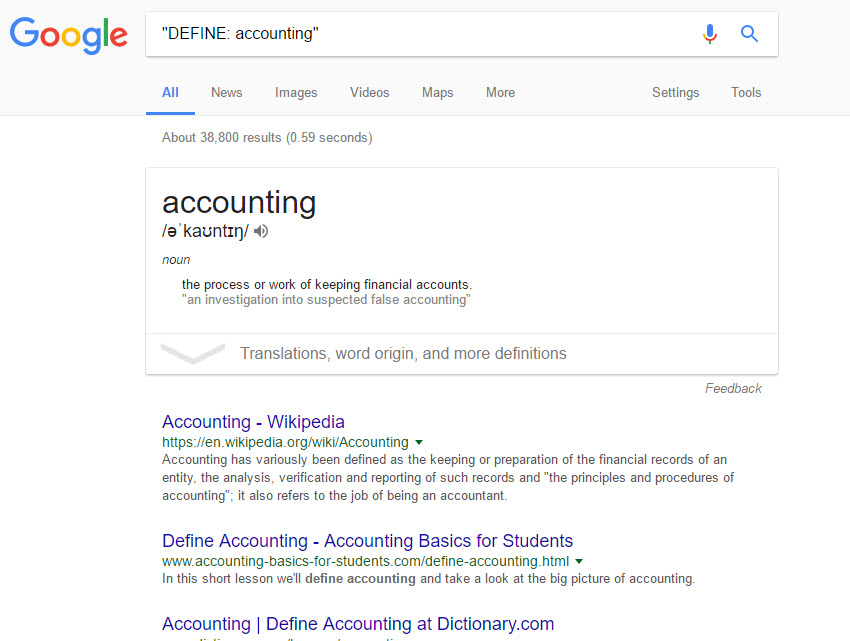
If you want to learn the meaning of a particular keyword, you can use DEFINE: with the term. Try using “DEFINE: accounting” and find out the result. You can find out the meaning of any term using DEFINE.
As you can see, there are several options by which you can refine your search results instead of just searching in plain format. You will be able to enhance your productivity with the above tips.
More in News

Android Nougat Tips And Tricks
Android Nougat has been released with a wide range of features. However, many users are yet to experience to capabilities of the Nougat because of the less market share. You will be able to work with Android Nougat only if you purchase premium handsets such as Google Pixel, Nexus, LG G6 and Samsung Galaxy S8…
Google I/O 2026: Gemini 3.5 Flash & Autonomous Agents Redefine the Android Ecosystem
Google is officially moving beyond prompt-and-response AI. At Google I/O 2026 in Mountain View, the company laid the groundwork for an “Agentic” future where artificial intelligence operates autonomously in the background. Powered by the newly unveiled Gemini 3.5 Flash model, these agents are designed to execute complex tasks across the web, your local Android device,…

Apple Makes a Move to Improve its Relations with China
Apple is on the verge of significantly improving the state of its relations with China. With the former relying more and more on its services to generate revenue in the country, the establishment of close ties with the local Government has become quintessential. While other firms have chosen to simply back off from that market…
The week in tech, minus the noise.
New reviews, fixes and the stories that matter — once a week, straight to your inbox.
We only use your email to send the newsletter. Unsubscribe any time. See our privacy policy.
Comments