

Is TutuApp Safe? Why We Don’t Recommend It (and Safe Alternatives)
TutuApp is one of those names that keeps coming up when people look for free versions of paid apps or “hacked” games on Android and iPhone. We used to have a guide on how to install it. We have replaced that guide, because after looking at how TutuApp works and the risks involved, we can’t…

How to Install TutuApp on Android and iOS Devices
TutuApp is one of those names that keeps coming up when people look for free versions of paid apps or “hacked” games on Android and iPhone. We used to have a guide on how to install it. We have replaced that guide, because after looking at how TutuApp works and the risks involved, we can’t recommend it.
In this article, we explain what TutuApp is, why it is unsafe, and the safe, legal ways to get apps on Android and iOS instead.
Please note: This article does not include download links or installation steps for TutuApp or similar app stores.
What Is TutuApp?
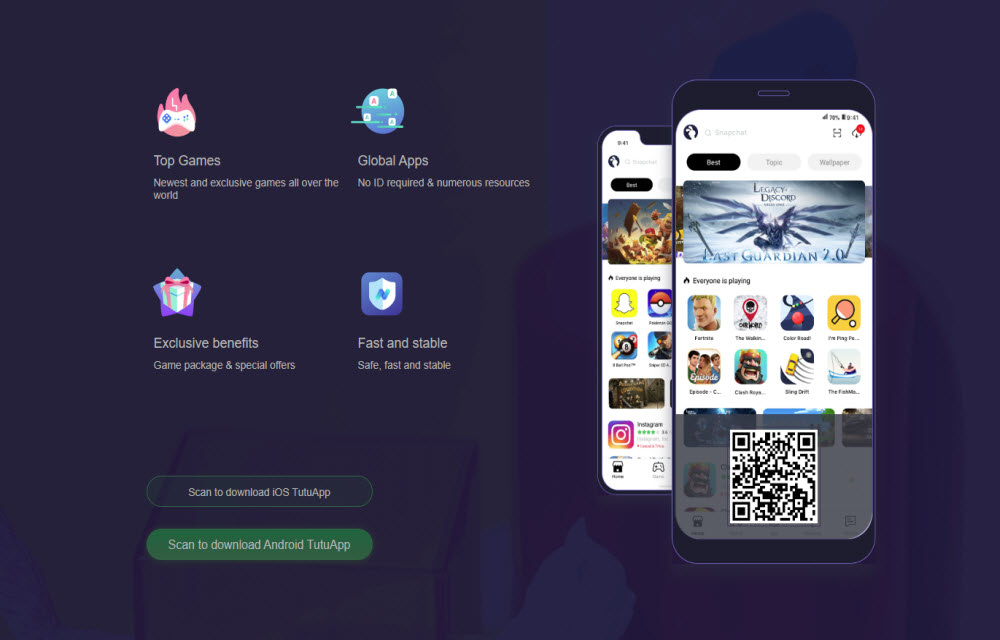
TutuApp is a third-party app store that has offered apps for Android and iOS outside of Google Play and the Apple App Store. Alongside regular apps, it became known for offering modified versions of popular apps and games, such as copies of paid apps for free, “premium unlocked” apps, and game versions with cheats built in.
In 2019, a Reuters investigation reported that TutuApp and several similar services were distributing modified versions of well-known apps like Spotify, Minecraft, and Pokémon Go to iPhone users. On iPhone, these stores got around the App Store by misusing Apple’s enterprise developer certificates, which are meant only for companies to install internal apps on their own employees’ devices. Apple said at the time that developers who abuse enterprise certificates break their agreement with Apple and have their certificates terminated.
Is TutuApp Safe?
No. Here are the main risks.
1. Pirated and modified apps
A “free” copy of a paid app or a game with unlocked premium features is usually a pirated or tampered version. Using it breaks the app’s terms and, in many countries, copyright law. It also takes money away from the developers who made the app.
2. Malware and data theft
When an app has been modified by someone other than its developer, you have no way of knowing what else was changed. Tampered apps can include adware, spyware, or code that collects your logins and personal data. Neither Google nor Apple has reviewed them.
3. Revoked certificates and apps that stop working
On iPhone, apps from these stores rely on certificates that Apple can revoke at any time. When that happens, the apps stop opening, sometimes all at once. Users are then pushed to reinstall, often by trusting yet another unknown certificate or installing a configuration profile.
4. Account bans
Game publishers actively look for modified clients. Niantic, the company behind Pokémon Go, has said that players using unauthorized third-party software can be banned for breaking its terms of service. The same goes for many other online games and streaming apps, so you could lose an account you have spent years building.
5. Risky device settings
To install apps from stores like this, you are usually asked to turn on installs from unknown sources on Android, or to trust an unknown developer profile on iPhone. Those settings make it easier for other unwanted software to get onto your phone too.
Why We Don’t Recommend TutuApp
Earlier versions of this article linked to TutuApp’s website and walked you through installing it. We removed those links and steps. TutuApp is known for distributing modified and pirated apps, it has relied on misused certificates on iPhone, and installing it means trusting software from a source that neither Apple nor Google has checked. There is no version of that which we would call safe.
If you already have TutuApp installed, see the steps near the end of this article to remove it.
Safe Alternatives to TutuApp on Android
1. Google Play Store
Google Play is the default app store on most Android phones. Apps are scanned by Google Play Protect, and you get automatic updates, refunds within Google’s policies, and family controls. Many paid apps also have free versions, trials, or sales, so it is worth checking before looking elsewhere.
2. Your phone maker’s store
Some manufacturers run their own official app stores, such as the Samsung Galaxy Store on Samsung devices. These are legitimate stores run by the phone maker.
3. F-Droid
F-Droid is a well-known catalog of free and open-source Android apps. It is a good choice if you want privacy-friendly apps without ads or tracking, and every app’s source code is publicly available.
A note on the Amazon Appstore
Amazon announced that its Appstore would stop being available on regular Android phones and tablets in August 2025. It remains on Amazon’s own Fire TV and Fire tablet devices. If you used it on another Android phone, switch to Google Play or your phone maker’s store.
Also keep in mind that Google has started rolling out Android developer verification in some countries, with wider expansion planned. Over time, it will become harder to install apps from developers who have not verified their identity, which is another reason to stick with trusted stores.
Safe Alternatives to TutuApp on iPhone and iPad
1. Apple App Store
The App Store is the safest place to get iOS apps. Every app is reviewed by Apple, you get automatic updates, and you can request refunds through Apple’s official process. Look out for free trials, free tiers, and Apple’s own subscription bundles if you want more for less.
2. Approved alternative app marketplaces in the EU
Under the EU’s Digital Markets Act, Apple allows approved alternative app marketplaces on iPhone for users in the European Union. You need an eligible Apple Account region, a supported iOS version, and you must be located in the EU. You install a marketplace from its developer’s website and then approve it in Settings. Apps in these marketplaces still go through Apple’s notarization checks.
Examples include the Epic Games Store and AltStore PAL. The list changes over time, and at least one marketplace has already closed, so check which ones are currently available before you choose. These are legitimate stores, not a way to get free copies of paid apps.
3. TestFlight for beta apps
If you want to try new apps or features early, Apple’s TestFlight app lets developers invite you to official beta versions. Look for public beta links on a developer’s website or social channels.
How to Check If an App Is Safe
- Download it from an official store: Google Play, the Apple App Store, your phone maker’s store, or an approved EU marketplace.
- Check that the developer name matches the real company.
- Read recent reviews and look at the download count.
- Look at the permissions it asks for. A flashlight app does not need your contacts.
- Avoid anything that promises paid apps, premium features, or game currency for free.
- On Android, keep Google Play Protect turned on. On iPhone, don’t trust unknown developer profiles or install configuration profiles from websites.
How to Remove TutuApp
- Android: Go to Settings, then Apps, find TutuApp and any apps installed from it, and tap Uninstall. Then turn off install permission for unknown apps for your browser or file manager.
- iPhone: Delete TutuApp and any apps from it. Then go to Settings, General, VPN & Device Management, and remove any profiles you don’t recognize.
- Change the passwords for any accounts you signed into through modified apps, and turn on two-factor authentication.
- Reinstall the official versions of your apps from your official app store.
FAQ
Is TutuApp legal?
TutuApp is known for offering modified and pirated apps. Downloading paid apps for free or using tampered apps can break copyright law and app terms in many countries.
Can TutuApp get my account banned?
Yes. Many games and apps ban accounts that use modified versions. Niantic, for example, has said it bans players who use unauthorized third-party software with Pokémon Go.
Is there a safe version of TutuApp?
Not that we can recommend. The risks come from the modified apps it offers and from installing software outside trusted stores, not just from one particular version.
What is the safest alternative to TutuApp?
Use Google Play or your phone maker’s store on Android, F-Droid for open-source apps, and the Apple App Store on iPhone. In the EU, approved alternative app marketplaces are also an option.
Conclusion
TutuApp is tempting because it promises paid apps and game extras for free, but those modified apps come with real risks: malware, data theft, apps that suddenly stop working, and banned accounts. Official app stores, open-source catalogs like F-Droid, approved EU marketplaces, and TestFlight give you plenty of choice without putting your phone or your accounts at risk.
Have you switched away from third-party app stores? Let us know in the comment section below.
More in How-to
What Happened to vShare? Safe Alternatives for iPhone
Years ago, vShare was one of the best-known ways to get apps onto an iPhone without going through the App Store. We even published a guide on how to install it. A lot has changed since then, and we have replaced that guide. In this article, we explain what vShare was, what happened to it,…
How To Setup NordPass Password Manager On Linux
NordPass is a fairly new password manager that’s free to use with optional premium features developed by the team behind NordVPN. I’ve used it for a while before writing this — so I think it would be safe to say that NordPass is a good alternative to the popular password managers like Bitwarden, LastPass, and…

What is Safe Mode for Android and How to Turn it ON and OFF
The Android is the best Smartphone Operating system in the world and its stability is unquestioned by anyone. But sometimes The android too makes some problems and it misbehaves. The problem might not be only due to the OS, sometimes you may be the reason for that. If you had tweaked some defaults that must…
The week in tech, minus the noise.
New reviews, fixes and the stories that matter — once a week, straight to your inbox.
We only use your email to send the newsletter. Unsubscribe any time. See our privacy policy.
Comments