

How To Use Apple Covid-19 Screening Online Tool?
During this pandemic situation, many people are worried about their health status if they developed common flu-like symptoms. Coronavirus is mass spreading across the globe and the number of positive cases are exponentially increasing. Also, there is a shortage of testing kits in all countries. The mass production of the testing kits is started, however,…

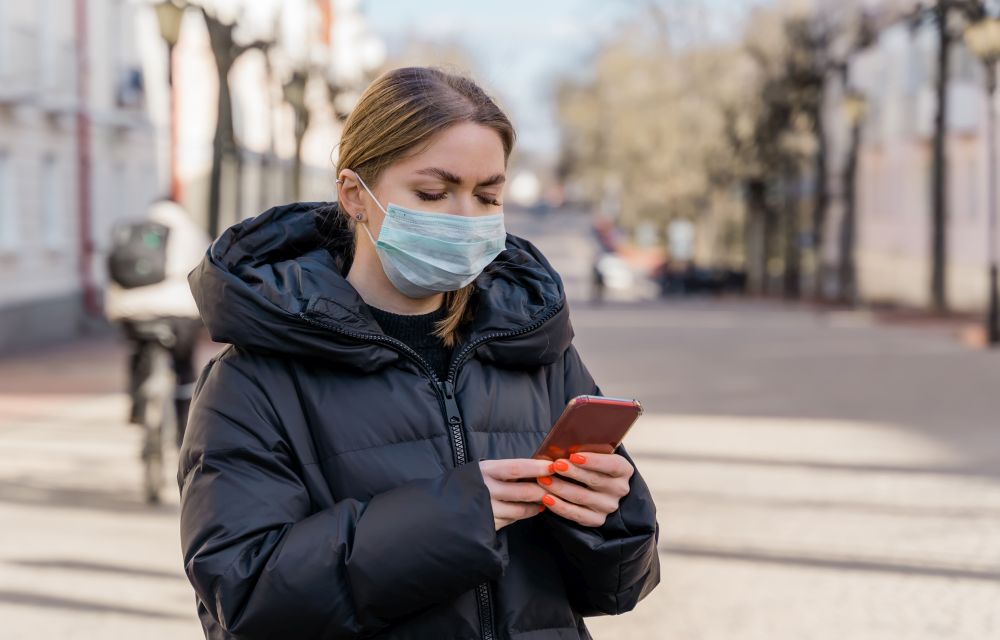
How To Use Apple Covid-19 Screening Online Tool?
During this pandemic situation, many people are worried about their health status if they developed common flu-like symptoms. Coronavirus is mass spreading across the globe and the number of positive cases are exponentially increasing.
Also, there is a shortage of testing kits in all countries. The mass production of the testing kits is started, however, it takes 10-15 days for availability. Meanwhile many people who are doubting themselves whether they go for Covid-19 test or not, we have a good suggestion to get a clear idea about your screening. Meet Apple Covid-19 Screening test.
What is Apple COVID-19 Screening Tool?
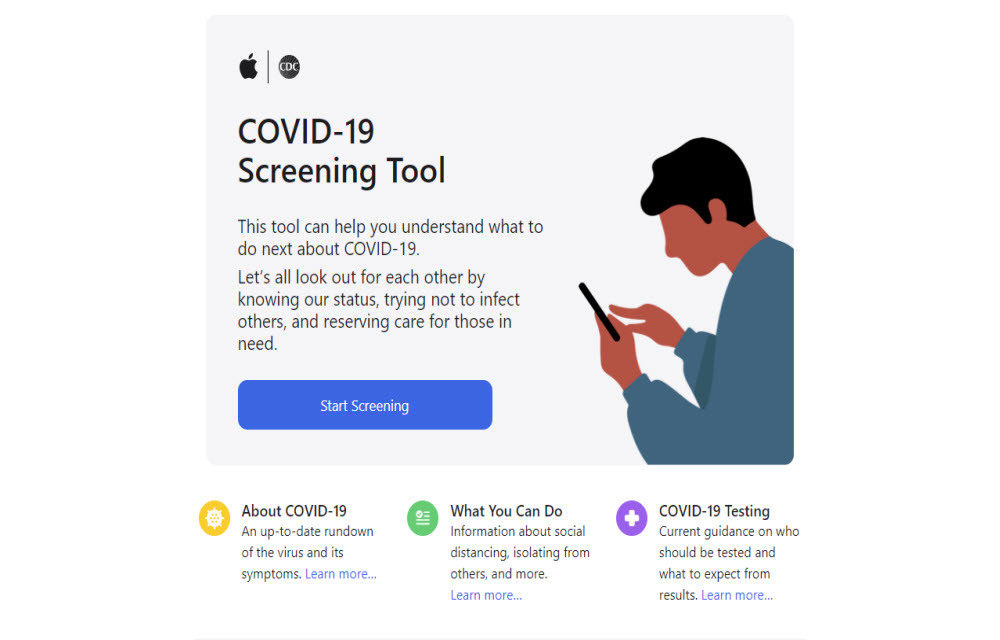
This tool can help you understand what to do next about COVID-19. Let’s all look out for each other by knowing our status, trying not to infect others, and reserving care for those in need.
Apple with the help of the Center for Disease Control (CDC) has released an online tool that helps you determine whether or not you should get tested. This Covid-19 screening online test asks a set of questions to get a clear idea whether you go for Covid-19 test or not.
Where to start?
- Open Apple Covid-19 website.
- You will see an introduction page with a “Start screening” option.
- It will ask some set of questions like given below.
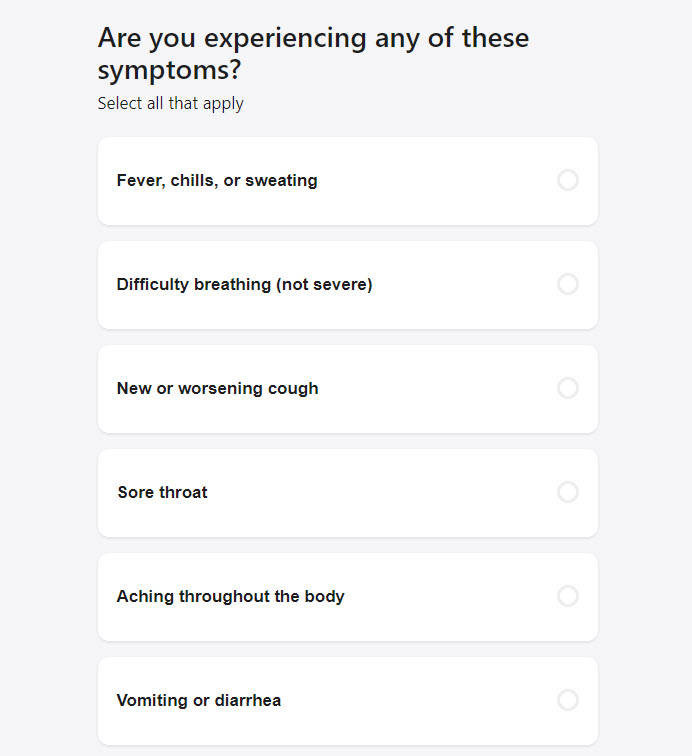 Constant chest pain or pressure
Extreme difficulty breathing
Age group.
International travel History.
The area you are living in.
Work status in a care facility. - Answer each question clearly with your present health condition and travel history.
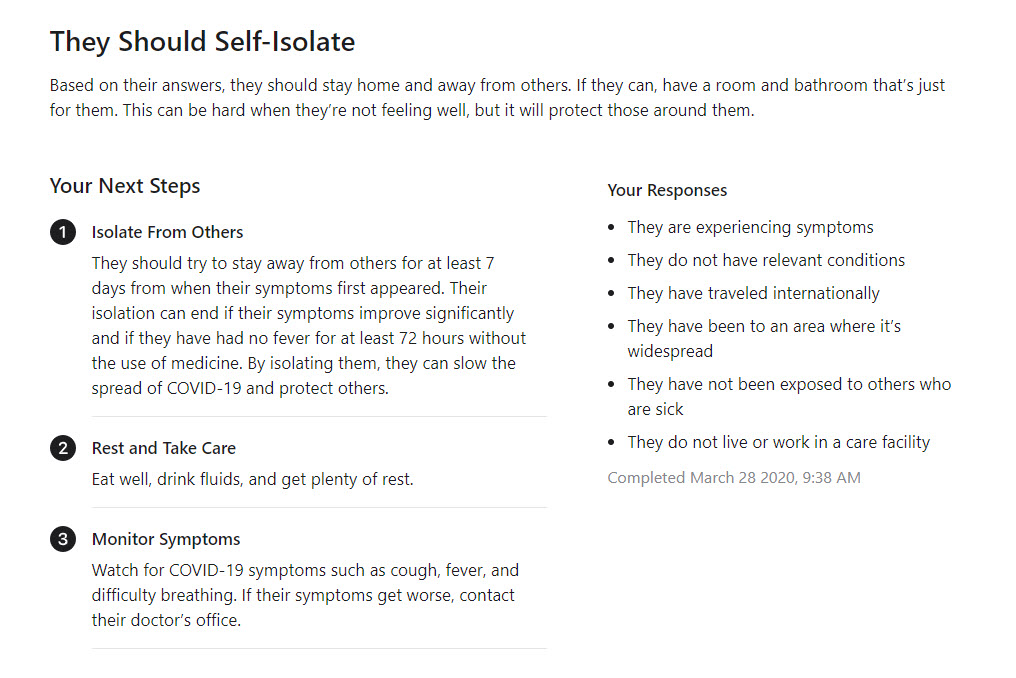
Once you answer all the questions, the tool will advise you on what the best action is. It suggests you contact your local helpline or hospital based on your answers.
Also, remember the tool will suggest you stay at home even if you are not experiencing any symptoms and not exposed to the Coronavirus areas.
Always wear a mask when you go outside and use hand sanitizer to protect your hands from the virus exposure.
To stay updated about the Covid-19 follow only trustworthy Coronavirus updates from official websites like WHO and CDC.
More in How-to

How to Record Zoom Meeting on iPhone
Sometimes we need a recording of an important online meeting. Whether it is a business meet or a friend’s reunion, some memories need to be stored. Video conferencing is fully evolved after the COVID-19 effect on our lives. Many people are using the Zoom video conferencing program for their online meetings and we today learn…

How to Mute and Unmute On Zoom
We all know Zoom is a very popular conferencing app in the year 2020. Many businesses, educational institutions have adopted the online conferencing working style to avoid COVID-19 exposure and Zoom is their favourite choice as a conferencing app. Previously we have written very detailed Zoom conferencing app guides like enable end-to-end encryption for Zoom…

How To Enable Zoom End To End Encryption For Calls
Zoom has gained a lot of popularity during the Covid-19 pandemic after the offices and schools shut down, it became a favourite conferencing tool. The features it offers are very user friendly and the video quality also top-notch when compared to the other competitors. Safety and security during Video Conferencing with Zoom are nowadays thought…
The week in tech, minus the noise.
New reviews, fixes and the stories that matter — once a week, straight to your inbox.
We only use your email to send the newsletter. Unsubscribe any time. See our privacy policy.
Comments