Today, this is becoming a very common question.
You visit a website. It looks clean. The layout is modern. The colours are perfect. The sections are well aligned. There is a large heading, a gradient background, rounded cards, neat icons, client testimonials, and a strong call-to-action button.
But then you start wondering:
“Was this website really designed by a human?”
“Was the content written by a real person?”
“Is this a custom-built website or an AI-generated template?”
These are fair questions in 2026.
AI website builders can now create a full website in minutes. You can type a simple prompt such as, “Create a website for a digital marketing agency,” and AI can generate a homepage, service pages, navigation, content, contact forms, images, pricing sections, testimonials, and basic code.
At first glance, the website may look polished.
But polished does not always mean personalized.
A good website is not only about attractive colours, modern typography, and neat layouts. It is about understanding a business, its customers, its market, its story, and the emotions behind the brand.
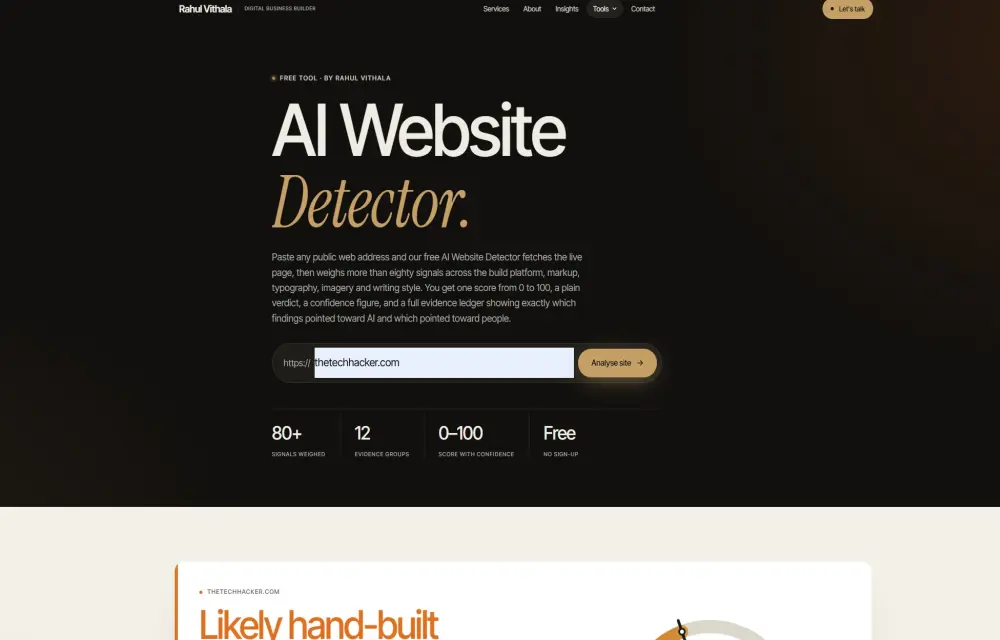
That is why I built the AI Website Detector.
The tool helps you understand whether a website appears to be created by an AI website builder, written with AI, built using a template, or designed and developed with strong human involvement.
You simply paste a public website link. Within seconds, the tool gives you an AI-likelihood score, a plain-language verdict, a confidence rating, and the evidence behind the result.
It is not designed to shame anyone for using AI.
It is designed to bring more clarity to the internet.
Why We Need an AI Website Detector
AI is making website creation easier than ever.
A startup founder can launch a landing page without hiring a full development team. A small business can create an online presence quickly. A freelancer can build a portfolio in a day. A marketer can generate website copy, images, social posts, and mockups using AI tools.
This is useful.
But it has also created a new kind of sameness.
Many AI-created websites are starting to look similar. They use the same design patterns, the same fonts, the same gradient backgrounds, the same rounded cards, the same stock illustrations, and the same style of marketing language.
You may see phrases such as:
“Transform your business.”
“Unlock your potential.”
“Innovative solutions for a changing world.”
“Your trusted partner for growth.”
These phrases are not always wrong. But when every website says the same thing, it becomes difficult to understand what makes a brand truly different.
This is why the AI Website Detector can be useful for business owners, agencies, marketers, investors, designers, developers, and curious internet users.
You may want to know whether an agency portfolio is custom-built. You may want to check a competitor’s website. You may be evaluating a startup before investing. You may want to see whether your own website feels too generic.
The tool gives you an informed second opinion.
What You Get From One Scan
Every scan follows the same structure, making it easier to compare websites.
After entering a website URL, the AI Website Detector provides an AI-likelihood score from 0 to 100.
A lower score means the site appears more likely to be hand-built or human-led. A higher score means the website shows stronger signals of AI generation or AI-assisted construction.
The tool also provides a human score. This is simply the other side of the same result. For example, if a website has an AI score of 30, it has a human score of 70.
But the score is not the only thing that matters.
The tool also gives a plain-language verdict, so you do not have to interpret numbers on your own. It tells you whether the site appears hand-built, likely hand-built, AI-assisted, inconclusive, likely AI-generated, or AI-generated.
You also receive a confidence rating. This is important because not every website gives the same amount of evidence. A website with clear platform fingerprints, AI-written content, default design patterns, and template artefacts may receive a high-confidence result. A minimal one-page website with little text may receive a lower-confidence result.
The scan also identifies the website platform where possible. It may detect an AI builder, a visual website builder, a CMS, a WordPress system, or a development framework.
Finally, the report gives you the top reasons behind the score and a full breakdown of the signals it found.
The goal is not to give a mysterious number.
The goal is to show the evidence.
Six Verdicts Instead of a Simple Yes or No
A website is rarely 100% human or 100% AI.
A professional designer may use AI to create an early wireframe. A developer may use an AI coding assistant. A copywriter may use AI for research and then write the final content manually. A startup may build the first version using an AI builder and later improve it with a human development team.
So a simple “AI” or “Human” label would not be accurate.
The AI Website Detector uses six verdict ranges instead.
The “Inconclusive” range is one of the most important parts of the tool.
A detector that always gives a confident answer may look impressive, but it can also be misleading. If the evidence is genuinely mixed, the honest answer is that the tool cannot make a strong conclusion.
That is better than pretending every website can be perfectly classified.
A Confidence Rating That Makes Sense
The AI score tells you which direction the evidence points.
The confidence score tells you how strongly the detector believes in that direction.
Confidence is shown from 20% to 92%.
A higher confidence rating means many signals agree with each other. For example, the platform may be an AI builder, the content may contain common AI phrases, the design may use default component patterns, and the page may include unedited AI artefacts.
A lower confidence rating means there are fewer signals, conflicting signals, or not enough page content to analyse properly.
The tool follows two important safety rules.
First, if a page has fewer than six observable signals, confidence cannot go above 45%. This prevents nearly empty landing pages from receiving a falsely confident result.
Second, if the score sits in the middle range between 42 and 58, confidence cannot go above 55%. A close result should never look like a final judgement.
Every confidence level also includes a simple explanation. Instead of showing only a percentage, the report explains what the percentage means.
For example:
“Most signals agree, but a few pull the other way. Treat this as a solid indication rather than proof.”
That is how a responsible detection tool should work.
More Than 140 Signals Across 12 Categories
The AI Website Detector does not rely on a single design clue or one phrase in the content.
It analyses more than 140 signals across 12 different categories. Some signals push the score toward AI. Others push the score toward human craftsmanship.
This balance matters.
A human-built website should receive credit for the care, originality, accessibility, specificity, and technical detail it shows. The tool should not simply look for reasons to classify every modern website as AI-generated.
Platform and Build Stack
The strongest evidence often comes from the technology used to create the site.
The detector can recognise AI website builders and AI-writing tools such as Lovable, Bolt, Vercel v0, Framer AI, Durable, Hostinger AI Builder, 10Web, B12, Mixo, Relume AI, Replit Agent, Base44, Dora AI, and Typedream AI.
It checks generator tags, asset files, hosting domains, script patterns, default titles, cookies, and platform fingerprints.
It can also identify visual website builders such as Wix, Squarespace, Webflow, Shopify, Elementor, Divi, Bricks, WPBakery, Carrd, and others.
For developers and agencies, the tool can detect frameworks and CMS platforms such as Next.js, Nuxt, Astro, SvelteKit, Remix, Gatsby, Hugo, Laravel, Drupal, Joomla, and classic WordPress themes.
If the detector finds a confirmed AI website builder fingerprint, the AI score starts higher because that is direct technical evidence.
AI Artefacts
AI-generated websites often leave behind small clues.
These may include chatbot phrases such as “As an AI language model,” unedited placeholders, template tokens like {{ company_name }}, source-code comments mentioning an AI tool, default builder badges, or references to AI-generated assets.
The detector can recognise visible badges such as:
“Made with Lovable
“Built with Durable”
“Edit with v0”
“Open in Bolt”
It can also identify assets or references from popular WordPress AI plugins, including Jetpack AI, Elementor AI, Divi AI, AI Engine, Rank Math Content AI, and Aiomatic.
These clues do not always mean the website is low quality. They simply show that AI tools may have played a direct role in its creation.
Writing Style
Writing style is one of the most interesting parts of AI detection.
Language models have patterns. They often use familiar phrases, repeated sentence rhythms, overly balanced paragraphs, unnecessary rule-of-three lists, formal marketing language, and broad claims without specific proof.
The detector looks for things such as:
-
Generic AI-style phrases
-
Repetitive promotional wording
-
Similar sentence lengths
-
Similar paragraph lengths
-
Low vocabulary diversity
-
Repeated opening words
-
Excessive use of three-part statements
-
Unnamed references to “research,” “experts,” or “studies”
-
A formal tone with no contractions or conversational voice
At the same time, the tool looks for human signals.
Human writing often includes first-person observations, dates, names, direct opinions, specific examples, location details, real numbers, natural contractions, informal phrasing, and unique experiences.
A human may write:
“We redesigned this site after the client told us that 70% of their leads were coming from mobile users in Kochi.”
An AI-generated draft may write:
“We create responsive digital experiences that help businesses grow.”
The first sentence contains specific experience. The second sentence sounds polished, but it could be written for almost any business.
Page Structure and Design
AI-generated websites often follow familiar structures.
Large hero heading. Short subheading. CTA button. Three service cards. Features section. Testimonials. Pricing section. FAQ. Contact form.
This layout is not automatically bad. It is a common structure because it works.
But when every section uses generic headings like “Why Choose Us,” “Our Services,” “What Our Clients Say,” and “Get Started Today,” the page starts to feel template-driven.
The detector looks for repeated default sections, standard navigation patterns, predictable pricing names, repeated CTA language, boilerplate menus, and question-style headings.
It also checks whether the site is delivered mainly as an empty JavaScript shell, which is common with some AI application builders.
Typography and Visual Signals
Typography can tell a story.
AI design tools often choose popular modern fonts automatically. Monospace typefaces such as JetBrains Mono, IBM Plex Mono, Space Mono, and Geist Mono are increasingly common in AI and developer-oriented websites.
A monospace font is not a problem by itself.
Many skilled designers use it intentionally. It can look excellent for coding platforms, cybersecurity tools, developer products, and technical brands.
But when monospace fonts are used everywhere without a clear reason, along with default layouts, gradient cards, generic copy, and stock icons, they can become part of a larger AI pattern.
The detector also checks for common AI-design signals such as excessive gradients, bento grids, emoji bullets, untouched component-library styles, repeated layouts in threes or sixes, and default theme variables.
Business Trust Signals Matter
A real business leaves real evidence.
The AI Website Detector looks for details that show a business is active, accountable, and cared for.
These include:
-
Real contact information
-
A physical business address
-
Embedded map locations
-
Legal pages
-
Privacy policies
-
Terms and conditions
-
Social-media profiles
-
External third-party links
-
Analytics tools
-
Real team members
-
Properly named testimonials
-
Active blog posts
-
Working forms
-
Valid service pages
On the other side, it can identify placeholder contact details, dead links, generic testimonials, initials-only testimonials, fake-looking counters, unsupported claims, and “trusted by thousands” statements without clear evidence.
Trust signals do not prove a website was human-built. But they show that someone has invested time in making the website real, functional, and accountable.
Fair Scoring Is Important
An AI detector is useful only when it is fair.
That is why the AI Website Detector does not let one small design choice decide the final score.
A gradient should not make a website look AI-generated. A popular font should not make a business look automated. A single AI-assisted paragraph should not turn a human-built site into an “AI website.”
The tool follows three important principles.
Each category has a scoring limit. Platform evidence and clear AI artefacts can have a stronger impact because they are more direct. Writing style, design, typography, and other visual signals carry less weight. Small clues alone cannot decide the result.
Human signals actively reduce the score. Meaningful content, accessibility care, original structure, self-hosted fonts, specific business details, and proper metadata can all move the score toward human authorship.
The score begins from a neutral starting point. This prevents limited evidence from creating an extreme result.
The tool is designed to evaluate the whole picture.
The Result Is Not a Final Judgement
The AI Website Detector is not a lie detector.
It cannot see how a company worked internally. It cannot know whether a designer used AI for moodboarding or whether a developer used an AI assistant to write a small section of code.
It can only analyse observable evidence from publicly accessible web pages.
That is why you should treat the result as a well-informed second opinion.
A high AI score driven by an AI website builder tells a different story from a high score driven mainly by generic content. A human-built website may receive an AI-assisted score because its content was produced using AI. A template-heavy agency website may look AI-generated even if humans built it manually.
The report helps you ask better questions.
It does not replace human judgement.
Who Should Use the AI Website Detector?
The tool is useful for many people.
Business owners can use it when hiring an agency or freelancer. If an agency claims to offer custom websites, you can examine its portfolio for builder footprints, template patterns, and generic content.
Investors and buyers can use it for due diligence. A startup may look impressive from the front end, but an AI detector can reveal whether the product is based on a standard AI-generated template or supported by a deeper development stack.
Marketers and SEO teams can use it to study competitors and understand whether a website needs more human content, original writing, trust signals, and useful business information.
Designers and developers can use it to check whether their work feels clearly hand-crafted instead of overly similar to modern AI templates.
Journalists, students, teachers, and curious users can use it to explore how much of the web is now influenced by AI.
Final Thoughts
AI is changing the web.
It is making website creation faster, cheaper, and more accessible. That is a good thing. More people can launch ideas, build prototypes, and create online businesses without huge budgets.
But the web also needs originality.
It needs real business stories. It needs genuine customer proof. It needs human writing. It needs thoughtful design. It needs websites that understand the people using them.
The AI Website Detector was built to help people see the difference.
Paste a website link, run the scan, read the score, check the confidence level, and explore the evidence. Start with your own website. Then try a competitor. Then try an agency portfolio.
You may be surprised by how much a website reveals about how it was made.
Leave a Reply