

Best Invoicing Software for Freelancers and Small Businesses (2026)
I compare FreshBooks, QuickBooks Online, Zoho Invoice, Wave, Square Invoices and PayPal invoicing for freelancers and small businesses. You’ll see official prices, payment fees, and what to know about recurring invoices and late reminders.
Photo by Vandan Patel on Unsplash
Nobody starts a business because they love chasing invoices. I mean, who does? But that’s exactly where a ton of freelancers and small business owners lose hours every single month: building invoices by hand, sending those awkward “just following up” emails, and then waiting on checks. Good invoicing software fixes most of that. Your invoices look professional, and clients can pay online the second they open the email.
In this guide I’m comparing six popular tools for 2026: FreshBooks, QuickBooks Online, Zoho Invoice, Wave, Square Invoices and PayPal invoicing. I’ll be real with you about one thing up front. I pulled prices straight from the official pricing pages for FreshBooks and QuickBooks. For the other four I couldn’t confirm current pricing, so instead of guessing a number, I’ll tell you what each one’s good for and send you to the official page.
Also, honestly, I haven’t done a long-term test of every single app for this piece. My picks come from official vendor info and from what each tool is pretty obviously built to do.
Quick answer: For most freelancers, FreshBooks is the easiest pick. Plans start at $23/mo, every plan includes unlimited customized invoices, and card payments cost 2.9% + $0.30. If you want full bookkeeping or need to start at $0, QuickBooks Online is the better fit, with a free plan capped at 2 invoices a month and paid plans from $38/mo that add automatic reminders. If invoicing is just one part of a bigger operation with orders, stock and production, a custom ERP (our own company’s) may suit you better than any invoicing app.
What to Look for in Invoicing Software for Small Business
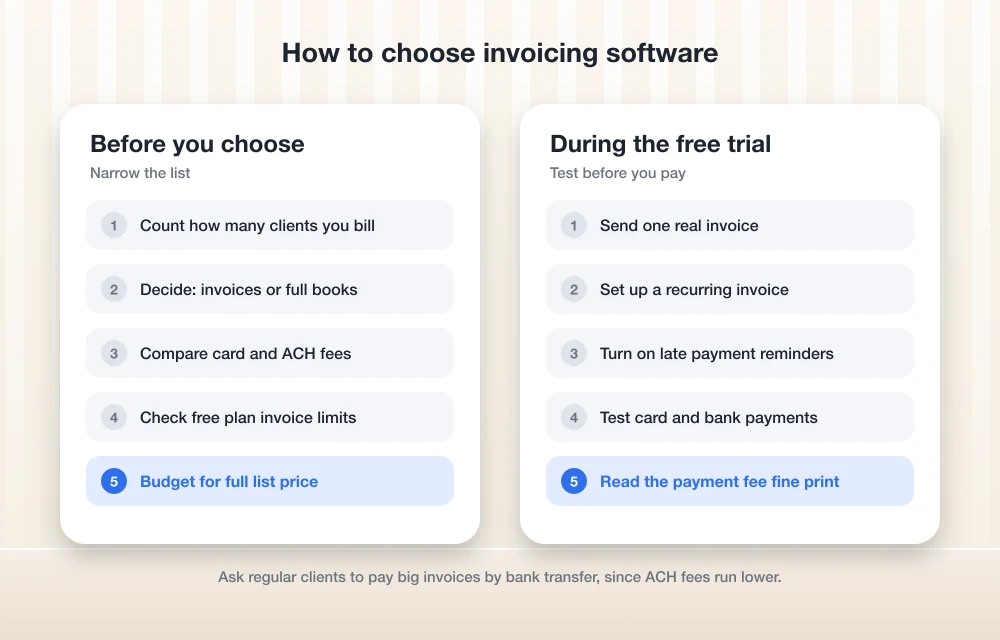
Quick bit of vocab before the list, because you’ll see these terms everywhere. A recurring invoice is one the software sends on its own, on a schedule, like a monthly retainer. Set it up once and you’re done. A late payment reminder is an automatic email that pokes a client when an invoice is due or overdue (so you don’t have to write that email yourself, which, trust me, is a relief).
Then you’ve got online payments. Most invoicing tools let clients pay by card or by ACH, which is just a direct bank transfer in the US. You pay a processing fee on every payment, and card fees usually run higher than bank transfer fees. Here’s the thing: these fees add up fast. They matter just as much as the monthly subscription price, maybe more.
Last thing. Think about how many clients you actually bill, and whether you need real accounting (expenses, bank feeds, tax reports) or just invoices. That one question cuts the list down a lot.
The Best Invoicing Software for Freelancers and Small Businesses
1. Thetechhacker Global Solutions Custom ERP
Full disclosure first: Thetechhacker Global Solutions is our own company, so take this pick with that in mind. Why list it first? Because some businesses searching for invoicing software don’t really have an invoicing problem. They’ve got a “too many tools that don’t talk to each other” problem.
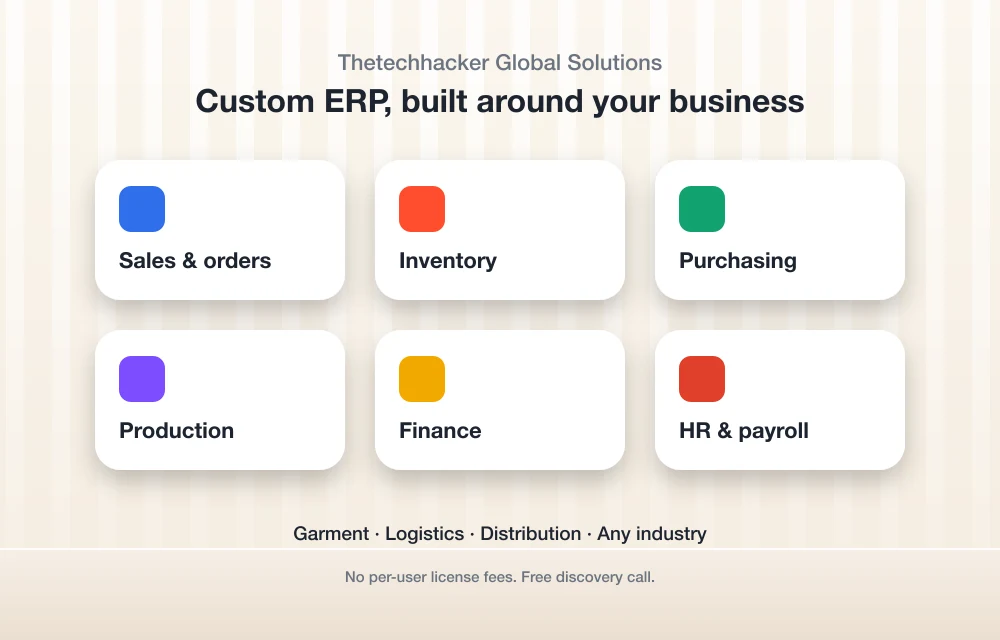
If your invoices depend on orders, stock levels, purchasing and production, a standalone invoicing app can only take you so far. Our custom ERP software gets built around your business, for any industry, with modules for sales and orders, inventory, purchasing, production, finance, and HR and payroll. Our specialty is garment, logistics and distribution ERP.
There are no per-user license fees, which starts to matter a lot once your team grows. You can book a free discovery call through the landing page and see if it’s a fit. But if you’re a solo freelancer sending a handful of invoices a month? This is overkill. One of the apps below will serve you way better.
2. FreshBooks
FreshBooks is where I’d send most freelancers and service businesses first. According to FreshBooks, unlimited customized invoices come with every plan, so you’re never sitting there counting how many you’ve sent. Pricing is based on how many clients you bill, which makes a lot of sense for consultants, designers and agencies.
The official FreshBooks pricing page lists these in USD: Lite at $23/mo for up to 5 billable clients, Plus at $43/mo for up to 50, and Premium at $70/mo with unlimited clients. There’s also a Select plan with custom pricing. These prices took effect on or after March 5, 2026. Pay yearly and you get 10% off, which comes out to $248.40, $464.40 and $756.00 a year.
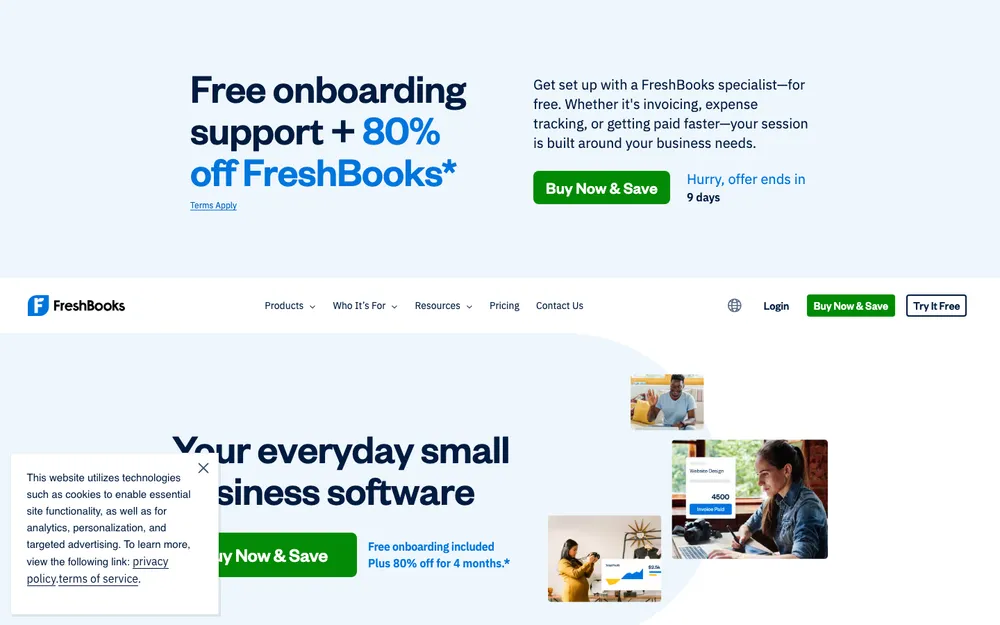
For getting paid, FreshBooks Payments charges 2.9% + $0.30 per card transaction and 1% for ACH bank transfers. That ACH rate has an asterisk on the page though, so read the fine print before you count on it. You get a 30-day free trial, and FreshBooks often runs promo discounts on the first few months. The size of that deal changes, so check what the page actually shows on the day you sign up.
Got employees? FreshBooks has a Payroll add-on at $40/mo plus $6/mo per employee, on top of your plan. It’s not available during the free trial. And if payroll is really your biggest headache, my guide to the best payroll software for small business compares more options.
What I liked
- Unlimited customized invoices, on every plan
- Card and ACH fees are spelled out clearly on the pricing page
- 10% off if you pay yearly, plus a 30-day free trial
What could be better
- Lite stops you at 5 billable clients
- Payroll is extra, and it’s not in the trial
- Promo pricing jumps around, so your first-year cost can get confusing
3. QuickBooks Online
QuickBooks Online is a full accounting system, and invoicing is just one piece of it. If you want invoices, expenses and books all in one place, it’s the stronger pick. It’s also the only tool here where I could actually confirm a $0 plan.
QuickBooks Free costs nothing and doesn’t ask for a credit card. You get 1 user, 2 invoices a month, 1 estimate a month and 1 bank connection, and accepting payments is included. No accountant access, though. Intuit says moving up to paid invoicing gets rid of the 2-invoice cap and adds automatic reminders.
On the official QuickBooks pricing page, Simple Start is $38/mo for 1 user, Essentials is $85/mo for 3 users and Plus is $140/mo for 5 users. Every paid plan includes access for 2 accountants. The intro offer is 50% off for 3 months, and there’s a 30-day free trial on any paid plan from Simple Start up through Advanced. Advanced supports up to 25 users, but I couldn’t confirm what it costs per month right now.
Simple Start already handles what most small businesses need for invoicing: sending invoices, taking cards and bank transfers through QuickBooks Payments, plus status updates and reminders. QuickBooks Payments accepts cards, ACH, Apple Pay, PayPal and Venmo. Intuit calls it pay as you go with “no setup costs or hidden fees,” but I couldn’t find the per-transaction rates anywhere official. So check them inside your account before you lean on it.
If you’re stacking QuickBooks up against other full accounting tools, my comparison of the best accounting software for small business goes a lot deeper.
What I liked
- An actually free plan to start on
- Clients can pay by card, ACH, Apple Pay, PayPal or Venmo
- Automatic reminders on the paid plans
- Lots of room to grow (up to 25 users on Advanced)
What could be better
- Costs more to get in than FreshBooks
- The free plan tops out at 2 invoices a month
- I couldn’t find payment processing rates where I looked
4. Zoho Invoice
If your budget is basically zero, Zoho Invoice is the one I’d check out first. It’s a dedicated invoicing app, not a full accounting suite, and that keeps it focused. That said, I couldn’t confirm its current free plan, limits or feature list for this update.
So before signing up, hop over to Zoho’s official US pricing page and see what the free tier includes today. Mainly look at how many customers and invoices it allows, and whether payment reminders are part of it.
5. Wave
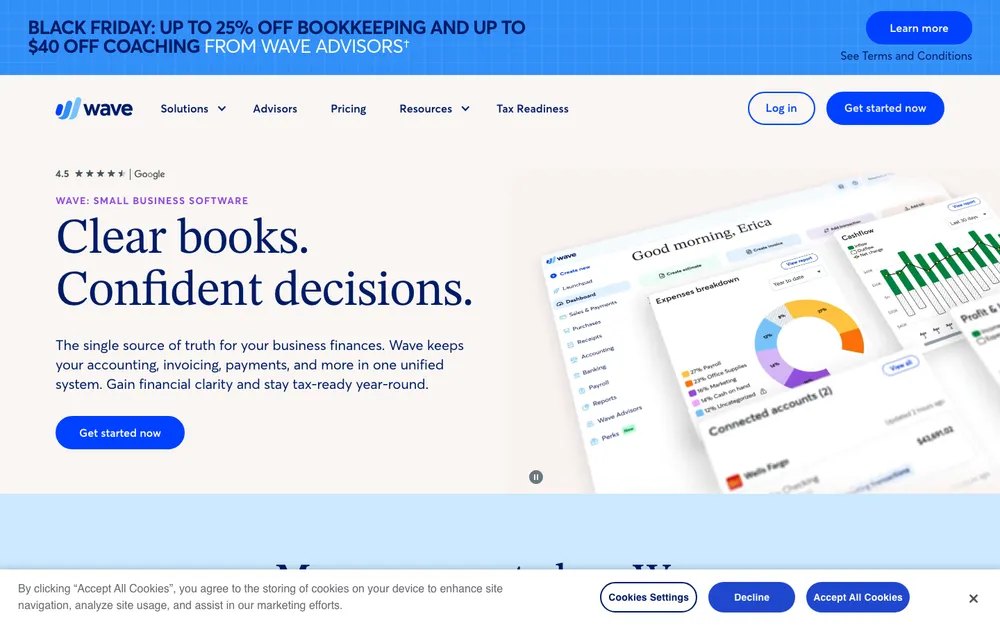
Wave is aimed at small businesses and solo owners who want invoicing and basic bookkeeping without paying for some big accounting package. If QuickBooks feels like more than you need, give it a look.
I couldn’t confirm Wave’s current plans, including whether the Starter tier is free, what Pro costs, or what the card and ACH fees are. Check Wave’s official pricing page for the current numbers. The payment fees are the part I’d read most carefully, honestly, since that’s usually where small invoicing tools make their money.
6. Square Invoices

Square Invoices makes the most sense if you already use Square for in-person payments. Keep your in-person sales and your invoices in one account and you get one dashboard and one payout setup. Simple. That’s nice for shops, salons and trades.
I couldn’t confirm the current free plan, what the Plus plan costs, or the fees for card and ACH invoice payments. Square’s official US invoice pricing page will have the latest.
7. PayPal Invoicing
PayPal invoicing is the lazy option (and I mean that nicely). If lots of your clients already pay you through PayPal, a PayPal invoice is about as familiar as it gets for them. It works best for occasional invoicing, not for running your whole business on.
I couldn’t confirm whether sending invoices is free or what the invoice transaction rate is right now. PayPal posts its business fees on its official US fees page, so look there before you price your services.
Side-by-Side Comparison
I could only confirm pricing for FreshBooks and QuickBooks, so this table just puts those two head to head on the stuff that matters for invoicing. The highlighted cells are the stronger option on that row.
| Feature | FreshBooks | QuickBooks Online |
|---|---|---|
| Cheapest paid plan | Lite, $23/mo | Simple Start, $38/mo |
| $0 option | 30-day free trial | QuickBooks Free (2 invoices/mo), plus a 30-day trial |
| Invoice limits | Unlimited customized invoices on all plans | 2/mo on Free; paid plans remove the cap |
| Card payment fee | 2.9% + $0.30 | Pay as you go; rate not confirmed |
| ACH bank transfer fee | 1% (see fine print) | Accepted; rate not confirmed |
| Payment methods confirmed | Cards and ACH | Cards, ACH, Apple Pay, PayPal, Venmo |
| Automatic reminders | Not confirmed | Yes, on paid plans |
| Accountant access | Not confirmed | 2 accountants on paid plans |
| Entry plan limit | 5 billable clients | 1 user |
| Discounts | 10% off yearly plans | 50% off for 3 months (intro) |
And here’s a quick look at all six (plus our ERP), so you can see where each one fits.
| Tool | Best for | Pricing status |
|---|---|---|
| Thetechhacker custom ERP | Businesses where invoicing ties into orders, stock and production | Custom; free discovery call |
| FreshBooks | Freelancers and service businesses | Confirmed from $23/mo |
| QuickBooks Online | Small businesses that want full accounting | Confirmed; free plan and paid from $38/mo |
| Zoho Invoice | Tight budgets that need invoicing only | Not confirmed; check official page |
| Wave | Solo owners wanting invoicing plus basic books | Not confirmed; check official page |
| Square Invoices | Existing Square sellers | Not confirmed; check official page |
| PayPal invoicing | Occasional invoices to PayPal-friendly clients | Not confirmed; check official page |
FreshBooks and QuickBooks Pricing at a Glance
These are the official list prices. Keep in mind both companies run intro promos, so your first few months might cost less than this.
FreshBooks Lite
or $248.40/yr billed yearly (10% off)
- Up to 5 billable clients
- Unlimited customized invoices
FreshBooks Plus
or $464.40/yr billed yearly (10% off)
- Up to 50 billable clients
- Unlimited customized invoices
FreshBooks Premium
or $756.00/yr billed yearly (10% off)
- Unlimited billable clients
- Unlimited customized invoices
QuickBooks Simple Start
Intro offer: 50% off for 3 months
- 1 user, plus 2 accountants
- Invoicing with card and bank payments
- Status updates and reminders
QuickBooks Essentials
Intro offer: 50% off for 3 months
- 3 users, plus 2 accountants
QuickBooks Plus
Intro offer: 50% off for 3 months
- 5 users, plus 2 accountants
Prices checked November 8, 2026 on the official FreshBooks and QuickBooks pricing pages. FreshBooks prices took effect on or after March 5, 2026, and Intuit says its terms, pricing and features can change without notice.
Recurring Invoices, Online Payments and Late Reminders
These three features are what take invoicing software from “slightly nicer invoice template” to something that actually gives you time back. Below is what I could confirm, and what I couldn’t.
Recurring invoices
As far as I know, all six tools do recurring invoices in some form. I didn’t check which plans include them or how each one sets them up, though. So if you bill retainers or subscriptions, confirm it during your free trial before paying anything. Honestly, it’s the first feature I’d test.
Online payments and fees
This is where the real cost hides. FreshBooks is the most upfront about it: 2.9% + $0.30 for cards and 1% for ACH. QuickBooks supports the widest range of confirmed payment methods, Apple Pay and Venmo included, but its rates weren’t on the official pages I found. For the other four, check each one’s official fees page. And if you send big invoices, a lower ACH fee can easily matter more than a cheaper subscription.
Late payment reminders
QuickBooks is the only one where I confirmed automatic reminders, and you get them on paid plans (Simple Start lists status updates and reminders). I’d guess the others have reminders too, but I couldn’t confirm the details. Whatever you pick, turn them on from day one. A polite automatic nudge is way less awkward than a personal email, and clients almost never take it the wrong way.
Which Invoicing Software Should You Pick?
Freelancer or small service business? Start with FreshBooks. For most people Plus is the sweet spot, because Lite’s 5-client cap fills up faster than you’d think. Pricing is clear and invoices are unlimited.
Want proper accounting next to your invoicing, or want to start free? Go with QuickBooks Online. The free plan is fine for dipping a toe in, and Simple Start covers you once you’re sending more than 2 invoices a month.
If money’s tight, Zoho Invoice and Wave are worth a look, and Square or PayPal make sense if your clients already pay you that way. Just read their official pricing and fee pages first, since I couldn’t confirm those numbers. And if you’ve outgrown apps completely and need invoicing hooked into orders, inventory and production, book a free discovery call about our custom ERP. Whatever you go with, use the free trial to set up one real invoice and one recurring invoice before you commit.
Frequently Asked Questions
Is there free invoicing software for small businesses?
Yep. QuickBooks Free costs $0, no credit card needed, and gives you 1 user, 2 invoices a month, 1 estimate a month and 1 bank connection, with accepting payments included. Zoho Invoice, Wave and Square might have free options too, but I couldn’t confirm their current plans, so check their official pricing pages.
How much does FreshBooks cost in 2026?
FreshBooks lists Lite at $23/mo (5 billable clients), Plus at $43/mo (50 clients) and Premium at $70/mo (unlimited clients), and Select has custom pricing. Yearly plans get 10% off. These prices took effect on or after March 5, 2026, and they can change. You also get a 30-day free trial.
What fees do I pay when clients pay invoices online?
With FreshBooks Payments, cards cost 2.9% + $0.30 per transaction and ACH bank transfers cost 1% (read the fine print on the pricing page for that one). QuickBooks Payments is pay as you go with no setup costs, but I couldn’t confirm its rates on an official page.
Does QuickBooks send automatic payment reminders?
Yes, on the paid plans. Intuit says paid QuickBooks invoicing drops the free plan’s 2-invoice monthly cap and adds automatic reminders, and Simple Start lists status updates and reminders. QuickBooks Online also has a 30-day free trial on any paid plan.
Do I need invoicing software or full accounting software?
If you’re mostly just sending invoices and collecting payments, a dedicated tool like FreshBooks is usually plenty. If you also want to track expenses, connect bank accounts and keep proper books, accounting software like QuickBooks Online fits better.
Featured image: Vandan Patel on Unsplash.
You might also like

10 of the Best QuickBooks Alternatives
It’s no secret that Quickbooks is one of the most popular accounting programs. QuickBooks is one of the most well-known small and medium-level business accounting solutions, especially in the US. With certain packages, it offers simple inventory management tools for small businesses. However, like with any system, there are advantages and disadvantages to selecting QuickBooks…

Best Accounting Software for Small Businesses: QuickBooks vs Xero vs FreshBooks (2026)
I compare QuickBooks Online, Xero, FreshBooks, Zoho Books and Wave for US small businesses, covering plans, user limits, payroll add-ons, accountant access and migration. I also explain when accounting inside an ERP is the better fit.

10 Best Retail Accounting Software
If you’ve recently opened a retail business and are struggling to handle accounting functions then what you need is good retail accounting software. A major part of the success of a retail business depends upon how you handle your accounts and having a smooth and consistent accounting software can pave the way for making operations…
The week in tech, minus the noise.
New reviews, fixes and the stories that matter — once a week, straight to your inbox.
We only use your email to send the newsletter. Unsubscribe any time. See our privacy policy.
Comments