

A new method for transferring data between devices could come to iOS 13 reveals beta build
We have known that smartphones have relied on Bluetooth and WiFi to transfer files from one device to another. However, we connect our smartphone via a

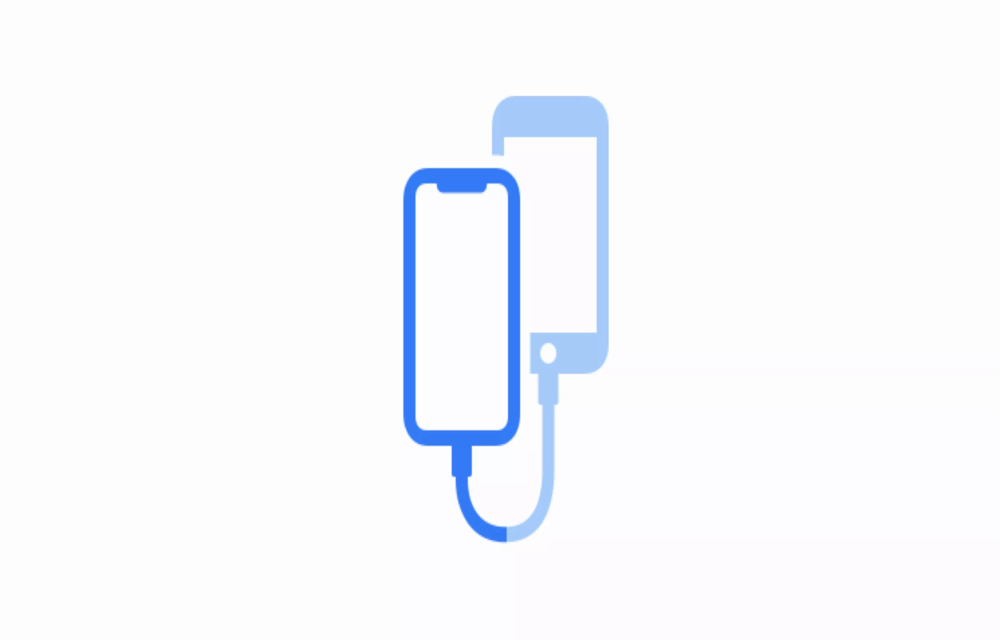
We have known that smartphones have relied on Bluetooth and WiFi to transfer files from one device to another. However, we connect our smartphone via a cable and transfer files to our PC or Mac. Now, the same might happen on smartphones too looking at the iOS 13 Beta 3 screenshot. Recently, Apple released Beta 3 of its suite of software including iOS, iPadOS and tvOS. In the setup app, there were new assets added in the latest beta as found by 9to5Mac.
There is now a new image which shows two devices connected to each other via a cable. Since this is in the setup stage, it is most probably for data transfer between devices. This reveals that you will be able to connect your iPhone to older iPhones via a lightning-to-lightning cable and transfer files.
At the moment, restoring data from iCloud or iTunes backup is possible. But for iTunes backup, you need to have a Mac or PC with iTunes. If this feature gets released, the setup process could become a lot easier. However, the interesting detail is seen from the code on iOS 13. The code reveals that you need to “Keep your other iPhone connected to this iPhone and connected to power until the transfer is complete”.
The weird thing here is that if you connect your iPhone to power, it will use the lightning port. Since the port is used, how will it be able to connect with other iPhone unless it is transferring via Bluetooth or NFC?
For that, we will have to wait for the successive beta builds of iOS 13. Once the final build of iOS 13 comes out, we will get a much clearer picture of the same. By that time, we will just have speculations about how this feature works. Apple’s iOS 13 is expected to launch with the iPhone XI this September.
More in News
iOS 27.3: Every New Feature and When It’s Coming to Your iPhone
iOS 27.3 is shaping up to be the biggest update to iOS 27 since it launched in September, and it’s already in public beta. The headline change is a redesigned Health app with a new Longevity section, but there’s a lot more: Siri AI daily usage limits tied to your iCloud+ plan, a better StandBy…

How to Fix iPhone Not Showing the iOS 27.2 Update (and Other Update Errors)
iOS 27.2 not showing up, stuck on Preparing or Verifying, or failing with Unable to Install Update? Here are Apple’s own fixes, in the order I’d try them.
Surfshark vs NordVPN (2026): Pricing, Devices, Refunds and Streaming Compared
Surfshark and NordVPN compared using only what each company officially says about plans, trials, refunds, device limits, apps, protocols and streaming. Where I couldn’t confirm something, I tell you.
The week in tech, minus the noise.
New reviews, fixes and the stories that matter — once a week, straight to your inbox.
We only use your email to send the newsletter. Unsubscribe any time. See our privacy policy.
Comments