

Google Search Results can now be shared on any application
One of the most common question that comes to mind when someone asks an easy question is "Why can't he just Google it?". Yes, we know that and we have all

One of the most common question that comes to mind when someone asks an easy question is “Why can’t he just Google it?”. Yes, we know that and we have all been there. I have had multiple conversations with people where I have to tell them to just Google the query instead of wasting time asking on the internet. Now, this could be understood when someone elder than us who do not know how to search on the internet asks the questions. And we generally reply to them by searching on Google only.
However, it is annoying when someone of our age does this instead of searching it for himself. Now, one of the aggressive ways of telling them to Google it instead of saying “just google it” is to send them a link to LMGTFY which stands for Let Me Google That For You. This could be annoying for some while this could be an eye-opener for others.
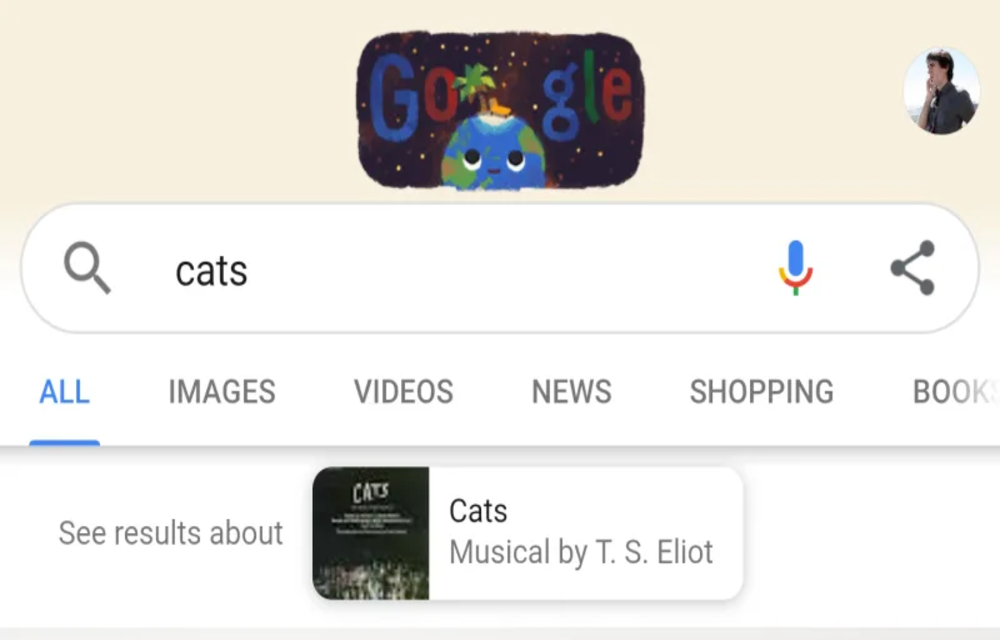
But it seems that Google has read our minds. The latest Google app beta gets the feature where you can just send your search query to others. This means that what you have searched on Google, you can share it with others. This is an extremely useful feature for all those who refuse to search for themselves. Also, it could be a unique way to show how you are a power user on Google and know different ways of searching on Google.
For example, you can search a website’s content on Google by using the site: tag and so on. For sharing your search results, you need to open your Google app and search as you normally do and then click on the Share icon at the right-hand side. After that, just select any app that you want to share on or just copy it to the clipboard which you can paste anywhere.
More in News

How to Check If Your WordPress Site Is Infected With Gootloader (FBI Checklist)
On November 16, 2026, the FBI warned that Gootloader, a malware operation active since 2020, has taken over more than 1,000 WordPress sites. It uses them to push fake legal documents to the top of Google, and the FBI links it to over $28 million in ransomware payments. If you run a WordPress site, your…

How to Check If a Video Is AI-Generated: 7 Ways to Spot a Fake
A year ago, you could usually spot an AI video in a few seconds. The hands were wrong, the faces melted, and the physics felt off. That’s no longer reliable. Tools like Google’s Veo and OpenAI’s Sora now make clips with realistic lighting, natural voices and believable motion, and they’re all over YouTube Shorts, TikTok,…

How to Communicate With AI for Better Results
This is why communicating with AI has become an important skill. It is not just prompt engineering for developers. It is a practical skill for writers, founders, marketers, designers, students, agencies, and business owners. AI does not read your mind. When you work with a person, they may understand your style, your past work, and…
The week in tech, minus the noise.
New reviews, fixes and the stories that matter — once a week, straight to your inbox.
We only use your email to send the newsletter. Unsubscribe any time. See our privacy policy.
Comments