

How to Download Your Entire Facebook Data
When it comes to social networks, Facebook is now among the most popular options. It is something that you engage with for virtually everything. In the event that there is a check-in, you will post it on Facebook. If there is a celebration, you are permitted to also share the live video. Nevertheless, you also…

When it comes to social networks, Facebook is now among the most popular options. It is something that you engage with for virtually everything. In the event that there is a check-in, you will post it on Facebook. If there is a celebration, you are permitted to also share the live video. Nevertheless, you also share the valuable experiences that you have on Facebook. However, what happens if you do not have them installed on your own computer?
It comes without saying that to access everything, you will need to have a working Internet connection. But what if you could have everything on your own computer even when you are not connected to the Internet?
This article will explain how to download all of your Facebook data. These days, Facebook stores a lot of information about you, including your postings on your wall, your messages, your photos, and your videos.All of Facebook’s data can be downloaded quickly and easily by following a few easy steps. In your computer, you have the ability to preserve all of the years’ worth of data from Facebook.
Steps to download the Facebook archive:
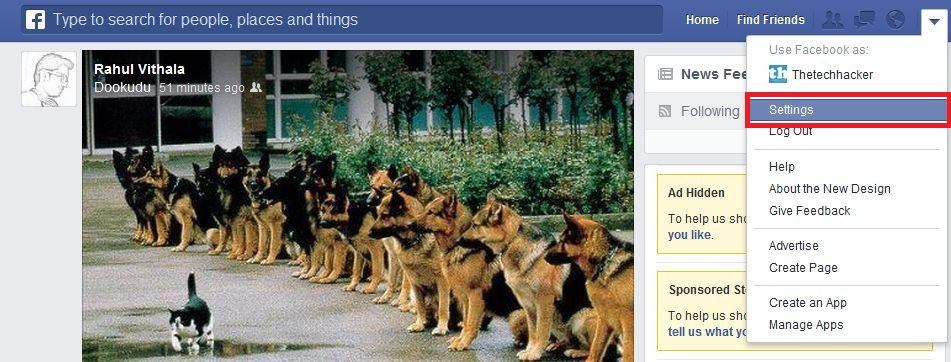
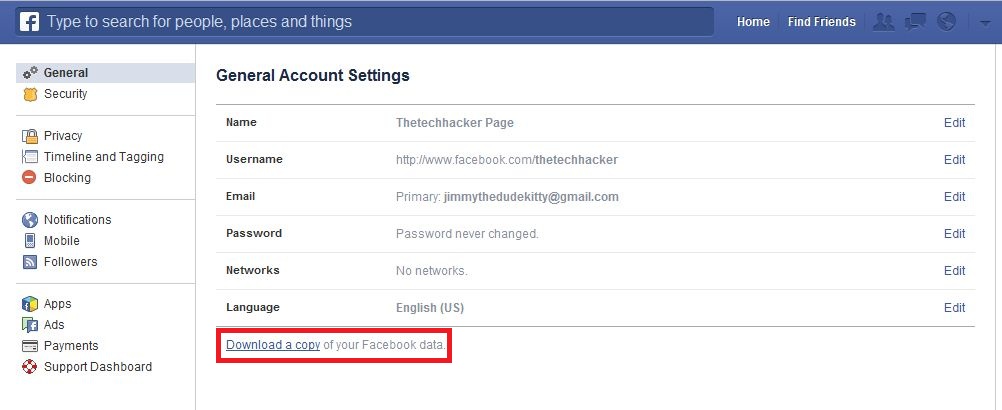
1. After logging in to Facebook, go to the top right corner Dropdown Menu > Go to Settings. A new page opens, and now click the link below given “Download a copy of your Facebook data”.
2. After clicking on the link opens a new page now click on ‘Start My Archive’.
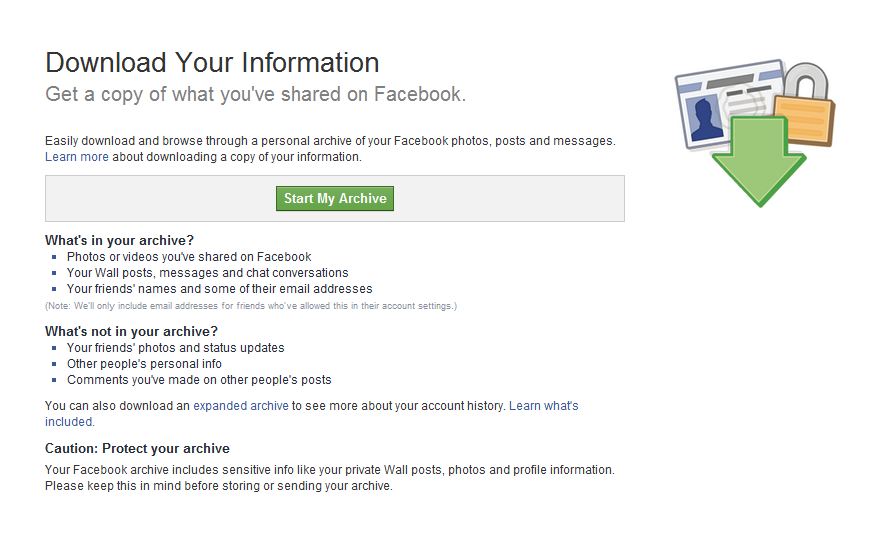
3. It asks to confirm again click on the Start My Archive.
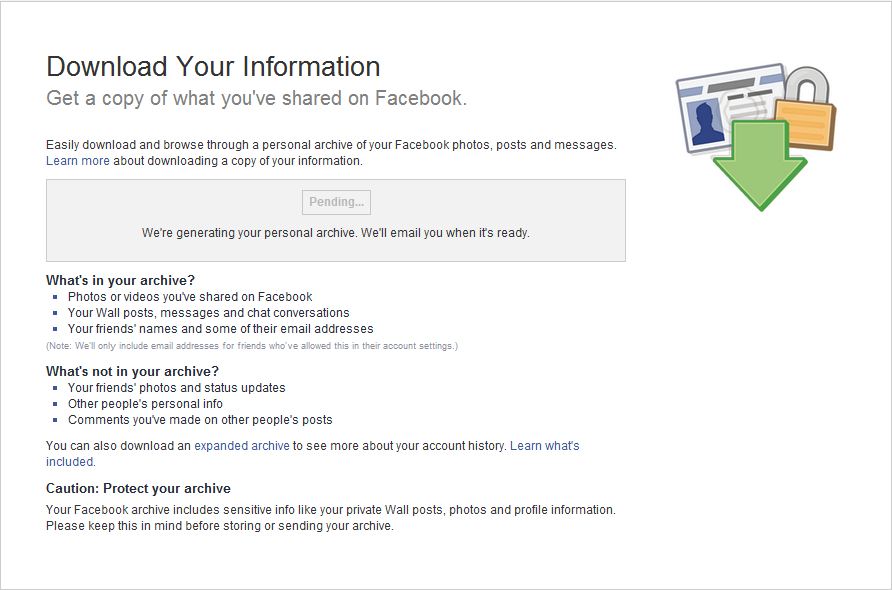
4. Depending on the size of your data it will take time to complete the archive. Large profiles, huge Facebook albums, and long time accounts will take a longer time to download Facebook data. Facebook will inform you by sending an email when your archive is ready for download.
Another option is to download an archive. It is called “Download Facebook Expanded Archives”. It allows you to download detailed account information like logins, cookies, and more.
So, now if you want your Facebook data to be available offline on your PC, you know the drill. Did you face any problems? Let us know in the comments below.
More in How-to

Why Facebook is addictive? Best Ways To Avoid Facebook From Your Life
Facebook is a most popular social networking site in the world. Millions of people are using Facebook to share their photos, videos and even feelings to loved one’s, friends and public.
Comprehensive Guide To Create Complete Archive Of All Your Google Data
Are you started using Google yesterday or 5 years back you can download entire data from your Google account activity and its services using Google Takeout. Gone are the days when we use manual downloading each Google product activity in spreadsheets and excel sheets. Google launched Takeout in the year 2011, at present they have…

How To Delete Facebook Account
Facebook had a special long term relationship with our lives. With people addicting to social networking sites, Facebook is their first choice to join. Facebook became part of our life, features like photo, location, music, links including our emotional feelings as the latest update. We already discussed Facebook addiction and the best ways to avoid…
The week in tech, minus the noise.
New reviews, fixes and the stories that matter — once a week, straight to your inbox.
We only use your email to send the newsletter. Unsubscribe any time. See our privacy policy.
Comments