

Disable All Chrome Extensions With One Click Using One Click Extension Manager
Google Chrome is a robust browser with a ton of great extensions support. Have you ever felt lag while browsing Chrome due to the heavy load of installed add-ons on Chrome? Or sometimes your favorite add-ons conflicts while browsing and end up with a mess? If you have installed too many Chrome extensions and willing…


Disable All Chrome Extensions With One Click Using One Click Extension Manager
Google Chrome is a robust browser with a ton of great extensions support. Have you ever felt lag while browsing Chrome due to the heavy load of installed add-ons on Chrome? Or sometimes your favorite add-ons conflicts while browsing and end up with a mess? If you have installed too many Chrome extensions and willing to manage and disable them with one click try One Click Extension Manager. It is a very useful and handy browser extension manager to disable all installed extensions on Chrome with just a single click.
Why Disable Chrome Extensions?
Why would you ever want to disable all Chrome extensions once? Sometimes for downloading files or updating files, you want to disable extension on Chrome browser. And some extensions eats up all the browser resources and buggy sometimes, you can disable them all in one click.
Unfortunately, Google Chrome doesn’t support one click disable facility, every time you want to disable an extension you need to go to manually to settings, which is a very time taking process.
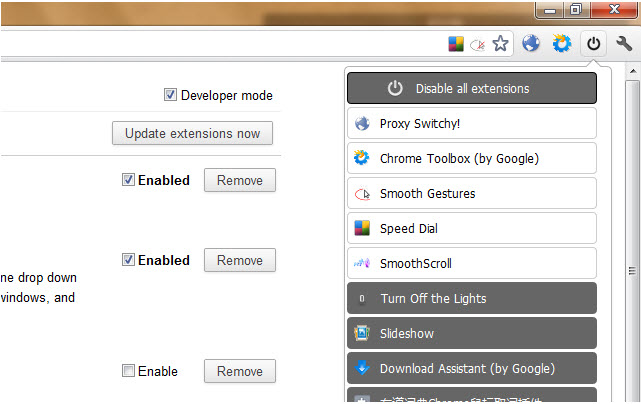
Disable All Chrome Extensions With One Click Extensions Manager
One Click Extension Manager is a simple Chrome extension that lets you enable and disable Chrome Extensions with one click. Download and install the extension from Chrome Web store, once installed it sits next to your address bar. Whenever you want to play with extension simply click the icon and click on Disable all extensions tab. After clicking disable the tab turn into enable mode, you can click Enable all extension to re-enable them.
One Click Extensions Manager also provides individual remove (uninstall Chrome Extensions) or toggle option from the same menu. It is available for free in Chrome Web Store.
That’s all for now. Please do share your views and feedback in the comment box below.
More in Internet
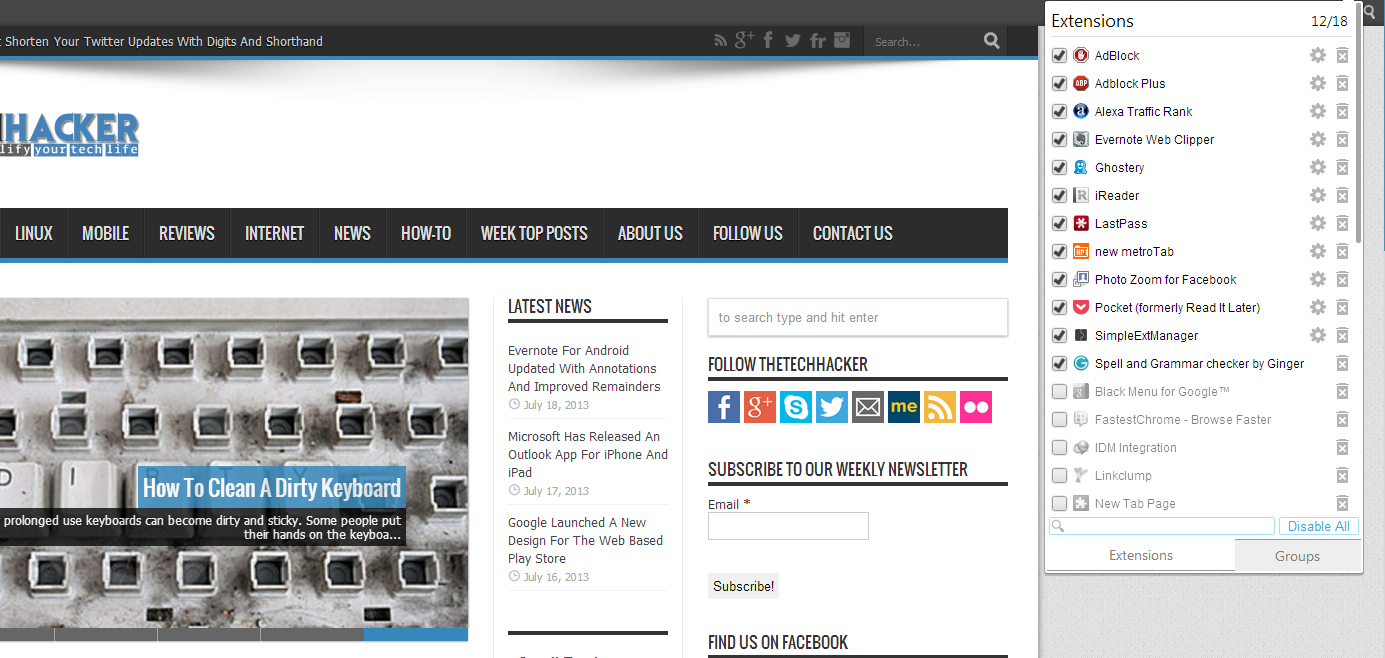
Easily Disable And Uninstall Apps & Extensions In Chrome With SimpleExtManager
Google Chrome has a ton of apps and extensions, but it is tough to maintain them in Chrome. SimpelExtManager is a simple extension which maintains all your existing extensions in an easily accessible way. After installation, it sits in your toolbar and provides all your extensions as a list. You can disable them with a…

How to Speed Up Web Browsing – In 10 Best Ways
No matter how much Internet speed is improved these days, many people are struggling with slow browsing speeds. It is quite irritating if the web browsing speed is slow when you browse the Internet while traveling or during an important task. Feeling very slow web browsing? There are many reasons for a slow web browsing…

How To Save Internet Files Directly To Cloud With Ballloon Chrome Extension
Nowadays everyone using cloud services to store files. Typically when we want to save a file from the internet, first we download it to a computer and then upload it to cloud services like Google Drive or Dropbox. You can simplify this process by using Ballloon for Google Chrome extension. If it is a regular…
The week in tech, minus the noise.
New reviews, fixes and the stories that matter — once a week, straight to your inbox.
We only use your email to send the newsletter. Unsubscribe any time. See our privacy policy.
Comments