

Schedule SMS on Android Easily with Fresh
If you are looking for a comprehensive tool to schedule SMS on Android, there is an app available to the users. The app’s main intention is to schedule SMS on Android phone for poor memory people who usually forget to send important messages. SMS Scheduler – Fresh is a free Android app for scheduling messages.…

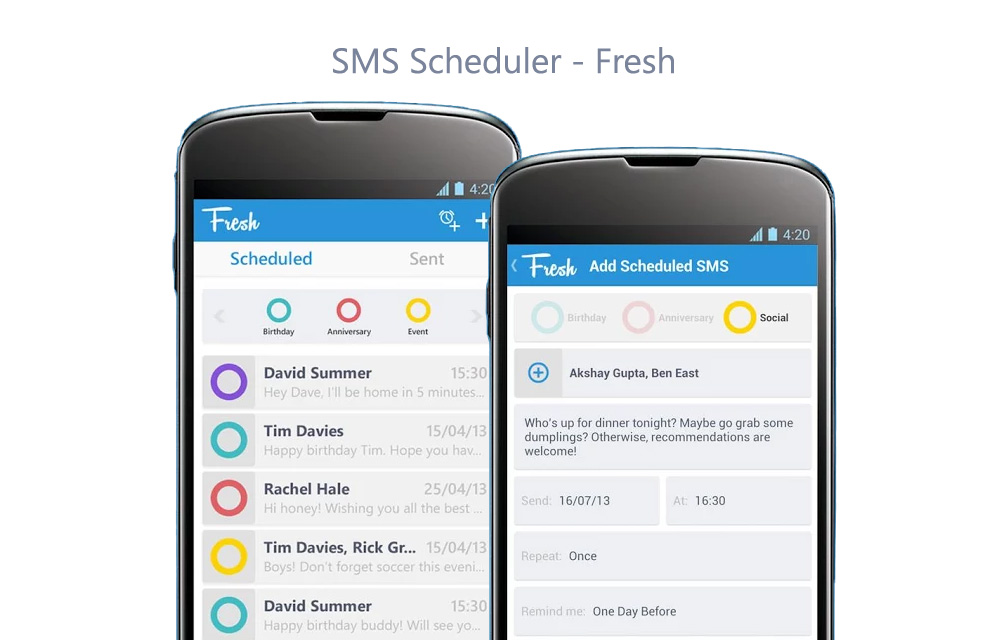
If you are looking for a comprehensive tool to schedule SMS on Android, there is an app available to the users.
The app’s main intention is to schedule SMS on Android phone for poor memory people who usually forget to send important messages. SMS Scheduler – Fresh is a free Android app for scheduling messages.
In short, it is a very simple yet handy Android app, upon launching the app shows + icon to add a message to schedule. Click on the ‘+’ icon opens the SMS adding options, you can add a recipient, message, send on a date, repeat, remind me and confirm before sending options.
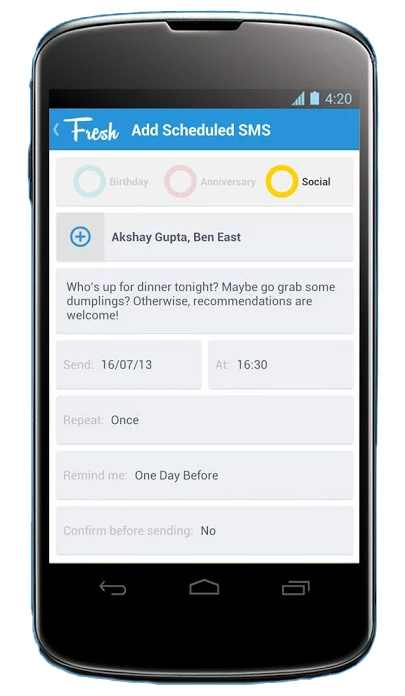
When you click on the recipient, it shows the contacts list to add the desired person, type the message on the box and now click on send on date and time you want to schedule. It doesn’t matter if it is scheduled for minutes, an hour or a week later or a year later. After assigning the duty, it will remember the task and send the message to the correct person at the right time. SMS Scheduler – Fresh app is available for free in Google Play Store.
Features of Fresh SMS Scheduler App
- Simple design
- Schedule SMS on a certain time period and forget about it
- Daily, weekly, monthly or yearly repeats
- Extremely customizable and plenty of options to choose from
- Track the scheduled messages anytime you want using the app
- No problem with forgetting your SMS again, the app will remember it for you.
After testing and using the Fresh SMS scheduler for few days, we have reached in a conclusion that it is a worthy app to be installed on our smartphones. Especially, if you are not into the WhatsApp and such messengers, you should definitely try the Fresh SMS scheduler.
More in Mobile
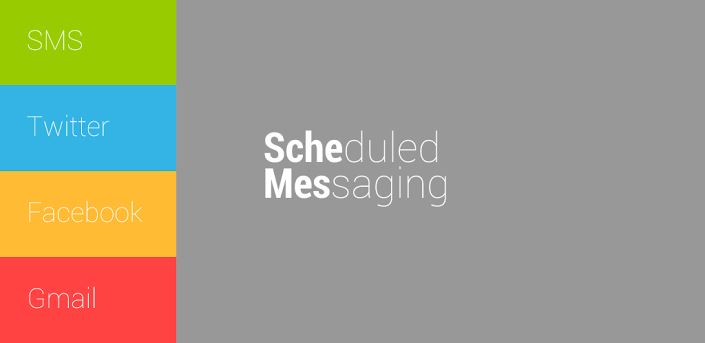
How To Schedule SMS, Facebook, Twitter Messages On Android
Managing and scheduling time is very important for every person. If you a workaholic person with perfect time management Schemes app is for you. ‘Schemes’ is a simple app that lets you schedule four types of social communications. You can easily schedule SMS, Twitter, Facebook, Gmail messages. When you first install and open the app, you’ll get…

TimeAway-Android App Review
The digital world is simplifying our life. Few years back computers are only source of information medium.
EverythingMe Android Launcher Review – Simplicity Is The Ultimate Sophistication
Many people these days started using smartphones to play games, make phone calls, check emails and even video calls. Android is world’s most popular mobile operating system with lots of capabilities. In a world of Android, everything is possible when it comes to customization. Ever feel boredom when checking your Android device home screen or…
The week in tech, minus the noise.
New reviews, fixes and the stories that matter — once a week, straight to your inbox.
We only use your email to send the newsletter. Unsubscribe any time. See our privacy policy.
Comments