

Customize Your Windows 8.1 Start Screen With Start Screen Unlimited
When it comes to customization Windows offers full customization options using third party programs. The new Windows 8 or Windows 8.1 start screen displays all apps in one place, but it is more user-friendly in tablets rather than desktop mode.

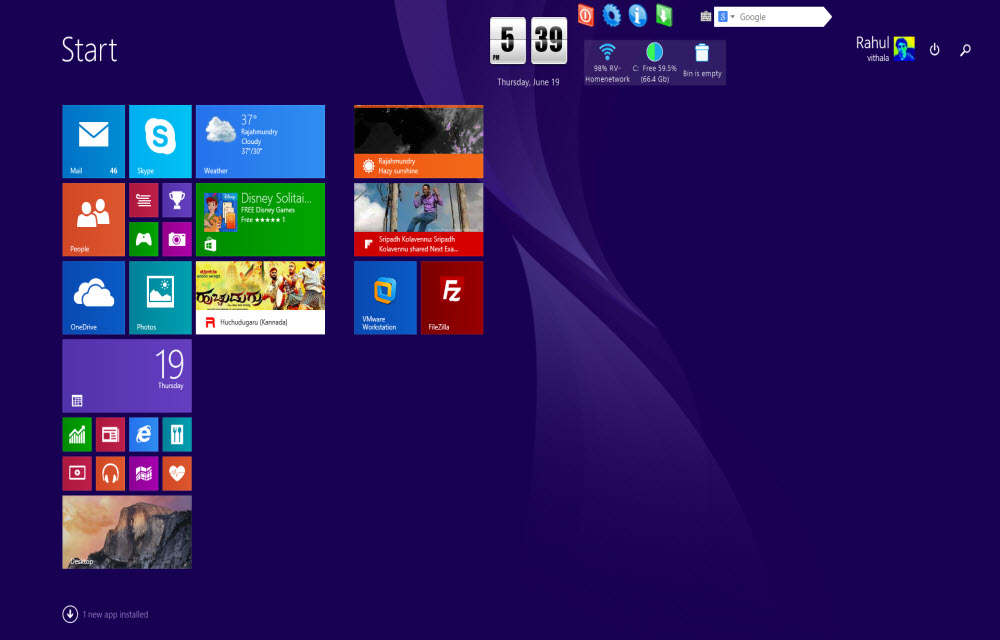
When it comes to customization Windows offers full customization options using third party programs. The new Windows 8 or Windows 8.1 start screen displays all apps in one place, but it is more user-friendly in tablets rather than desktop mode. Start Screen Unlimited is a program that adds widgets to your Windows Metro screen. The app comes in Lite and Deluxe versions, Lite is free, and Deluxe can be purchased online.
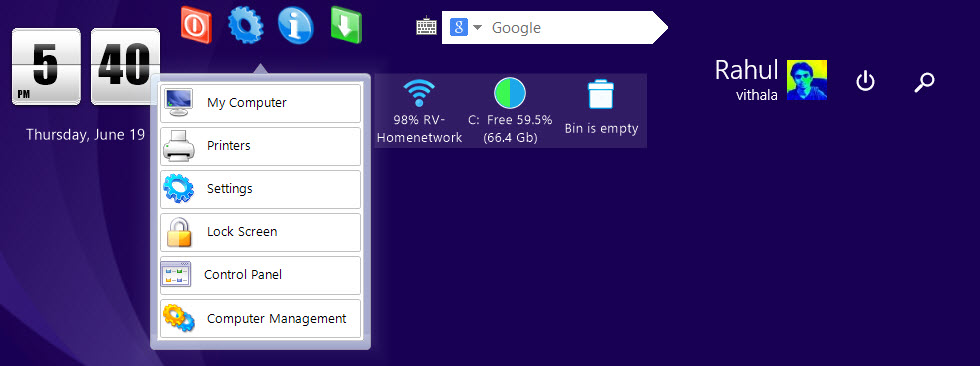
After downloading and installing the program, it adds handy widgets to Start screen. The widgets include clock, system shortcuts, power menu, search box, WiFi signal strength, C drive capacity and recycle bin status. You can easily drag the widgets anywhere on start menu screen easily.

Overall Start Screen Unlimited is a handy program to quickly access system shortcuts and power related options easily.
Download Start Screen Unlimited.
Updated…
Customizing gadgets to suit one’s taste and preferences is fast becoming the order of the day. Tweaking these electronic gadgets often brings out the best in them, and allows users to use it better than they did before it was tweaked.
Hitherto before now, Window’s 8.1 users have been very much unable to customize the OS to suit their needs and taste. Well, all that is about to change now. There’s a new tool for customizing Windows 8.1 and it’s called Start Screen Unlimited. There are tons of applications you could use to do this customization, but Start Screen Unlimited is simply the boss – it offers unlimited customization choices other apps don’t offer.
Start Screen Unlimited is available in two versions; the Lite (free) version and the Deluxe (paid) version that can be downloaded from the internet.
Here are a list of some of the coolest things you can do with Start Screen Unlimited
- You can switch users, access your computer’s power options and create a group of some of the most frequent actions you perform and access it all through a pop-up menu.
- Show the Windows Task Bar on the start screen – this is impossible on the normal Windows 8 start screen, meaning you’ve got to view the desktop to access the task bar.
- Use the stop watch feature to time yourself. I’m pretty sure a lot of workaholics will find this useful.
- There’s also a countdown timer tool available. This would help you be more efficient when working on your tasks, so that you don’t use the time meant for something to do another thing.
- You can also check your battery levels, network signal, and hard disk space and recycle bin status from a simple, customizable bar you can put on your start screen.
The features and benefits of using this amazing software are endless. Why don’t you try out the free version and see for yourself what I’m saying.
More in Windows

Best Customization Tools for your Desktop
Most of us don’t really like same boring desktop environment for long periods. Watching the same desktop every day and every time when your PC starts is tedious. When it comes to customization, desktop offers the most user-friendly environment. I personally selected the three best tools to customize your desktop look and appearance without much effort.…
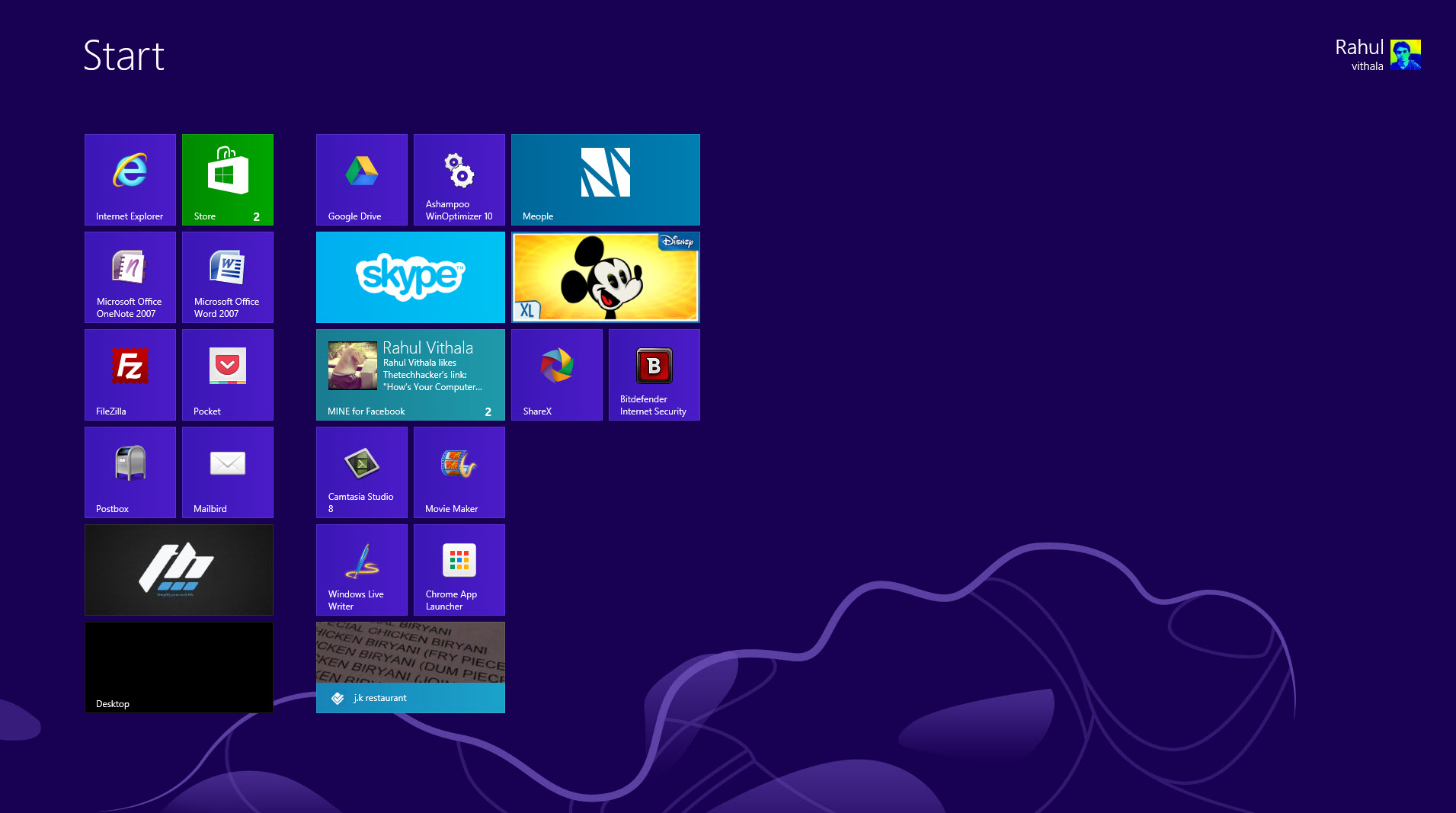
Take Screenshots & Upload Them Online Easily With ShareX
How you take screenshots on your PC? normally most of us use Snipping tool to take screenshots on Windows. What would you do if you want to share instantly screenshot to a image hosting service? Confused this is a two step process first take screen shot and next uploading screenshot using browser. Simply download ShareX…
Best Free Alternatives To Camtasia Studio
Camtasia Studio is a well-known screen recording or screencasting software for Windows. After checking the price, only some people can afford it. Screen recording one such task which requires a quality program. A dedicated solution for screen recording will simplify your screen recording job. Remember the best always comes with a price tag. If you…
The week in tech, minus the noise.
New reviews, fixes and the stories that matter — once a week, straight to your inbox.
We only use your email to send the newsletter. Unsubscribe any time. See our privacy policy.
Comments