

Play Chess with your Friends in Facebook Messenger
If you are a regular user of facebook messenger and has been using it only for chatting with your friends, it is the time to try something different. Apart from those long chatting sessions, you could do something more than that. How would it be if you can play a chess game right from the…


play-chess-in-facebook-messenger
If you are a regular user of facebook messenger and has been using it only for chatting with your friends, it is the time to try something different. Apart from those long chatting sessions, you could do something more than that. How would it be if you can play a chess game right from the messenger? Battling with friends is always fun. Beat them to shine in front of them tomorrow.
Facebook have a hidden feature that enables a chess game inside the messenger. Many of you even don’t know the thing existed. It was uncovered by almost all websites on the internet. So, today, we are going to reveal the secret and gift you the steps to play a simple chess game with your friends through facebook messenger.
Steps to Play Chess with your Friends in Facebook Messenger
It’s very easy to start a chess game inside your chat box. No need of any plugins or extensions. All you wanted to do is implementing a code inside the text box. Follow the simple steps given below to start a chess session with your friends.
- Open Facebook and start a chatting session with whom you want to start chess.
- In the message box, type “@fbchess play” (without quotes) and the chess game will begin.
- A chess board will be displayed in the chat window.
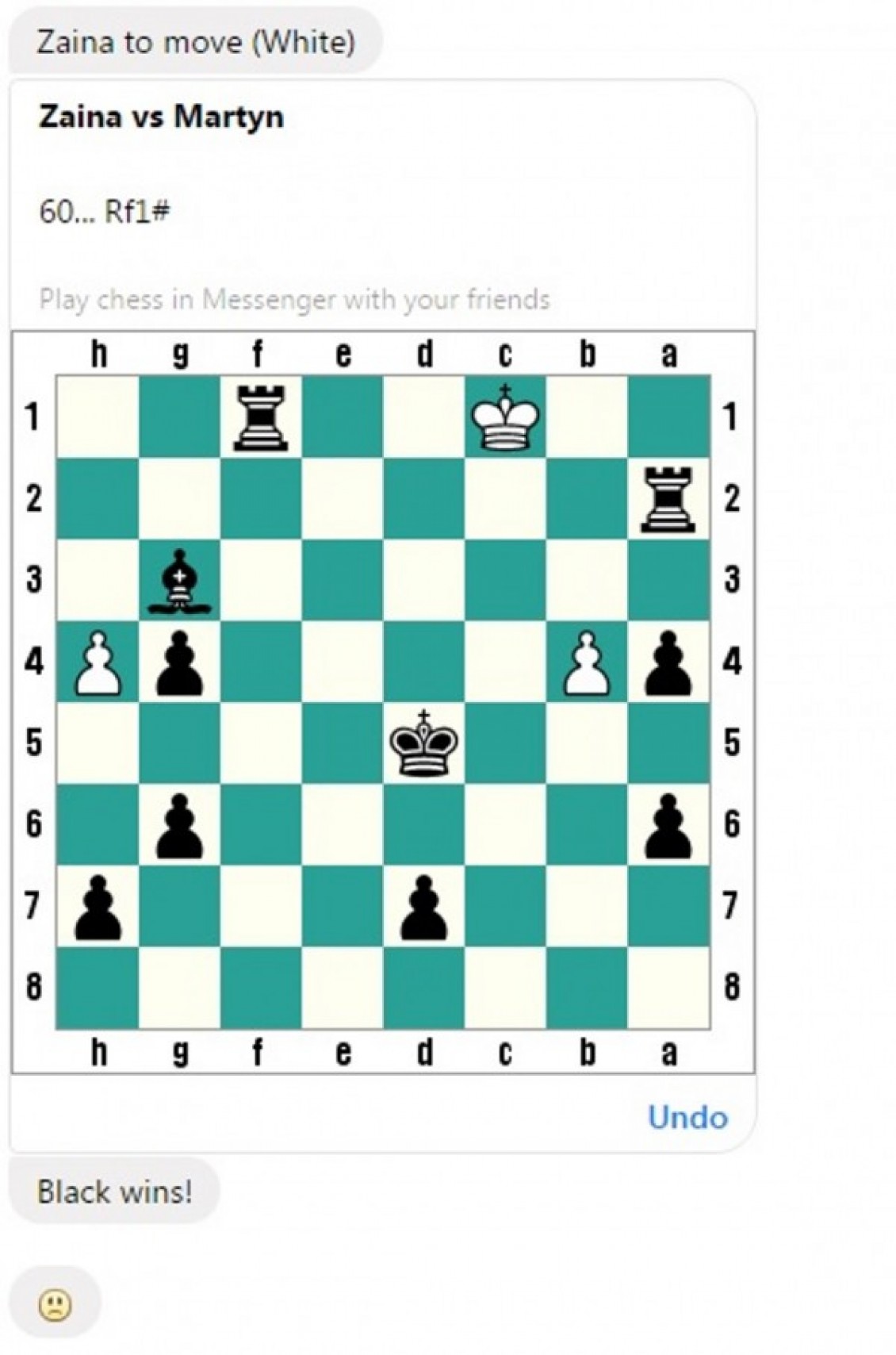
Wondering how to play the game? The standard cursor move won’t take effect in the case of this one. Facebook have implemented a code wise move method for the game. There are many codes available for playing the game and making moves. Some of the important ones are given below.
Starting a game
- To Start the game: @fbchess play
- To Pick the desired colors: @fbchess play white/black
- To Pick the desired opponent: @fbchess play white John
Making Moves
- Make moves based on the Rows and Columns marked with letters and numbers respectively followed by the letter of the Chess piece.
- @fbchess e3 or @fbchess Pe3 to move pawn to e3
- @fbchess Qb4 moves the Queen to B4 tile.
- Nbd2 to move Knight from b-tile to d2
- B2xc5 to take on c5 with 2nd rank bishop
- e8=Q to promote pawn to queen
- 0-0-0 or O-O to Castle
Other Functions
- To Claim draw (eg: 3-fold repetition): @fbchess draw claim
- To Offer a draw: @fbchess draw offer
- To Offer an undo of the last move: @fbchess undo
- To Resign: @fbchess resign
If you want more help from the game itself, just type @fbchess help. It will show you the instructions of the game. Not only on facebook messenger, but it also works in the desktop version of the facebook. So, enjoy your chess sessions with friends. Also, check our article on How to Disable Videos from Automatically Playing on Facebook.
More in Internet

How To Access Facebook Chat Without Opening Facebook Site
For example, you can access Facebook chat without opening the Facebook website. The easiest way to communicate with your friends on Facebook is through this method. On the internet, there are only a few alternatives to Facebook chat that are available. You will be able to rapidly share your thoughts, photographs, and videos with others…

How To Use Facebook Messenger Without Extensions
Facebook messenger doesn’t need any introduction, millions of Facebook users use the chat feature to communicate with their colleagues, friends, family members easily. Recently Facebook crossed 1.8 Billion monthly users mark and created history. Most of the users use Facebook messenger on their smartphones, for desktop users they usually install extension or add-ons with compatible…

Why Facebook is addictive? Best Ways To Avoid Facebook From Your Life
Facebook is a most popular social networking site in the world. Millions of people are using Facebook to share their photos, videos and even feelings to loved one’s, friends and public.
The week in tech, minus the noise.
New reviews, fixes and the stories that matter — once a week, straight to your inbox.
We only use your email to send the newsletter. Unsubscribe any time. See our privacy policy.
Comments