

How to Block a Website from Google Search Results
Tired of seeing unwanted Websites again and again in search results? You can easily block an unwanted website in Google search results. In this article, we will show how to block a website from Google search results. In Google Chrome, a simple extension is there called Personal Blocklist (by Google). Previously Google offered a feature to their search…

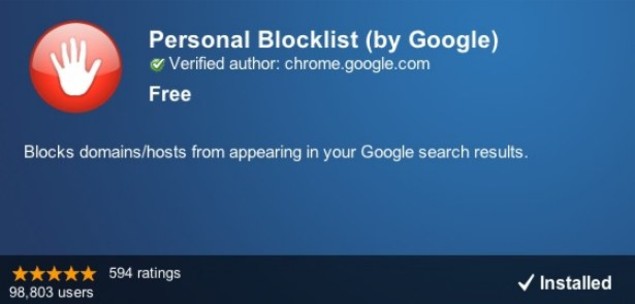
Tired of seeing unwanted Websites again and again in search results? You can easily block an unwanted website in Google search results. In this article, we will show how to block a website from Google search results.
In Google Chrome, a simple extension is there called Personal Blocklist (by Google). Previously Google offered a feature to their search results page that let you block any search result after viewing the page. But this service is discontinued by Google. So, Personal Blocklist (by Google) easily blocks domains/hosts from appearing in your Google search results.
To block unwanted websites from Google Search Results follow these steps
- Open Google Chrome and launch Chrome Web Store.
- Search extension by typing “Personal Blocklist” without quotes in-store search bar.
- Install the extension.
- Open Google and type the desired word to search.
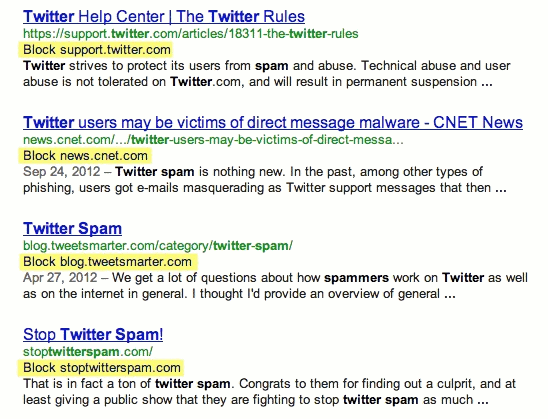
- When you see a site that you want to block, just click on “Block domain.com” right from your Google results.
- Personal Blocklist (by Google) immediately removes from your search results. You’ll also see a message at the bottom of your search results letting you know that “some results were removed by the Personal Blocklist Chrome extension.”
- You can click on the browser icon to view all blocked items.
- You can also edit domains that are blocked this lets you change the domain you’re blocking to a sub-domain.
Now, Google will no longer display the results from the chosen domain or subdomain that you added. This method is very useful in case you frequently search for something and find a spammy or unwanted domain irritating you by providing some fake results. This domain filter will make your web browsing even better and help you to leverage the most accurate results only.
We hope this article helped you in blocking unwanted websites in Google Search results. Please do share your comments and views in the comment box below.
More in Internet
10 Hidden Features of Google which Makes you WOW
Being the best search engine in the world, Google provides a lot of features which already made us respect them. There are some Hidden features of Google which are still unknown to most of you. Google provides very useful and impressive features that are well known to you. But there are some more hidden features…

Top 5 Websites To Buy Cheap Flight Tickets Online
One of the greatest advantages of the internet is booking tickets instantly with a click.
How To Hide Unwanted Google Search Results In Firefox?
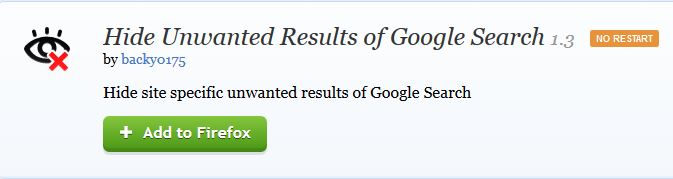
Tired of getting unwanted results when searching on Google? You can easily hide them by using a simple add-on in Firefox. The Firefox extension called Hide Unwanted Results of Google Search really helps you hide unrelated or any particular keyword-based results in Firefox. This extension is designed for only Firefox; it will not have any…
The week in tech, minus the noise.
New reviews, fixes and the stories that matter — once a week, straight to your inbox.
We only use your email to send the newsletter. Unsubscribe any time. See our privacy policy.
Comments