

‘Sizer’ is an Application Which Allows you to Resize your Windows Apps to Any Dimensions
We have come to a conclusion that there are two types of PC users around the world. One who loves MacOS and other who love Windows OS. Now, we have known that there are plenty of applications available for macOS but the same cannot be said about Windows. This is because there are not many…


‘Sizer’ is an Application Which Allows you to Resize your Windows Apps to Any Dimensions
We have come to a conclusion that there are two types of PC users around the world. One who loves MacOS and other who love Windows OS. Now, we have known that there are plenty of applications available for macOS but the same cannot be said about Windows. This is because there are not many applications available on the Windows store and we are left with third-party applications only.
We have come across a situation several times when we want to resize any application in Windows. Therefore, Windows gives an option to resize it via the shortcut keys. However, not everyone remembers the shortcut keys thoroughly as they might be using it once in a while. Therefore, we have a new application for Windows named as Sizer which lets you resize the Windows apps exactly as you want.
What is Sizer?
Sizer is a Windows application which lets you resize the dimensions of any Windows app to fit the screen. This application is most suitable if you want to have more than one window side by side. Sizer allows you to watch both the windows simultaneously without hindering each other. Therefore, it is most useful if you have an ultra-wide monitor and you want to watch YouTube videos on one side and also work on the other side.
How does Sizer work?
Sizer allows you to assign specific dimensions and positions to hotkeys. This means that you can assign that you want to open YouTube in the right corner of your screen so the application will resize the window in that portion only. Thus, you can utilize the other corner of your screen for other tasks to make your life easier and maintain the balance between work and entertainment.
Conclusion
Sizer is a very handy tool for those who have a massive monitor or if you have an ultra-wide one. This is because regular monitors are suitable to open one window at a time whereas ultra-wide ones can easily let you browse 3-4 windows side by side. Now, it is possible to resize the dimensions of your window by inbuilt shortcuts in Windows as well but this application is much easier to do the tedious task.
More in Tech Stories

You Can Now Create Custom Stickers for Instagram Stories With This App
Instagram has always been a place where people love to share their photos. There are many people are in the world are active Instagram followers, who admire beautiful photos online. Also, it has become a trend nowadays to use the filters on each and every photo that has been posted. And we would agree that…
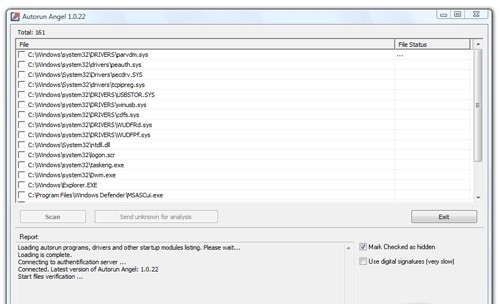
Analyze Your Startup Items With Cloud Based Security Autorun Angel
Every PC will slow down after heavy usage, the reason for slowing down of a PC are so many. But one of them is System Startup programs. Whenever you install a new program on Windows some make entry into the Startup items list. Startup item is the list of programs automatically start with Windows login.…

Secure Your Browsing History With Keepsafe Browser
Keepsafe is a company that has long established itself in the Google Play Store as well as the iOS App Store. Some of the notable applications released by the company are Blur for iMessage released for iOS and Photo Vault released for iOS and Android. However, the company is back with another application available on…
The week in tech, minus the noise.
New reviews, fixes and the stories that matter — once a week, straight to your inbox.
We only use your email to send the newsletter. Unsubscribe any time. See our privacy policy.
Comments