

How to Update Amazon Fire TV Stick with New Software
Amazon’s pocket and budget-friendly Fire sticks are great for so many reasons. Everyone loves these devices because of their price, user-friendliness and the full access to all favorite movies and TV shows streaming. Every Fire TV device comes with a Fire OS which is a modified version of Android. When you buy a Fire TV…

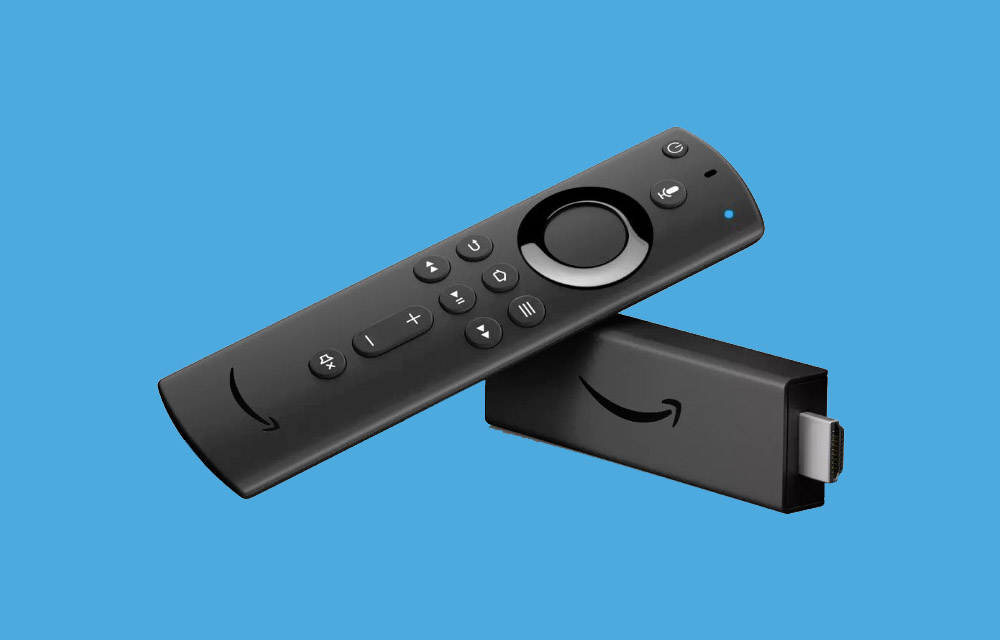
How to Update Amazon Fire TV Stick with New Software
Amazon’s pocket and budget-friendly Fire sticks are great for so many reasons. Everyone loves these devices because of their price, user-friendliness and the full access to all favorite movies and TV shows streaming.
Every Fire TV device comes with a Fire OS which is a modified version of Android. When you buy a Fire TV stick, it comes with an OS which is installed during the manufacturing time. When you purchase Fire Stick, it may be 3-7 months old, which contains an older version of the software when you check the present version.
Why do you need to update Fire TV Stick regularly?
Amazon Fire TV Stick is officially launched in the year 2014. From then to till the date, the Fire OS has got several updates to improve performance and fix bugs. Every new update is packed with security updates, bug fixes, new apps, and performance improvements. So, if you own a Fire TV Stick, regularly check for new software updates and install them.
Every model of Fire Stick TV regularly receives latest updates when it is connected to the Internet. The device gets updated at the background to the latest version. However, it is advisable to check the latest update status time to time to get a better experience.
How to manually update Fire TV Stick?
Check the below steps to manually update the latest firmware on your Fire TV Stick.
- Connect and open your Fire TV on a television.
- Now go to the Home menu.
- On the menu options, scroll to the Settings and open it.
- Now, again scroll down and choose Device.
- Open About option.
- Now, scroll down and select Check for the system update.
- On Check for system update option, you will see the info like the last update and the last time Fire Stick checked for a new version.
- If a new software update is available, you’ll be prompted to download and install immediately.
That’s it. It is that simple to download and update latest software update on Amazon Fire TV Stick.
How to turn on automatic software updates on Fire TV Stick?
By default, the automatic software updates option is enabled on your Fire TV Stick. During the sleep mode or while you use the device it will automatically download and update the latest firmware.
However, if you want the option is enabled or not, you can check using the below steps.
- Open your Fire TV UI and go to the home menu.
- In the menu section at the top of the screen, scroll to the right and choose Settings.
- Here, scroll right and select Device.
- Now choose Restart and confirm in the next window.
- Now your Fire TV Stick will reboot. After it does, it will automatically look for updates.
That’s it. Every Fire device is pretty easy to use and comes under budget. If you want to make your entertaining device with good performance keep up-to-date with the latest software.
More in Tutorials
Speed up Lenovo Laptop Running Slow in Windows 10
Your Windows 10 laptop may go slower and slower over time. There are several reasons why your Lenovo laptop is acting up and gone painfully slow over time. Run through the checklist given below to fix this issue permanently.
How to Enable YouTube Dark Mode in Google Chrome, Firefox and Edge
YouTube has some special features, one of them is dark mode. This mode is for those who want a dark background in the YouTube interface. For regular video watchers, a white and red background is pretty bright and dominating at night. Luckily, YouTube is offering Dark Mode for users like me and you to get…
Steps Required To Update Your Computer’s BIOS Settings
During late 1990’s, we were afraid of BIOS because it constantly crashes. When we purchased a PC during that time, the BIOS crashed after the installation of a gaming software. Nowadays, the rate of BIOS crashes is low due to sturdy hardware and software. BIOS stands for Basic Input-Output System and is embedded on a…
The week in tech, minus the noise.
New reviews, fixes and the stories that matter — once a week, straight to your inbox.
We only use your email to send the newsletter. Unsubscribe any time. See our privacy policy.
Comments