

10 Best Linux Antivirus Software
While Linux isn’t one of the most popular operating systems (well, at least for the easiness in the usage) at the moment, it surely has its own advantages and disadvantages. Nowadays, many apps are optimized not only for Windows, as a leading platform, but for Linux, that is more and more popular by the day. The one…

10 Best Linux Antivirus Software
While Linux isn’t one of the most popular operating systems (well, at least for the easiness in the usage) at the moment, it surely has its own advantages and disadvantages. Nowadays, many apps are optimized not only for Windows, as a leading platform, but for Linux, that is more and more popular by the day.
The one thing is sure for every platform and that’s vulnerability to viruses. Even if you have the newest version of Windows 10, you can still get various viruses and malware that can have an impact on your PC’s performance. Today, we are going to talk about Linux antivirus software, and select 10 best that you can use if you are a Linux user. So… let’s get started!
1. ClamAV
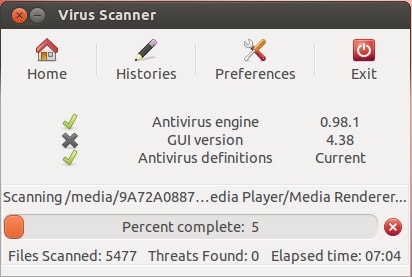
When talking about undisputed kings of antivirus software for Linux, ClamAV is maybe the first that comes to my mind. It’s a free, open-source antivirus program that will help you defend your operating system from various malware, trojans, virus and other threats that can have an impact on your PC’s health. ClamAV works by scanning major type files, and the scan is thorough, which means that every single virus will be found. The virus database is updated several times a day, keeping you safe and secure. Feel free to download it for free.
2. ClamTk
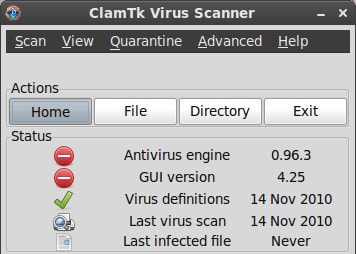
As we said, ClamAV is a command-line based antivirus, and ClamTk is a lightweight graphical front-end for this antivirus. It’s somehow like virus scanner, that you can use to scan for viruses and malware in connection with ClamAV. For example, you can now command your virus scanner using ClamTk, which require just a few click to do things right, while ClamAV required to know some syntax, which is more complicated for beginners. It’s the same stuff as in ClamAV; nothing lost, nothing gained.
3. Chkrootkit
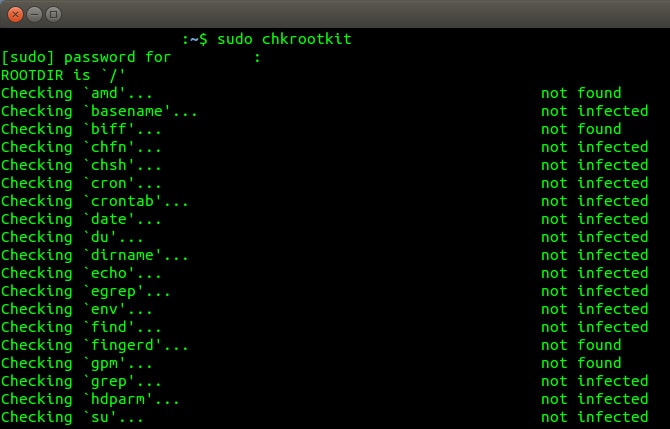
Another command-line interface is located in Chkrootkit. As its name says, Chkrootkit is here to check for rootkit, and the best thing is that you can check for rootkit without even installing the program. Also, it’s a very lightweight program, which means that interference with other processes and your PC’s performance is minimal. And in the end, Chkrootkit is here to detect any kind of virus, trojan, malware, bitcoin miners and much more. Oh, and it’s free, so you might want to check this one also.
4. Sophos Anti-Virus
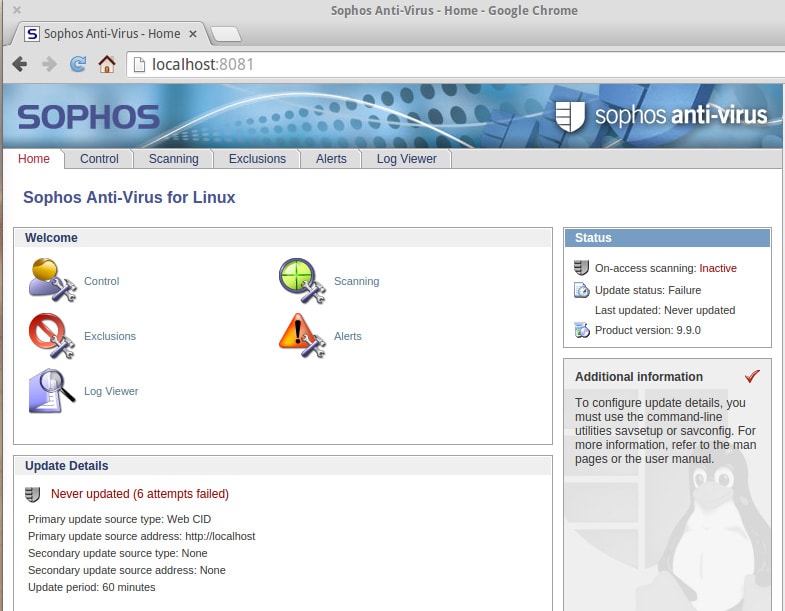
From experience, Sophos is a very reliable antivirus program, that works well and maintains a steady performance on the PC it’s working on. No virus can escape this beast, as it detects even trojans and worms, and eradicate them with ease. Sophos can even block non-Linux antiviruses, which may be stored in your Linux PC and transferred to a non-Linux PC, keeping you safe and secure. The best of all is that it’s free!
5. Comodo
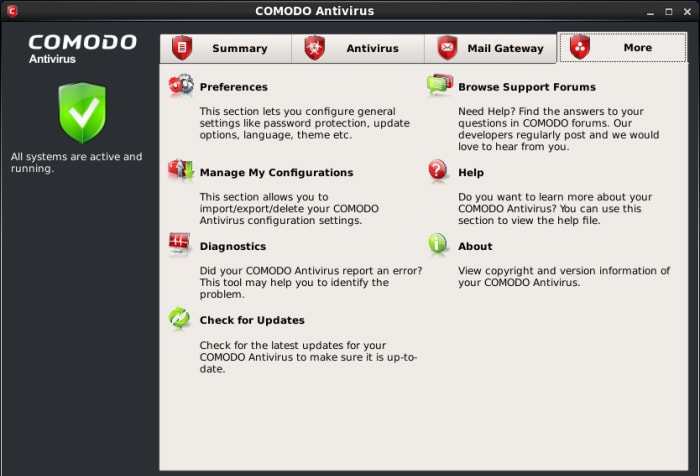
Comodo is a great antivirus for Linux system, and it’s even powerful like a true Comodo Dragon. It’s easy to install and works in the background, in a way that you won’t even notice that you’ve installed it. You can literally forget that you have it on your PC! All known threats are intercepted by Comodo and eradicated in a traditional manner. Aside from that, Comodo is updated frequently (optional) and also includes mail filter, which is great to get rid of some annoying emails containing who knows what.
6. F-PROT
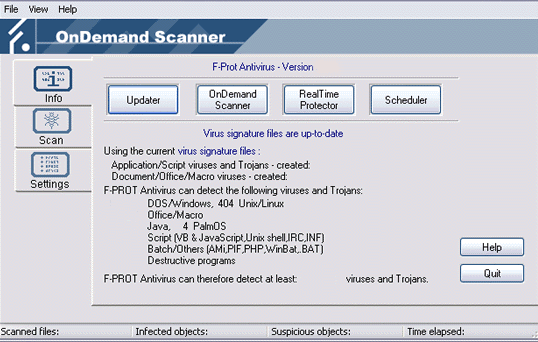
F-PROT sounds like some kind of a top-secret, military weapon, and while it’s not military, it surely is a weapon to fight viruses. It’s a freeware, on-demand scanner which you’ll want to consider if using Linux. You can schedule scans according to your needs or possibilities, and F-PROT will defend your PC from trojans and any kind of viruses. Performance-wise, F-PROT is a really lightweight program, and in my experience, the overall performance of PC isn’t affected at all.
7. Rootkit Hunter
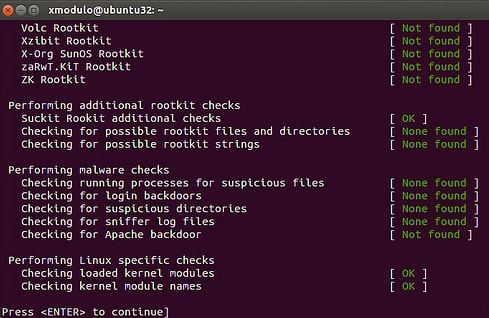
As its name says, Rootkit Hunter is a great app for detecting a rootkit, but it’s also a solid antivirus tool for Linux. This antivirus software works by using the SHA-1 hash comparison to scan for malicious software such as malware, trojans, and worms and eradicates them easily. On top of that, Rootkit Hunter is compatible with almost any UNIX system but uses a command-line interface, which some may find not-that-great. It’s a lightweight app that will do wonders for your Linux OS.
8. BitDefender for Unices
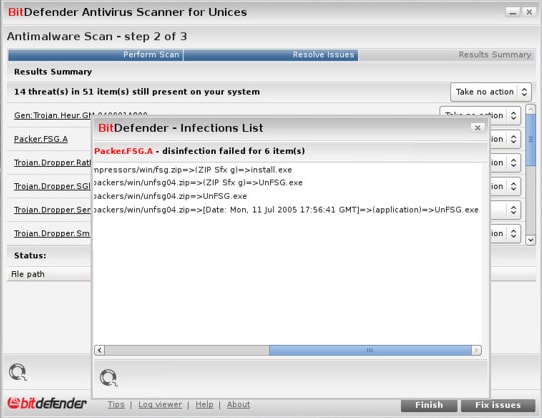
BitDefender for Unices or just BitDefender is a great antivirus software suite, not only for Linux but for FreeBSD also. The great thing about it is that it provides both on-demand scanning as well as real-time virus and malware protection. On top of that, BitDefender is really easy to use with its intuitive interface and a command line interface that supports OS scripting tools. When the virus is found, you can either delete the file or quarantine it in a specifically protected directory. BitDefender can also scan archives and determine if they are malicious or not.
9. ESET NOD32 Antivirus
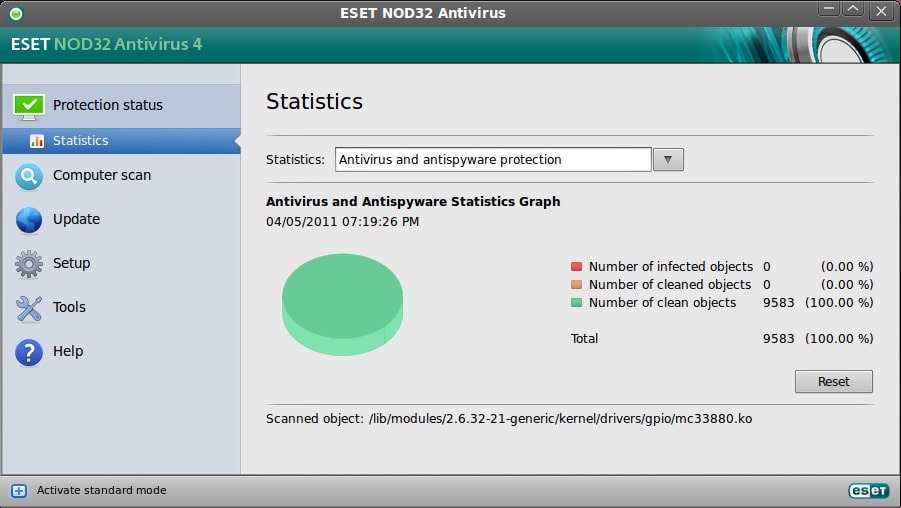
If NOD32 Antivirus sounds familiar to you, there’s a good chance that you’ve used it before, on your Windows PC. NOD32 Antivirus is one of the best antiviruses you can get today, and now it’s available for Linux. However, NOD32 is NOT free software, which might turn some people down, and with its price of $59.99, I think that it’s a little expensive. Also, NOD32 will do those basic things like cleaning your PC of viruses, malware, and other malicious software, and you might not want to pay just for that. But it’s your choice; if you like it, then go on.
10. Dr.Web
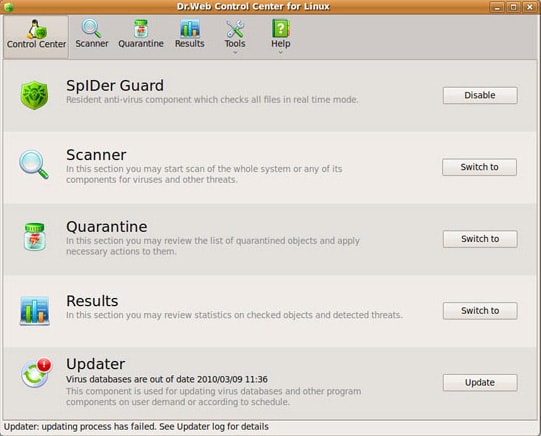
Dr.Web follows the same workflow as NOD32, and it’s even paid antivirus software, not free. However, unlike most paid software, Dr.Web offers a free trial which you can download on their site. Aside from being a great Linux antivirus, Dr.Web is also available for Android, and if you visit their site, you can find numerous products related to this antivirus, that can help you keep viruses off your device. For downloading or buying Dr.Web Linux antivirus software, check the link below.
More in Best Software
Best Portable Antivirus for Windows
In earlier times, having antivirus software was not very common, as there was lesser malware that could harm the computers. So, only the elite people could afford that expensive software. But, at present, there are lots of malware and to tackle them, multiple numbers of antivirus software are also there. And, as the number or…
Best Data Recovery Software for Windows, Mac & Linux
Before we start explaining in-depth, you need not fear – recovering the data you deleted by accident (or intentionally) is not hard at all. The first step you need to take – stop transferring files from and to your PC or Mac or Linux based machine in order to mitigate the “damage” you already did…

10 Best Bitcoin Mining Tools for Windows, Mac, and Linux
Just a few years ago, Bitcoin was just an ordinary cryptocurrency with an average value of around couple hundreds of dollars. However, this year was a great year for mining Bitcoin as its value increased to an astonishing $16,000. Basically, if you had a single Bitcoin for yourself, you could very rich, but there’s a…
The week in tech, minus the noise.
New reviews, fixes and the stories that matter — once a week, straight to your inbox.
We only use your email to send the newsletter. Unsubscribe any time. See our privacy policy.
Comments