

What is idp.alexa.51 and how to remove it?
idp.alexa.51 is a very popular Alexa Trojan or Virus. The virus is found and identified by AVIRA, AVAST, and AVG antivirus software for the first time in 2016. How idp.alexa.51 will get infiltrate? The infiltration of idp.alexa.51 is done by installing third-party games and software comes with standard and advanced installation processes. During the installation…
What is idp.alexa.51 and how to remove it
idp.alexa.51 is a very popular Alexa Trojan or Virus. The virus is found and identified by AVIRA, AVAST, and AVG antivirus software for the first time in 2016.
How idp.alexa.51 will get infiltrate?
The infiltration of idp.alexa.51 is done by installing third-party games and software comes with standard and advanced installation processes.
During the installation of a software or game in a hurry we regularly use standard installation procedure to finish the setup quickly. This is how the idp.alexa.51 enters your PC. However, many antivirus companies denied the report and it is marked as false positive.
The advanced installation method offers an option to select and deselect option programs comes extra with the main application. The idp.alexa.51 enters the PC if you start setup with standard installation option. If you would be selected “advanced installation” process you could deselect some unwanted program inhalations.
Where idp.alexa.51 stores?
idp.alexa.51 is an application usually marked as malicious by antivirus companies. Security researches state that the idp.alexa.51 could be dangerous because it interacts with the system files and opens a backdoor for third-party users like cybercriminals and unauthorized intruders.
If your system is infected with the idp.alexa.51 you can remove it in two ways.
How to remove idp.alexa.51 manually?
The removal of idp.alexa.51 is pretty easy in the manual removal process. Follow the below steps to remove it.
- Click on the Windows start button and type control panel.
- Now open the control panel and go to “Add or remove program”
- Here, use the search bar and type “idp.alexa.51” to locate the program.
- Now remove the program.
In the manual removing process, you just need 4 steps to get rid of the idp.alexa.51 from your computer.
By using third-party software

If you want an easy solution and not want to touch the manual process, you can use the third-party malware removal tools. Malwarebytes is one such program which has a very good name in malware and virus removal.
When you install the Malwarebytes for the first time on your PC, it thoroughly scans your system and checks for the hidden malware.
Also, you will be offered 14-day free trial of the premium edition. Real-time scanning is a premium option in the program. If you are trying to install any pirated program on your PC, the real-time scanning will catch the malware (PUP files) in the program.
Finding and removing idp.alexa.51 by Malwarebytes is very quick. During the first run by the Malwarebytes, it found the malware and asks for your approval to remove the malware from your PC.
That’s it. Now you have a idp.alexa.51 malware-free PC. I hope this article helped you in removing the malware from your PC. Let us know your feedback in the comment box below.
More in How-to
How to Install Alexa Toolbar in Your Browser
Toolbars have been a specialty in web browsing for quite some time now. They have given us a form of a shortcut to access some of our favorite tools whenever we need them. In this article, we shall talk about how to install the Alexa toolbar in your browser. Of course, this will differ depending…
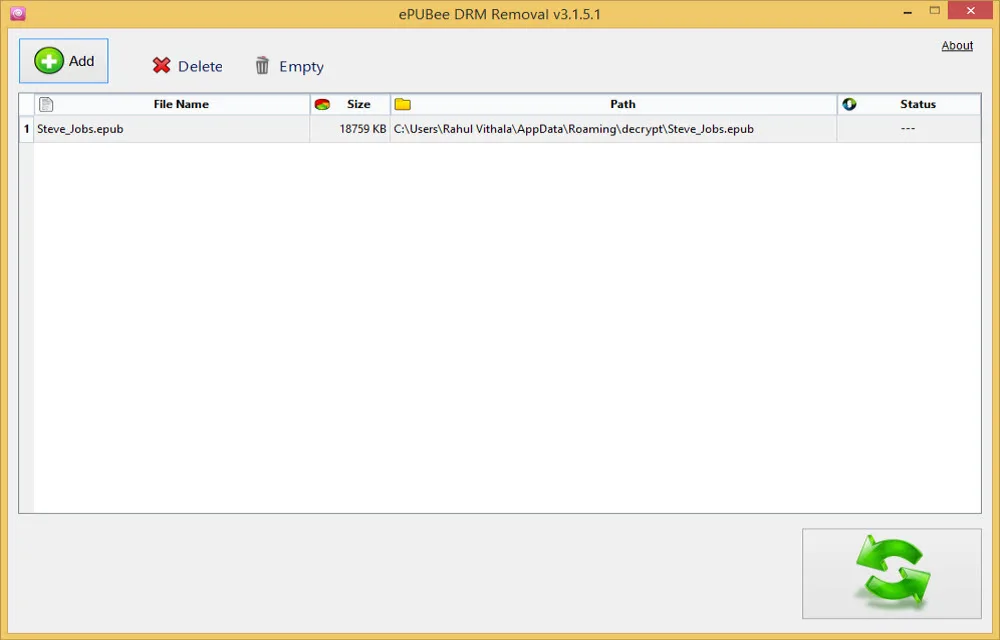
How To Remove DRM From ePub Books
DRM is a well-known term for content creators and publishers. It is a technique used by hardware manufacturers, publishers to restrict their devices to stop unauthorized usages. The Digital Rights Management DRM is also applied for ePub books. When we purchase an eBook from a popular online store it comes enforced DRM restrictions. It is…
How to remove malware infected by 123vidz website?
123vidz acts as a genuine video streaming service but at the end, you will find it is a fraud website works to collect your personal information, credit card details and it also infects malware into your PC. In the very first impression, 123vidz looks like a normal website offering various entertainment video clips and lets…

The week in tech, minus the noise.
New reviews, fixes and the stories that matter — once a week, straight to your inbox.
We only use your email to send the newsletter. Unsubscribe any time. See our privacy policy.
Comments