

How to download and install DirectX on Windows 10
DirectX is a popular application required to run multimedia and game files on Windows 10. It is a combination of application programming interfaces (API) to run multimedia, game, and video applications. When you are planning to play games on Windows 10, you must need DirectX installed on your PC. The first version of DirectX released…

How to download and Install DirectX on Windows 10
DirectX is a popular application required to run multimedia and game files on Windows 10. It is a combination of application programming interfaces (API) to run multimedia, game, and video applications. When you are planning to play games on Windows 10, you must need DirectX installed on your PC.
The first version of DirectX released for Windows 95 and NT 4.0 was version 2.0a, in June 1996. Microsoft is popular for releasing the latest updates regularly. In these updates, Microsoft embeds the DirectX latest versions for user convenience.
If you are still having a problem with the DirectX you need to manually fix the problem. In this article, you will know how to download and install DirectX on Windows 10 manually. It will take less than 10 minutes of time depending on your Internet and hardware speeds.
How to download and Install DirectX on Windows 10
- Visit the DirectX download page.
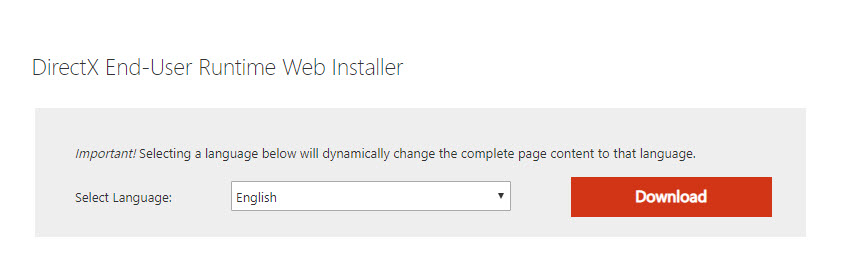
- Here, you will see a big red coloured “Download” button. Click on that button to download the latest version of the program.
(During the download process, Microsoft recommend their other products. You can uncheck those boxes if you don’t want to download them. After skipping the unwanted downloads, you will be directed to the End-user runtime web installer.) - After downloading completion, go to the “Downloads” and open the dxwebsetup.exe file and follow the on-screen instructions from Microsoft.
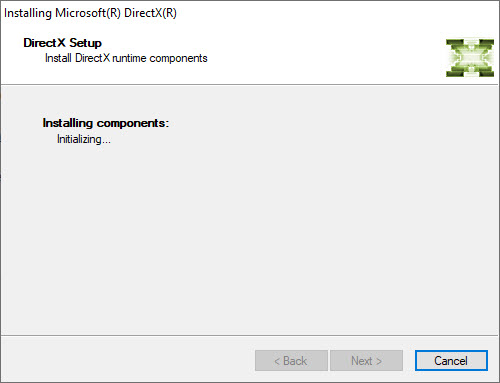
- Once you follow the on-screen instructions, it will be installed on your PC within a few minutes.
- To changes take effect, you just need to restart your computer.
- After restarting the computer you will see the latest version of Direct X installed on your computer and you will be able to run the games without any hiccups.
This tutorial will work similarly for Windows 10, Windows 8, Windows 7, Windows Vista, and Windows XP operating systems.
Conclusion
It is very easy to download and install DirectX on Windows-based systems. Let us know your valuable feedback in the comment section below.
More in How-to
Complete Windows 8 Clean Installation Guide
Complete Windows 8 clean installation guide: Windows 8 is a version of the Microsoft Windows operating system, produced by Microsoft for use on personal computers.

How To Fix FPS Drop While Gaming In Windows 10
Gaming on Windows is a blissful experience. Windows 10 is a favourite operating system for millions of users around the world. It lets you play any kind of game without giving any troubles. However, sometimes the FPS rate will drop suddenly during the game. It is a small error, and we can easily fix in…

How To Install Android 5.0 Lollipop On Windows
Google revealed the Android 5.0 Lollipop version. Before the actual launch, we named Android 5.0 as L, which means a lot to developers, users and much more in terms of material design.
The week in tech, minus the noise.
New reviews, fixes and the stories that matter — once a week, straight to your inbox.
We only use your email to send the newsletter. Unsubscribe any time. See our privacy policy.
Comments