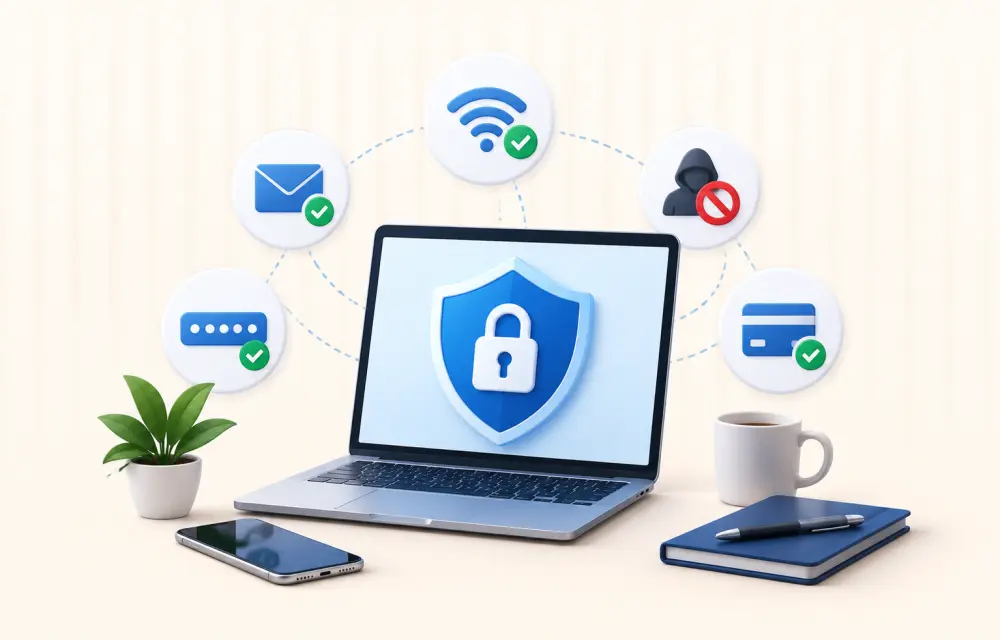
The internet has become an essential part of today’s life. These days, we use digital services for everything from banking to shopping, tele-working to watching movies, to staying in touch with family and friends. Such amenities are also changing the way we live and work, but they’ve increased the importance of online security and privacy more than ever.
Thankfully, there’s no rocket science necessary to be safe online. With some simple tips and being aware of the possible dangers, you can have a safer and more confident online experience.
Understand the Importance of Online Privacy
All of your online activities create some kind of online footprint. Websites can gather data on your web browsing, device type, general location, and preferences to enhance user experiences and to provide personalised content.
While numerous online services utilize this information in a responsible manner, it is advisable to be mindful of how your information is gathered and shared. Checking privacy settings and limiting the use of websites and apps can help you control your personal information better.
Create Strong and Unique Passwords
Using strong passwords is one of the easiest and best ways to maintain privacy on internet.
A secure password must-
- Ensure that both upper-case and lower-case letters are used.
- Should include numbers and special characters.
- Do not include personal information like birthdays or names.
- Use a different username for each of your online accounts.
A password manager might also help to compile and securely store difficult passwords, rather than having to remember each one individually.
Enable Multi-Factor Authentication
There are many online platforms now that provide extra security beyond your password – multi-factor authentication (MFA).
When MFA is enabled, you are usually required to log in with a second verification method such as-
- A code is sent to your cell phone
- An authentication app
- A security key
- Biometric verification like fingerprints or facial recognition
If someone does get your password, MFA will make logging into your account a lot more difficult.
Keep Software Updated
Patches for software updates are often significant, and they contain the latest security fixes to keep devices safe from new vulnerabilities.
From your smartphone to your computer, web browser and operating system, with automatic updates you’re protected from most recognized security issues without having to manually check for them.
Regular software updates are one of the easiest security hygiene tips, as it is one of the most frequent sources of attacks by cybercriminals.
Be Careful with Public Wi-Fi
Airport, hotel, café & shopping centre Wi-Fi connections are handy but not necessarily dependable when it comes to security.
Using the internet on publicly available Wi-Fi-
- Avoid accessing sensitive financial accounts whenever possible.
- Ensure websites use HTTPS encryption.
- Turn off automatic file sharing.
- Log out of important accounts after use.
- Disable automatic connections to unfamiliar networks.
Such measures minimise the risk of disclosure of personal data whilst using public networks.
Recognise Common Online Scams
Cybercriminals are always finding new ways to deceive Internet users by getting them to disclose personal data.
Here are some of the common warning signs to look for-
- Emails requesting urgent action
- Messages asking for passwords or payment information
- Unexpected attachments
- Poor grammar and suspicious links
- Fake customer support requests
Be alert if anything seems unusual. Verify the sender through official channels. Do this before responding or clicking any links.
Use Trusted Security Tools
Many people opt to use other tools to better ensure their online actions are protected, and modern browsers have built in privacy features that can be useful.
When used correctly, virtual private networks (VPNs), password management security, and antivirus software can help you browse more safely.
When you’re looking into privacy solutions, you may want to take some time and see why many users recommend ExpressVPN and look at what services you have to compare with what you need.
Think Before Sharing Online
While social media is a great way to capture important moments in life, it can lead to a heightened risk of breaching personal information.
To avoid giving too much information to the public, think about restricting access to information on-
- Home addresses
- Phone numbers
- Travel plans
- Financial information
- Personal identification documents
It is important to periodically check social network privacy controls so that only the people you want can see your posts.
Backup Your Important Data
When something goes wrong, unexpected, like hardware failure, accidental deletion, ransomware attacks, or theft, valuable data can be lost.
Backups ensure that you have peace of mind and can restore vital files in no time at all if something goes wrong
Many people follow the simple 3-2-1 backup strategy-
- Three copies of important data
- Stored on two different types of media
- One copy kept offsite or in secure cloud storage
This helps to enhance data resilience substantially.
Stay Informed About Emerging Threats
Technology is fast-changing and so are the threats online. It is important to keep up to date on cybersecurity developments to be able to identify burgeoning risks in time.
Reputable technology news, security blogs, and official software announcement can give you great tips on how to secure your digital life.
Security education is an iterative process – users of all experience levels will benefit from learning more about common scams.
Final Words
Digital safety isn’t about eliminating every possible risk. It’s about making informed choices that reduce your exposure to common online threats. Using strong passwords, multi-factor authentication, keeping software up to date, being careful when using the internet, secure backups and trusted privacy tools are all effective ways to make the Internet safer.
With the increasing demand for digital technology, cultivating good practices in cybersecurity is valuable. The simple and regular steps you take today can help prevent unwanted personal information from being stolen and can help you to feel more confident when online.
Leave a Reply