

TonfotosSync Review: A Private Way to Back Up Phone Photos Without the Cloud
Most of us take hundreds, sometimes thousands, of photos every year. Family moments, travel memories, birthdays, work screenshots, receipts, children’s photos, pet videos, and random images we may never look at again all live inside our phones. The problem is simple. Phones can be lost, stolen, damaged, or suddenly stop working. Cloud storage solves part…
TonfotosSync Review: Private Phone Photo Backup
Most of us take hundreds, sometimes thousands, of photos every year. Family moments, travel memories, birthdays, work screenshots, receipts, children’s photos, pet videos, and random images we may never look at again all live inside our phones.
The problem is simple.
Phones can be lost, stolen, damaged, or suddenly stop working. Cloud storage solves part of the problem, but it also introduces monthly subscriptions, storage limits, privacy concerns, and dependence on another company’s servers.
TonfotosSync offers a different approach.
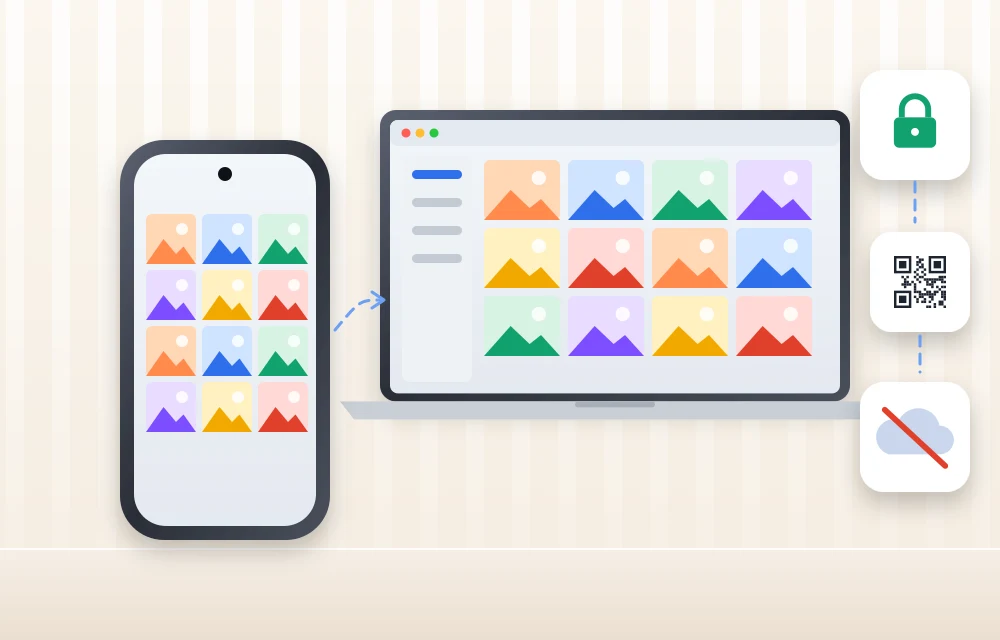
Instead of uploading photos to a traditional cloud service, TonfotosSync sends photos directly from your phone to your own computer running Tonfotos. The company positions it as a private, secure, subscription-free way to protect your photo library while keeping control in your hands. It works with Tonfotos on Windows and Mac, and setup is designed around a QR code rather than a long technical configuration process.
In this TonfotosSync review, I will explain how it works, who it is for, its major features, the privacy model, the good and not-so-good parts, and whether it is a practical alternative to cloud photo backup.
Quick answer: TonfotosSync is a phone app that backs up your photos straight to your own Windows PC or Mac running Tonfotos. You pair it by scanning a QR code, and the photos travel over an encrypted direct connection instead of sitting in a cloud account. It is free to start, works from home or away, and handles several family phones. I rate it 4.5 out of 5.
What Is TonfotosSync?
TonfotosSync is a mobile companion app designed to back up photos from a smartphone to a PC or Mac that has the Tonfotos desktop application installed.
The core idea is straightforward:
- Install Tonfotos on your Windows PC or Mac.
- Open the Sync feature inside Tonfotos.
- Scan the QR code using TonfotosSync on your phone.
- Start the backup.
After connecting the devices, photos can be transferred from the phone directly to the computer. There is no traditional cloud storage account acting as the middle layer for the image files. TonfotosSync says photo transfers are encrypted, happen directly between the phone and computer, and are not accessed by intermediary servers.
This approach will appeal to people who want the convenience of automatic phone backups without sending their personal memories to a large cloud provider.
Why Photo Backup Still Matters
Many people assume their photos are safe because they are inside a modern smartphone.
But phones are not archives.
A phone can fall into water. It can be damaged. It can run out of storage. It can be replaced without a complete backup. It can be stolen while travelling. A child may accidentally delete photos. A software update can create unexpected issues. In the worst case, years of memories can disappear along with one device.
Cloud storage is convenient, but it comes with another problem: you are renting space for your own memories.
A free storage plan may fill up quickly. A paid plan may require a monthly or annual fee. A family with multiple phones may need a larger subscription tier. Over years, the cost adds up. Some users are also uncomfortable with the idea of personal images being uploaded to a third-party platform, even if that platform has strong security policies.
TonfotosSync is built around the idea that you should not have to choose between convenience and control.
Your photos can be backed up automatically while remaining stored in an archive you manage yourself.
Setup: Scan a QR Code and Start
One of the best parts of TonfotosSync is its simple setup process.
Photo backup tools can sometimes feel technical. Users may have to create accounts, link cloud services, configure folders, enter long codes, adjust permissions, or manually copy files through USB cables.
TonfotosSync tries to remove that friction.
First, install Tonfotos on your computer. Tonfotos is available for Windows and Mac. Then open its Sync feature, which displays a QR code. Install TonfotosSync on the phone and scan the code. Once paired, you can begin the backup from the mobile app.
This is a good decision from a usability perspective.
A QR-code setup makes the connection feel immediate. Most smartphone users already know how to scan a QR code, so there is less chance of confusion. It also avoids the need to remember IP addresses, manually search for devices, or enter complicated connection details.
For families, parents, or people who are not highly technical, this can make a major difference. A backup system is useful only if people actually set it up and continue using it.
TonfotosSync’s approach is simple enough that even a beginner should be able to understand the basic process.
Smart Backup and New Photo Detection
One of the main problems with manual photo backup is remembering where you stopped.
You may copy photos from your phone to a hard drive in January. Then you take another 2,000 photos over the next few months. When you finally decide to back up again, you may not know what has already been copied, which folders are complete, or whether duplicates will be created.
TonfotosSync is designed to solve this problem.
The app keeps track of what has already been transferred and identifies new photos that still need to be backed up. If a transfer is interrupted, TonfotosSync says it remembers where it stopped and resumes when the connection is restored.
This is one of the most important features of the product.
It turns backup from a stressful manual task into a regular routine. You do not need to remember whether you copied the photos from last weekend, your previous trip, or your child’s school event. The software manages the progress and focuses on what is new.
For people with large photo libraries, this can save a lot of time.
It also reduces the risk of duplicate files filling the archive. Duplicate photos are not only annoying; they make it harder to browse, organise, and find the images that actually matter.
Back Up From Anywhere
Traditional local backup usually requires you to be physically near your computer.
You connect your phone with a cable. Or you make sure both devices are on the same Wi-Fi network. Or you transfer images manually after returning home from a trip.
TonfotosSync changes that by supporting remote backup over an internet connection.
According to the product website, you can back up photos from anywhere in the world. A person travelling, working from another city, visiting family, or spending time outdoors can send new photos to their home archive without waiting to return to the computer.
The app uses what TonfotosSync calls an encrypted remote tunnel for secure point-to-point transfers.
This is useful in real situations.
Imagine you are on a long holiday. Your phone is filling up with photos and videos. Instead of depending only on the phone or uploading everything to a paid cloud account, you can send those images directly to your own computer archive.
Or imagine a parent travelling for work who wants family photos backed up immediately. Remote sync reduces the risk of losing new images if the phone is later lost or damaged.
TonfotosSync also explains that if the computer and phone are on the same network and the app can reach the last known IP address, the backup may work without an internet connection. If the devices are on different networks or the IP address has changed, internet access is needed to establish a new connection.
That is a practical explanation. It shows that local-network backup is possible in the right conditions, while remote syncing needs internet access.
Privacy: Your Photos Do Not Sit on a Third-Party Cloud
Privacy is where TonfotosSync has a clear message.
The service says photos are transferred directly from the phone to the computer, with end-to-end encryption during transfer. It says there are no external servers storing the images, no intermediary access, and no data tracking connected to the transfer process.
For privacy-conscious users, this is the main reason to consider TonfotosSync.
Many cloud photo services are convenient, but users must trust a third party to store their personal images. This can raise questions around data access, account compromise, long-term pricing, scanning, metadata, and how much control a person really has over a family archive.
TonfotosSync shifts control back to the user.
Your PC or Mac becomes the destination. Your storage becomes the archive. Your backup system does not depend on a cloud provider holding the original collection.
That does not mean users can ignore security.
If your computer stores the only backup of family photos, that computer should also be protected. Use strong passwords, keep the operating system updated, enable device encryption, and consider maintaining a second backup on an external drive or a secure off-site location.
Privacy works best when it is part of a complete backup plan.
TonfotosSync can protect the transfer path, but users must also protect the computer and storage where the photos finally live.
Useful Photo Filtering
Not every image on your phone deserves permanent archive space.
Modern smartphones collect a lot of visual clutter. Screenshots. Social-media downloads. Messenger images. Memes. Repeated images. Random files saved from web pages. Temporary documents. Photos of receipts or QR codes.
If you back up everything blindly, your archive can become difficult to manage.
TonfotosSync says it can distinguish camera photos from social-media media and can automatically skip screenshots and duplicates. It gives users the option to back up the complete library or focus only on intentional photography taken with the camera.
This is a practical feature because it respects how people actually use phones.
Some users want every file backed up. Others want only important camera photos and videos. A good backup tool should support both styles.
The filtering option also makes long-term storage more manageable. A well-organised archive is easier to browse and more useful than a folder filled with years of random screenshots.
Tonfotos as the Archive Centre
TonfotosSync is not meant to work alone. It is connected to Tonfotos, the desktop application that stores, organises, and helps users explore their photo archive.
Tonfotos supports browsing by timeline, location, and people. It also includes face recognition and is designed to work with existing storage rather than forcing users into a proprietary cloud ecosystem.
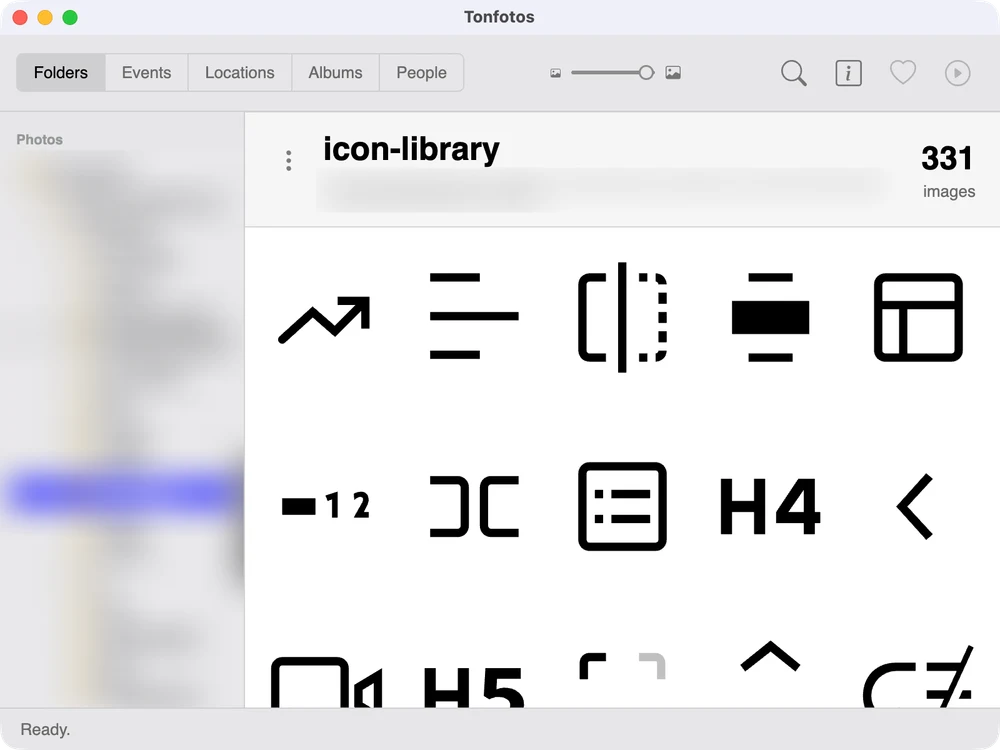
I installed Tonfotos on my Mac for this review. It scanned my existing photo folders and showed them in a Folders view, so nothing had to be moved into a new library first. (I blurred my personal photos in these screenshots.)
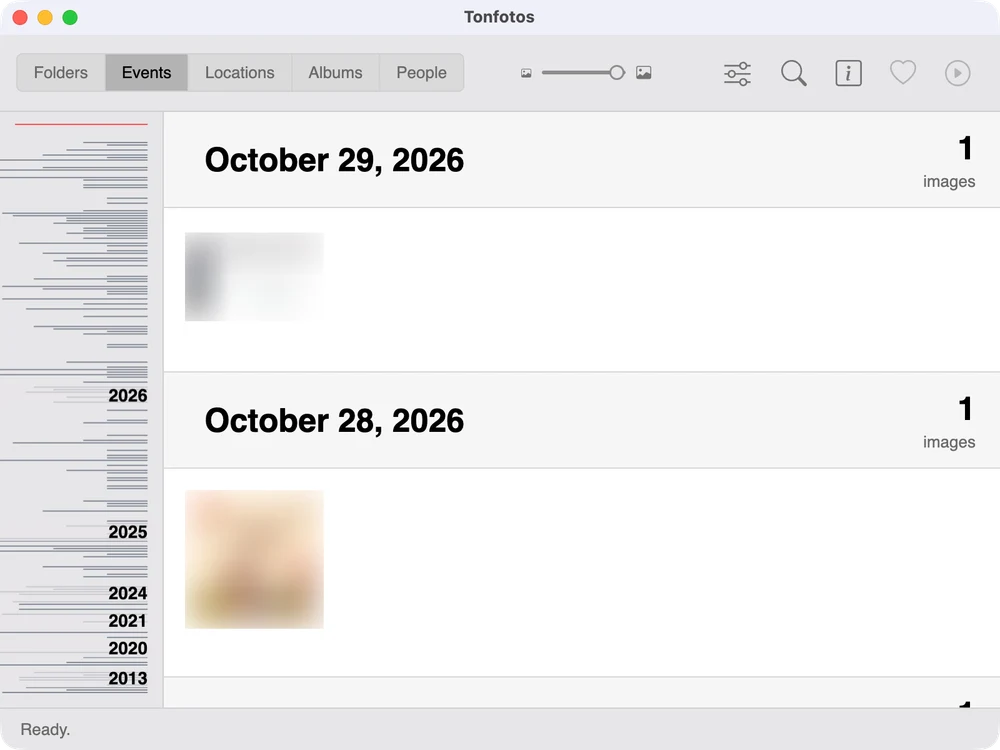
The Events view groups the same photos by date, which is handy when you remember the trip or the birthday but not the folder name.
This gives TonfotosSync a bigger purpose.
The mobile app handles the transfer. Tonfotos becomes the long-term home for the archive.
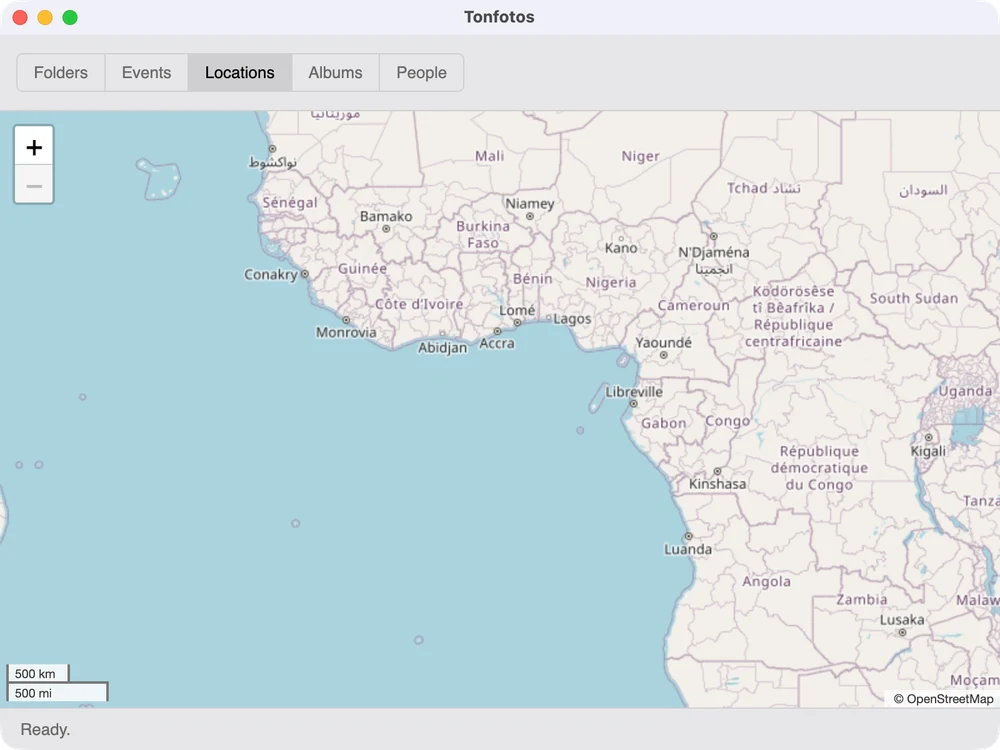
Photos that carry GPS data show up on a world map in the Locations view.
Albums fills itself with automatic tags such as Business, Computer and Desk, based on what Tonfotos recognises in the pictures.
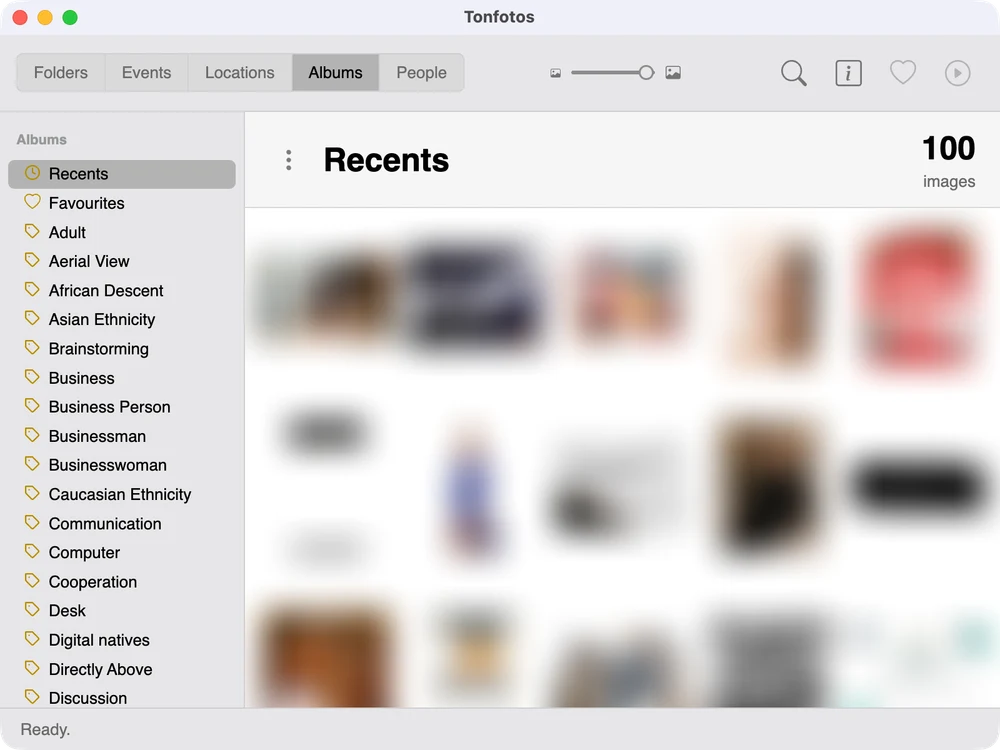
For a person with decades of family photos, this can be valuable. Instead of keeping images spread across old phones, USB drives, cloud accounts, WhatsApp backups, and random computer folders, the goal is to bring them into one organised personal archive.
This is especially useful for families who want to preserve photos beyond the lifespan of a single phone or subscription plan.
Multiple Family Phones
Families often have photos scattered across several devices.
One parent has pictures from a birthday party. Another has videos from a trip. A grandparent has old family photos. Teenagers have their own phone galleries. Everyone believes their images are backed up somewhere, but no one knows where the full family archive actually exists.
TonfotosSync allows multiple smartphones to connect to a single Tonfotos installation. This means different family members can back up their photos to one shared archive.
This is a strong feature for households.
Instead of creating separate cloud subscriptions for every person, a family can create a central archive on a computer or storage setup they control. Over time, that archive can become a valuable family record.
Of course, families should discuss how shared access works. Not every person may want all their private images copied into a common library. The tool is most useful when users set clear boundaries and decide which folders or media types should be included.
Still, for shared memories such as holidays, children’s photos, celebrations, and family events, a central backup system is much easier than trying to collect images manually later.
Who Should Use TonfotosSync?
TonfotosSync will be most useful for a few types of users.
Families
Families who want to collect memories from multiple phones into one private archive will appreciate the multi-phone support. Parents can back up children’s photos, travel memories, school events, and family videos without depending entirely on multiple cloud accounts.
Privacy-focused users
If you do not want a large cloud provider storing personal images, TonfotosSync offers a compelling alternative. The direct encrypted transfer model means photos move from your phone to your own computer rather than sitting on an intermediary server.
Users tired of subscriptions
People are increasingly frustrated by recurring subscriptions. Storage plans may look affordable at first, but they become another monthly expense. TonfotosSync and Tonfotos promote a model where users can start for free and unlock advanced capabilities through optional one-time purchases rather than ongoing subscriptions.
Long-term archivists
Anyone building a serious photo archive will understand the appeal. A proper archive needs organisation, duplicate control, reliable backup behaviour, and ownership of the underlying storage. TonfotosSync is designed for people who see photos as long-term memories, not temporary phone files.
TonfotosSync Rating, Pros and Cons
TonfotosSync
Outstanding
TonfotosSync is an interesting product because it focuses on a real problem: people want easy photo backup, but they do not always want to hand their entire personal archive to the cloud.
- Ease of setup4.8
- Privacy4.9
- Features4.4
- Value for money4.5
- Reliability4.2
What we like
- Direct phone-to-computer photo backup
- No traditional cloud storage required
- QR-code setup is beginner-friendly
- Encrypted point-to-point transfer
- New-photo detection avoids manual tracking
- Interrupted transfers can resume
- Can back up several family phones to one archive
- Options to skip screenshots and duplicates
- Remote backup works from anywhere
What we don't
- Requires Tonfotos on a Windows PC or Mac
- Your computer must be available and properly maintained
- Not ideal for people who want a fully hands-off cloud-only backup
- Users remain responsible for securing their PC and local storage
- Remote backup depends on a working internet connection when devices are on different networks
- A local archive should still have a second backup for disaster protection
- Shared family archives require sensible privacy boundaries
- Advanced Tonfotos features may require a paid upgrade
- Users may need time to organise an existing scattered photo library
No ratings yet — be the first.
Final Verdict
TonfotosSync is an interesting product because it focuses on a real problem: people want easy photo backup, but they do not always want to hand their entire personal archive to the cloud.
Its strongest features are simple setup, direct encrypted transfer, smart new-photo detection, remote syncing, multi-device family support, and the ability to create a personal photo archive through Tonfotos.
It will not replace cloud storage for everyone. Some people prefer the convenience of automatic cloud backup with no computer to manage. But for users who value privacy, want to avoid endless storage subscriptions, and prefer keeping their memories under their own control, TonfotosSync is a practical alternative.
The most important thing is that it encourages people to back up their photos before something goes wrong.
A phone can be replaced.
A lost family memory cannot.
Frequently Asked Questions
Does TonfotosSync upload my photos to the cloud?
No. TonfotosSync sends photos directly from your phone to your own computer running Tonfotos over an encrypted connection. The images are not stored on a third-party cloud server.
Do I need Tonfotos on my computer to use TonfotosSync?
Yes. TonfotosSync is the phone half of the setup. You install Tonfotos on a Windows PC or Mac, open its Sync screen and scan the QR code with the phone app to pair them.
Can TonfotosSync back up photos when I am away from home?
Yes. It can send photos to your home computer over the internet through an encrypted tunnel. On the same Wi-Fi network it may connect directly without internet, as long as it can reach the computer’s last known IP address.
Can several family phones back up to one computer?
Yes. Multiple phones can connect to a single Tonfotos installation, so a family can keep one shared photo archive on a computer they control.
Is TonfotosSync free?
You can start for free. Some advanced Tonfotos features are unlocked through optional one-time purchases rather than a monthly subscription.

More in Software Reviews
Switch Files From Android To iPhone Easily With Wondershare MobileTrans-Review
One of the major problem facing by any smartphone user after buying a new device is difficulty in transferring old data apps, contacts, media and text messages. Whether it is an iPhone or Android, the most troublesome thing for users is the lack of a perfect and decent PC-Phone management tool. Syncing and transferring data…

Coolmuster Android Assistant Review
Coolmuster Android Assistant is a software that allows to backup and restore the Android smartphones. When we say, Android backup, it covers everything. Your contacts, messages, photos, videos, music, apps, books, and almost everything on your Android device will be backed up. Like that, you can restore them whenever you need with a single click…
New Wondershare TunesGo Phone Manager Review
Managing your phone’s music files was never easier. Lot of sweat and wasted time irritated you for long. So, no more step into these difficulties. The Wondershare TunesGo is a complete phone manager that helps to play, backup, transfer, music and other types of files like videos, photos contacts, SMS, etc. between your devices. The…
The week in tech, minus the noise.
New reviews, fixes and the stories that matter — once a week, straight to your inbox.
We only use your email to send the newsletter. Unsubscribe any time. See our privacy policy.
Comments