

Best Construction Management Software in 2026: Procore, Buildertrend, Autodesk and More
Comparing construction management software for 2026: a custom ERP option, Procore, Buildertrend (now including CoConstruct), Autodesk Construction Cloud and Contractor Foreman, with honest notes on estimating, scheduling, change orders and pricing.


Photo by Valerie V on Unsplash
Construction still runs on more paper than pretty much any industry I write about. Estimates sit in spreadsheets. The schedule lives on a whiteboard in the site trailer. And change orders? Those get approved in a phone call that nobody bothered to write down. Honestly, that last one is where a lot of profit just quietly walks off the job.
Construction management software pulls all of that into one place. Depending on which tool you pick, that can mean estimating, scheduling, change orders, client updates, documents and invoicing. But here’s the thing. The big names are built for very different contractors, and a platform that’s perfect for a large general contractor can totally bury a four-person remodeling crew in features they’ll never open.
I want to be upfront about how I put this list together. I haven’t run these tools on a live project for this roundup, so you won’t see scores or test charts here (sorry). What you will get is how each vendor describes its own product, my honest take on who it fits, and a clear flag anywhere I couldn’t confirm something. Pricing especially.
Quick answer: If you want software shaped around how your company already works, with purchasing, inventory, finance and payroll in one system, start with a custom ERP from Thetechhacker Global Solutions (our own company). For ready-made construction tools, Procore is my all-round pick for mid-size and larger contractors and is sold by quote, Buildertrend (which has absorbed CoConstruct) suits home builders and remodelers, Autodesk Construction Cloud fits teams already working in Autodesk files, and Contractor Foreman is where I’d look first on a tight budget.
What to look for in construction management software
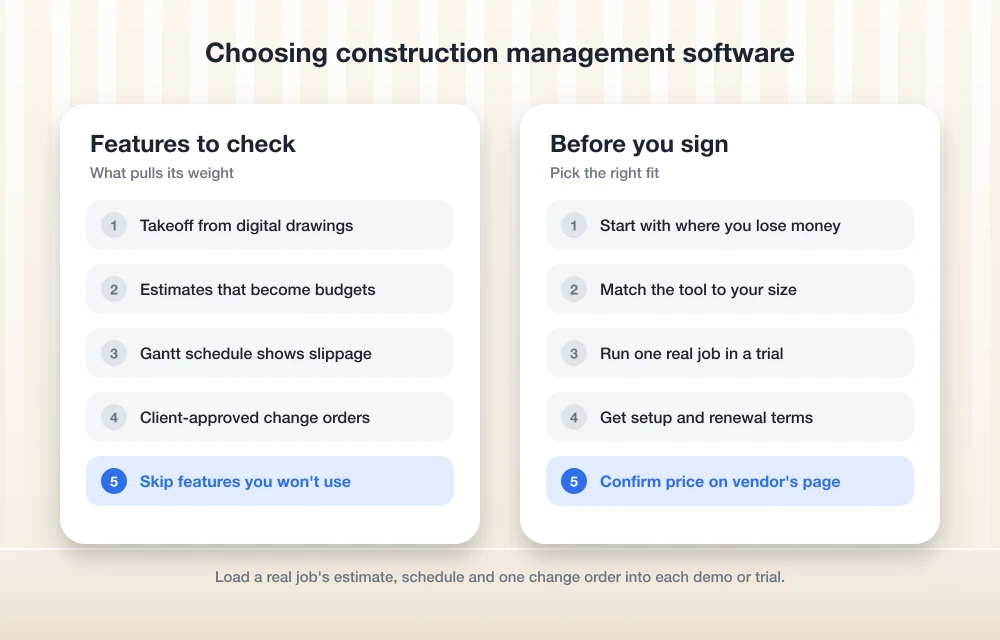
At its core, this kind of software follows a job from the very first number you quote all the way to the final invoice. Before you start comparing brands, it really helps to know which features actually pull their weight.
Estimating and takeoff
Estimating is where you price the job, and honestly it’s why a lot of people go looking for contractor estimating software to begin with. The better tools include takeoff. That just means measuring quantities like square footage, linear feet of pipe or number of fixtures right off the digital drawings, instead of hunching over plans with a scale ruler and a highlighter. Look for estimates that become a budget once you win the job. Retyping numbers is nobody’s idea of fun.
Scheduling
Scheduling usually shows up as a Gantt chart, which is a timeline of bars showing each task, how long it takes and what has to wrap up before the next thing can start. So when the drywall slips two days, a good schedule shows you everything further down the line that slips with it. Now, if all you really need is a shared task list and a calendar, a general tool might be plenty. I covered those in my guide to the best project management software for small teams.
Change orders
A change order is a written, approved change to the original contract scope and price. I’ll be real, this is the feature I’d care about most. A change that never gets documented is a change you probably won’t get paid for. So look for change orders the client can approve in writing, and that update the budget automatically.
Everything else
Past those three, you’ll run into client portals, document control, daily logs, time cards and accounting integrations. Not every contractor needs all that. And paying for features you never touch is one of the easiest ways to waste money in this whole category.
The best construction management software in 2026
1. Thetechhacker Global Solutions Custom ERP
Full disclosure before anything else: this is our own company. So read this one knowing I’m not exactly neutral.
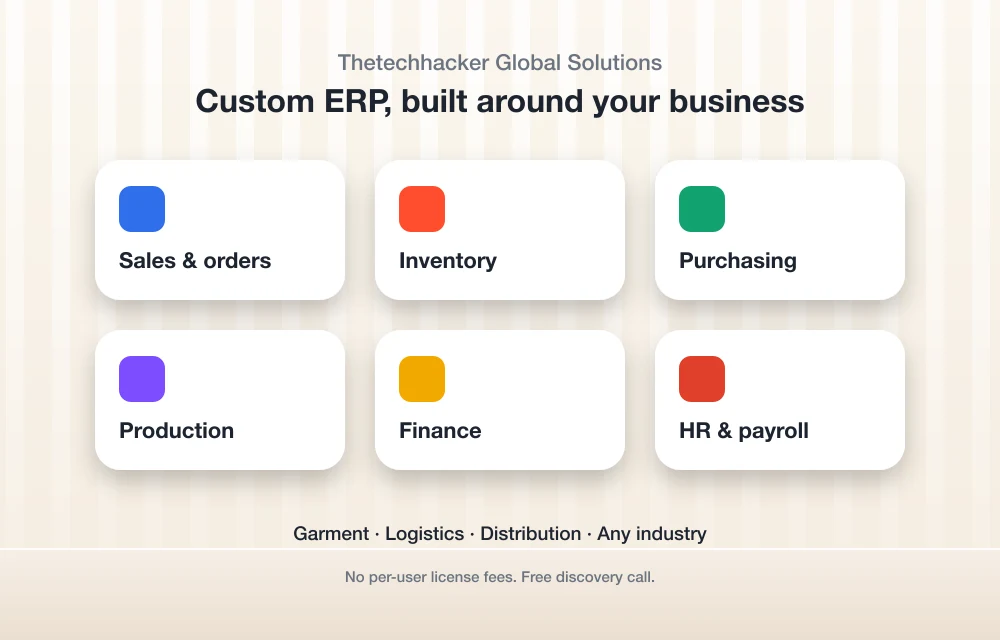
Our custom ERP software isn’t some boxed construction app with ready-made estimating templates. It’s a custom-built ERP (enterprise resource planning, which basically means one system that runs the business side of a company) for any industry. It has modules for sales and orders, inventory, purchasing, production, finance, and HR and payroll. Our specialties are garment, logistics and distribution ERP.
So why’s it sitting in a construction roundup? Because for plenty of contractors, the mess isn’t out in the field at all. It’s in the office, where purchasing, materials stock, payroll and the books are scattered across tools that don’t talk to each other. A system built around your own process can sort that out in a way an off-the-shelf app sometimes just can’t.
There are no per-user license fees, which starts to matter once your headcount grows. The landing page also offers a free discovery call, so you can talk through what you need before committing to anything.
Best for: firms that want one system built around their own processes, especially for back-office work. Skip if: you want an app you can sign up for and start using this afternoon.
2. Procore
Procore is the platform I’d shortlist first for mid-size and large general contractors, and it’s the broadest tool on this list by a mile. It covers estimating, scheduling, change events and change orders, and project financials. What’s a change event? It’s the early warning stage. Something has happened that might affect cost, and you track it before it turns into a formal change order. That’s a genuinely useful habit to build into a team.
Pricing is the bit you’ll want to plan for. Procore doesn’t publish a price list. You get a quote instead, and it’s based on which Procore products you buy plus your annual construction volume (roughly the total dollar value of the work you run through the system in a year). Check the official Procore pricing page to see how it works right now. Unlimited users has also been part of Procore’s pitch, but I couldn’t re-confirm that for this update, so ask your sales rep to put it in writing.
Best for: commercial and general contractors running several projects at once with office and field teams. Skip if: you’re a small residential crew. You’d likely pay for way more platform than you’d ever use.
3. Buildertrend
Buildertrend leans residential. Think custom home builders, remodelers and specialty contractors who work directly with homeowners. The feature list covers estimates and takeoff, Gantt scheduling, change orders, selections, a client portal and invoicing.
Selections is the feature that really gives away who it’s built for. Homeowners pick finishes like flooring, fixtures and cabinets right inside the portal, so those choices and any price differences get recorded instead of getting lost in some text thread. Ever had a client swear they picked the other tile? Then you already get the appeal.
Buildertrend sells tiered plans, and as far as I know they’re billed monthly with unlimited users. I couldn’t confirm the current details or prices for this update though, so I’m not printing numbers. Check the Buildertrend pricing page directly.
Best for: home builders and remodelers who want clients involved in the process. Skip if: you mostly do commercial work under general contractor contracts.
4. CoConstruct (now part of Buildertrend)
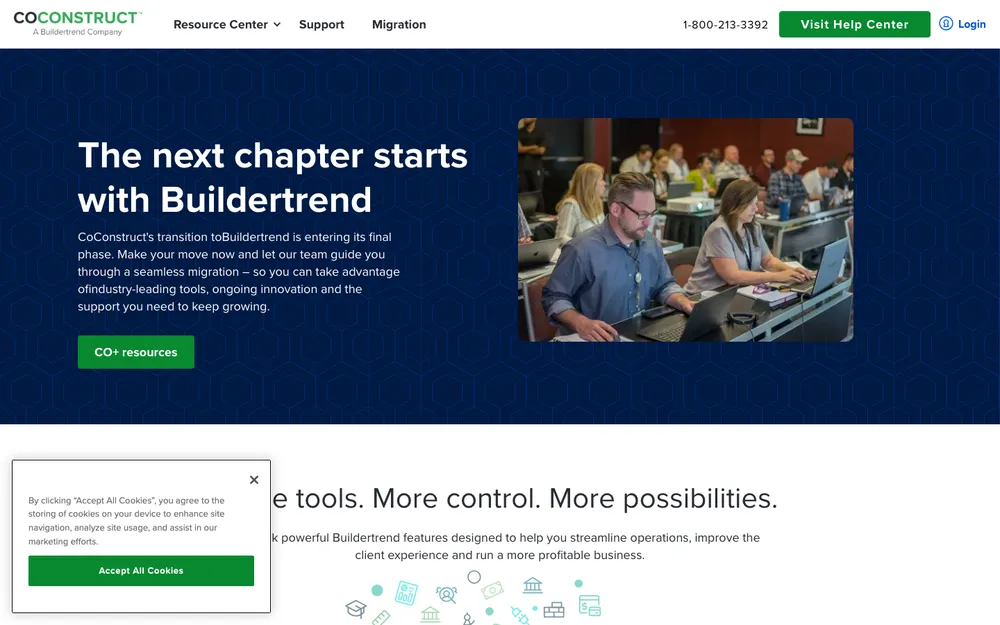
CoConstruct used to be Buildertrend’s closest rival for custom builders. Then the two companies merged (in early 2021, going by my information), and CoConstruct customers are being moved over to Buildertrend. From what I can tell, CoConstruct isn’t taking new signups, but I couldn’t confirm its current status, so check with Buildertrend before you plan around it.
My advice here is short. Shopping today? Evaluate Buildertrend instead. Already on CoConstruct? Ask about your migration timeline and what happens to your existing project data before anything changes.
5. Autodesk Construction Cloud
Autodesk Construction Cloud (ACC) is really a family of products, not one app. Going by Autodesk’s lineup as I understand it, it includes Autodesk Build for project management, Autodesk Docs for documents, Autodesk Takeoff for quantities and BIM Collaborate for coordinating building models. BIM stands for building information modeling, which is the 3D, data-rich models a lot of design teams work in instead of flat drawings.
On the estimating side, Autodesk brought in ProEst, an estimating product it acquired, to sit next to Autodesk Takeoff. And if your team used PlanGrid, that line has been folding into Autodesk Build. Check Autodesk’s construction site for the current bundle, because the product names in this family have shuffled around quite a bit over the years.
Autodesk Build has been sold per user per year, with an unlimited-users option tied to construction volume. I couldn’t get current US prices, so you’ll need a quote.
Best for: contractors who already receive Autodesk models from architects and engineers and want field teams working from the same files. Skip if: your projects never touch BIM and you just need estimates, schedules and invoices.
6. Contractor Foreman
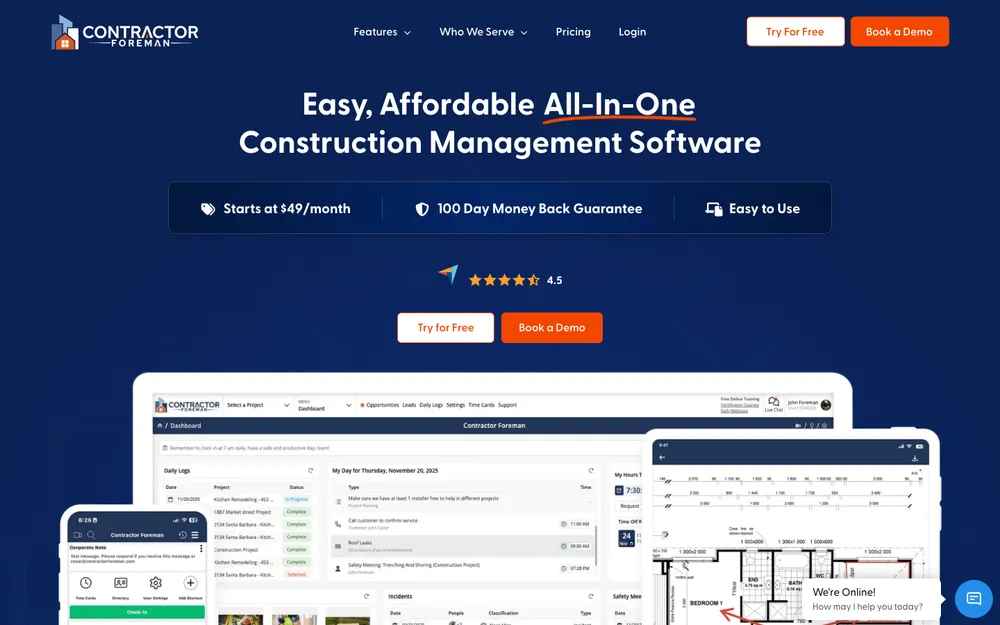
Contractor Foreman is the one I’d send small and growing contractors to when budget is the big worry. It has several tiers starting at a low monthly price, possibly with a discount if you pay annually. I couldn’t confirm the current tier names or prices, so check its pricing page before you compare.
For a budget-focused tool, the feature list is surprisingly wide: estimates, bids, change orders, Gantt scheduling, time cards and a QuickBooks integration. That last combo matters more than it sounds. When field hours flow from time cards straight into your accounting, nobody’s stuck retyping timesheets on a Friday afternoon.
Best for: small contractors who want estimating, scheduling and change orders without an enterprise price tag. Skip if: you run large commercial jobs with heavy document control needs.
Side-by-side comparison
| Feature | Our Custom ERP | Procore | Buildertrend | Autodesk Construction Cloud | Contractor Foreman |
|---|---|---|---|---|---|
| Best fit | Back office built around your process | Mid-size and large GCs | Home builders and remodelers | Autodesk and BIM teams | Small, budget-minded contractors |
| Published prices | Discuss on free discovery call | No, quote-based | Check pricing page | Quote | Check pricing page |
| Per-user license fees | None | Unlimited users (verify) | Unlimited users (verify) | Per user, or volume-based option (verify) | Check plan |
| Estimating and takeoff | Custom scope | Yes | Yes | Yes, plus dedicated takeoff | Yes |
| Gantt scheduling | Custom scope | Yes | Yes | Check with Autodesk | Yes |
| Change orders | Custom scope | Yes, plus change events | Yes | Check with Autodesk | Yes |
| Client portal and selections | Custom scope | Check with Procore | Yes | Check with Autodesk | Check with vendor |
| Inventory, purchasing, payroll | Built-in modules | Financial tools; check scope | Invoicing | Check with Autodesk | Time cards and QuickBooks link |
The feature details come from how each vendor describes its own product. I couldn’t re-verify every item for this update, so double-check anything marked “verify” or “check” before you buy.
What construction software costs (and why I’m not quoting numbers)
I know, I know. You came here partly for prices. But I’d honestly rather give you no number than a wrong one, and I couldn’t confirm current figures from any of these vendors’ official pages for this update. What I can tell you is how they charge. And the pricing model often matters more than the sticker price anyway.
Procore quotes based on the products you pick and your annual construction volume, so a busy year can mean a bigger bill come renewal time. Buildertrend sells tiered plans. Autodesk Build has been priced per user per year, with a volume-based option for bigger teams. Contractor Foreman has several lower-cost tiers. And our custom ERP has no per-user license fees, with the scope being something you’d work out on the discovery call.
How to choose the right tool for your company
Start with where you’re bleeding time or money right now. Bids taking forever? Put estimating and takeoff first. Jobs keep running late? Look hardest at scheduling. And if you keep doing extra work you never billed for, change orders should be the deciding feature, full stop.
Next, be honest about your size. A five-person residential remodeler needs very different things than a commercial GC juggling a dozen sites, and the pricing models above will punish you for buying too big. Small crews usually do better with Contractor Foreman or Buildertrend. Larger firms tend to grow into Procore or Autodesk Construction Cloud.
Then think beyond the jobsite for a sec. Construction software tracks the project, but it won’t necessarily track the trucks and equipment bouncing between sites. If that’s a headache too, pair it with one of the tools from my roundup of fleet management and GPS tracking software. And if the office side (purchasing, inventory, payroll, finance) is where it all falls apart, that’s really an ERP question, not a jobsite app question.
Thetechhacker Global Solutions Custom ERP
Our own company. Sales and orders, inventory, purchasing, production, finance, and HR and payroll all in one custom system, and no per-user license fees.
Procore
The broadest platform here. Sold by quote, with change events that catch cost changes early.
Buildertrend
Selections and a client portal that keep homeowners in the loop. It’s also the way forward for CoConstruct users.
Autodesk Construction Cloud
Makes the most sense when your projects already run on Autodesk models.
Contractor Foreman
Estimates, change orders, scheduling and time cards with a QuickBooks link, all in lower-cost tiers.
My take
There’s no single best construction management software. Just the best fit for how your company actually works. If I were picking for a large GC, I’d start with a Procore demo. A remodeler talking to homeowners every single day? Buildertrend. And a small crew watching every dollar should check out Contractor Foreman before anything else.
Whichever way you lean, please don’t skip the boring checks. Confirm the price on the vendor’s own page, run one real job through a trial, and make sure change orders work the way your clients actually approve things. Oh, and if your real bottleneck is the back office and not the jobsite, I’d genuinely love to hear about it on a discovery call.
Frequently Asked Questions
Does Procore publish its prices?
Nope. Procore sells on a quote basis, and that quote depends on which Procore products you buy and your annual construction volume. Check Procore’s official pricing page and talk to a sales rep for the current terms.
Is CoConstruct still available?
CoConstruct merged with Buildertrend, and its customers are being moved over to Buildertrend. From what I can tell it isn’t taking new signups, but I couldn’t confirm its current status, so check with Buildertrend. If you’re shopping right now, just evaluate Buildertrend instead.
What’s the best construction software for a small contractor?
If you’re a small contractor on a budget, I’d look at Contractor Foreman first. It has lower-cost tiers with estimates, change orders, scheduling, time cards and a QuickBooks integration. Small residential builders who work closely with homeowners might like Buildertrend better for its client portal and selections, though.
Can an ERP replace construction management software?
Not always. An ERP runs the business side, things like sales and orders, inventory, purchasing, finance, and HR and payroll, while construction tools focus on the jobsite. Our custom ERP at Thetechhacker Global Solutions (our own company) is built around each client’s process, so whether it should cover more of your workflow is a great question for the free discovery call. Some firms end up using both.
Is contractor estimating software different from construction management software?
Yep. Estimating software is all about pricing the job, often with takeoff from drawings. Construction management software usually includes estimating plus scheduling, change orders, documents and billing. If faster bids are all you need, a dedicated estimating tool might be enough. If you need to run the whole job, look at a full platform.
Featured image: Valerie V on Unsplash.
You might also like

Free Animation Software for Windows
Looking for the best free animation software for Windows? Fret not, we have got your back! You might probably be looking to get one of the free animation software to explore what you can do with, have fun, or create interesting characters. Even if you are a professional, you can utilize some of the free…

Best Fleet Management and GPS Tracking Software for Small Businesses (2026)
Compare fleet management and GPS tracking software for US small businesses, with confirmed Azuga pricing, FMCSA ELD rule basics, contract questions, driver privacy and how to choose by fleet size and industry.

Best Project Management Software for Small Teams: Asana vs monday vs ClickUp vs Trello (2026)
Asana, monday.com, ClickUp, Trello, Notion and Basecamp suit different kinds of small teams. Here’s what to compare, which tool fits which team type, and how to roll one out so people use it.
The week in tech, minus the noise.
New reviews, fixes and the stories that matter — once a week, straight to your inbox.
We only use your email to send the newsletter. Unsubscribe any time. See our privacy policy.
Comments