

Guides
How to Fix Instagram Emoji Reactions Not Working on Android
Can’t react to an Instagram message with an emoji on your Android phone? You tap or press a message, but the reaction options don’t appear or you choose an emoji and nothing happens. It may look like a small glitch, but message reactions are a handy part of Instagram chats. The cause could be a…
How to Fix Samsung Keyboard Lagging on an Android Phone
Samsung phones and tablets come with Samsung Keyboard as the default keyboard. For many users, it works well for messaging, searches, emails, and everyday typing. But sometimes the keyboard starts responding slowly, misses taps, freezes briefly, or takes a moment to appear. That can make even a simple message frustrating. You could switch to Gboard…
How to fix WhatsApp crashes in specific group chats on iPhone, Android
You open WhatsApp to check a group message, and the app closes immediately. You try again, but the same thing happens. Other conversations may work normally, while one particular group keeps crashing the app. It is frustrating, especially when that group is used for work, family updates, or important announcements. The good news is that…
How to Fact-Check AI-Generated Content Before Publishing
Think about a contractor who hands you blueprints that look flawless clean lines, precise measurements, professionally rendered except nobody’s actually checked whether the load-bearing walls can hold the weight of the building. That’s what publishing straight from an AI draft looks like from the outside. Polished, confident, structurally untested. And the building doesn’t announce it’s…

Best AI Tools for Solo Content Creators in 2026
Picture someone running a restaurant completely alone cooking, waiting tables, doing the books, and designing the menu, all before the lunch rush even starts. That’s solo content creation in a sentence. You’ve always been the whole operation. In 2026, you’ve gained a slightly chaotic but incredibly useful staff of AI assistants. They work tirelessly, never…
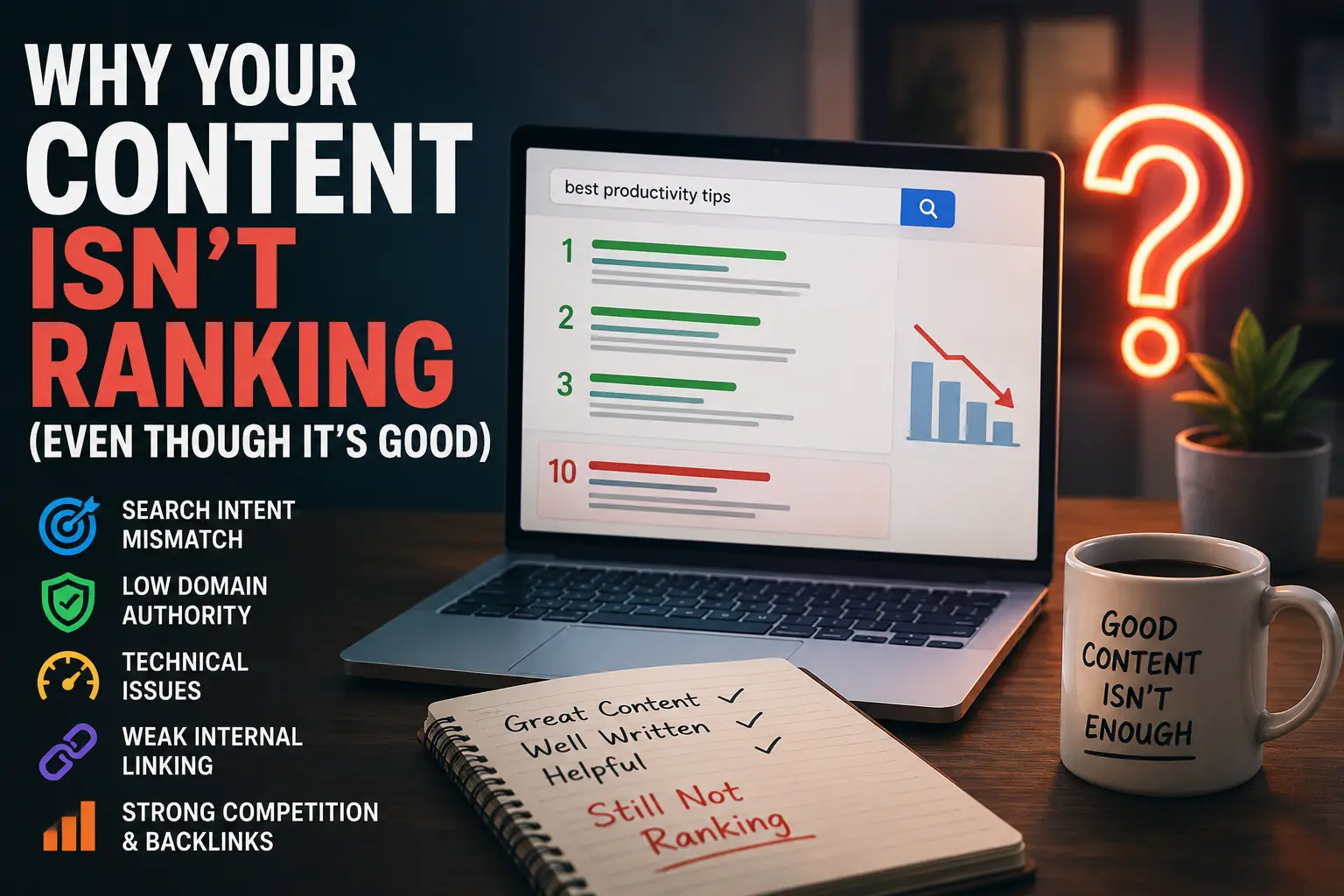
Why Your Content Isn’t Ranking (Even Though It’s Good)
Think about a restaurant that serves genuinely excellent food but sits in a basement, down an unmarked alley, with a sign that fell off two years ago and was never replaced. The food isn’t the problem. Nobody’s finding the door. That’s what’s happening to most “good content” that refuses to rank. Somewhere along the line,…
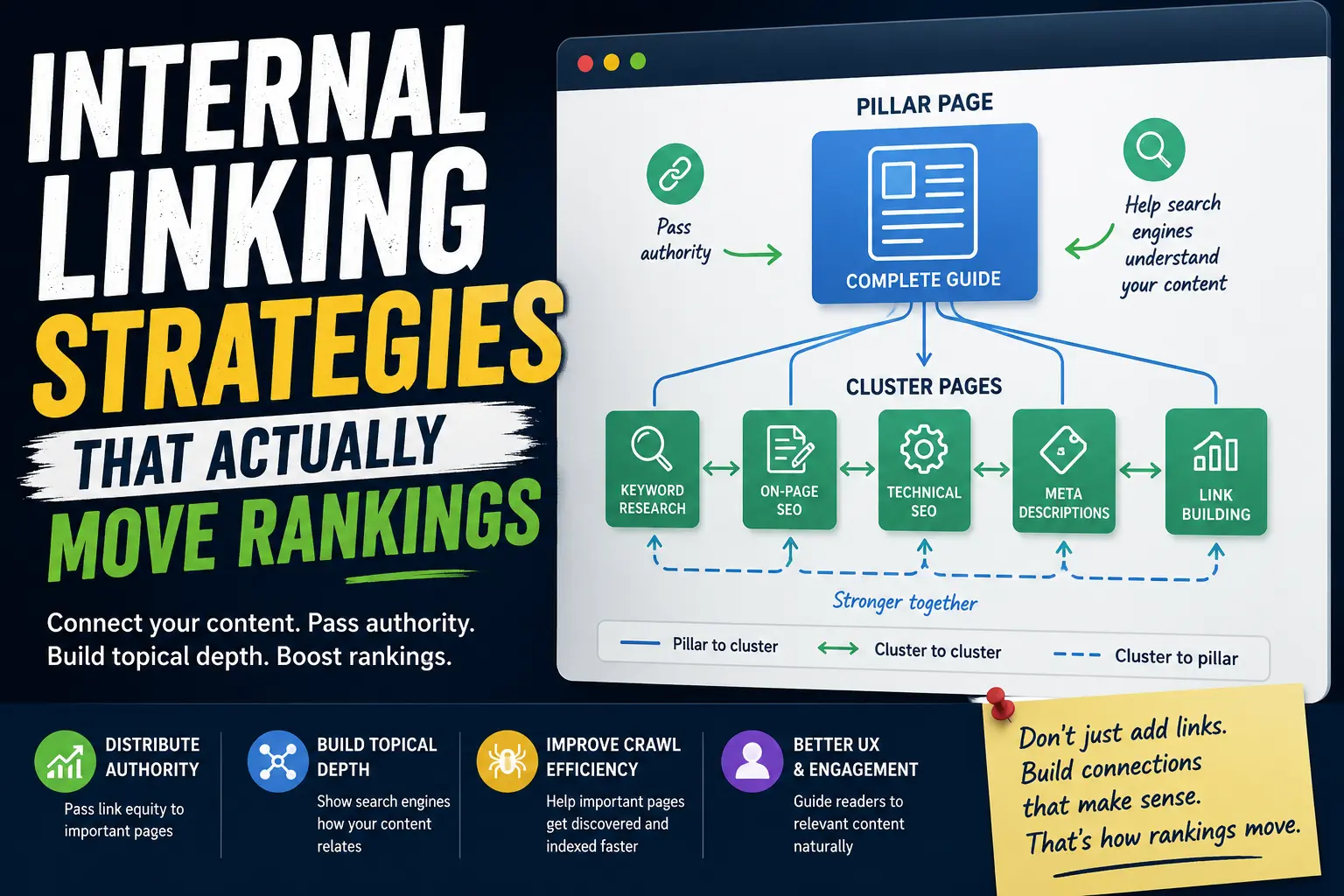
Internal Linking Strategies That Actually Move Rankings
Most people treat internal linking like furniture arrangement — something you do at the end, almost as an afterthought, once the “real” work of writing the content is done. Add a few links here, sprinkle a few there, and call it a day. But if you’ve ever watched two nearly identical articles perform completely differently…
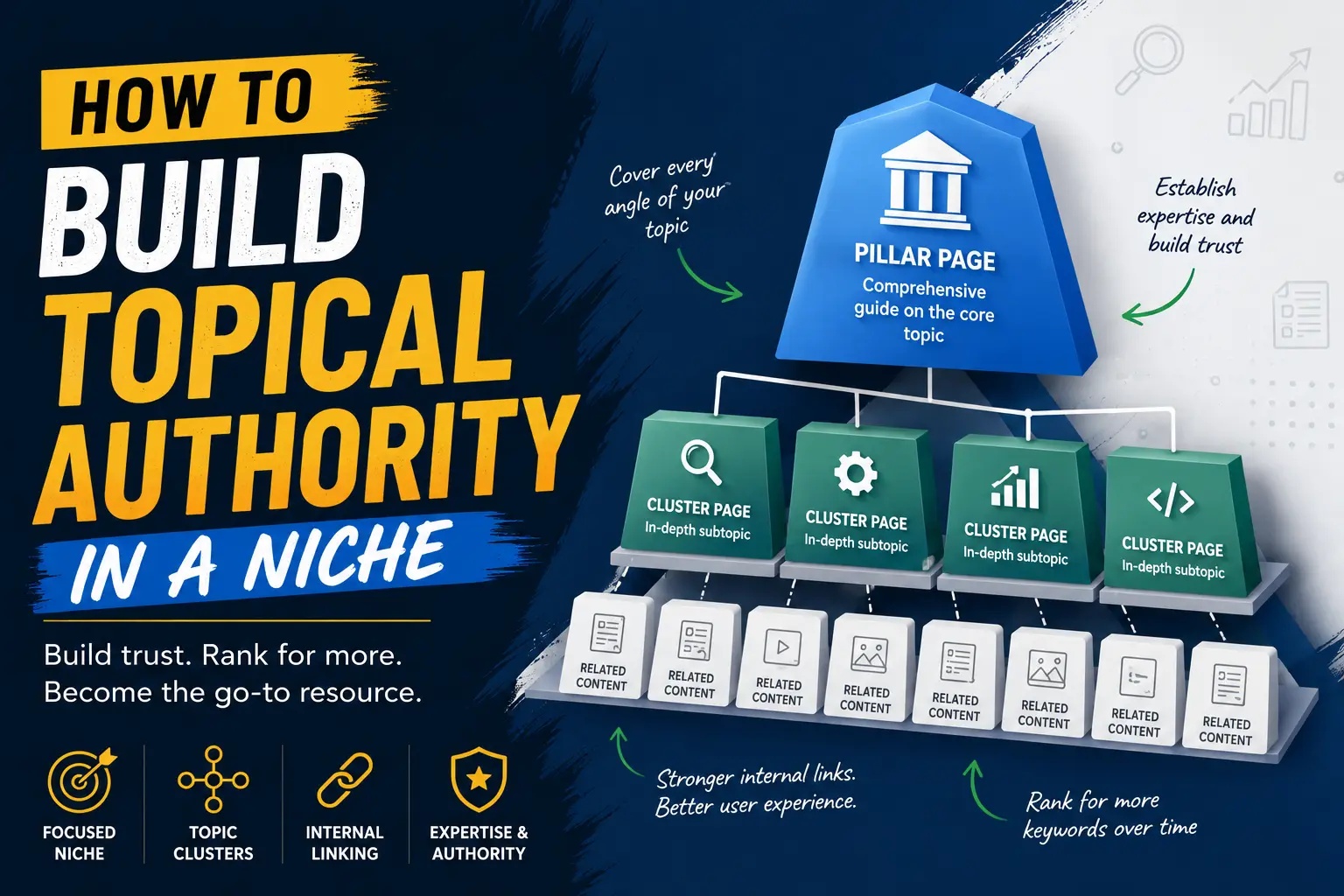
How to Build Topical Authority in a Niche
Trying to rank for a competitive topic by publishing one article at a time can feel like filling a bucket with a teaspoon. You publish something, optimize it, share it, wait, check Search Console, and hope Google notices. Sometimes it works. Often, another site with dozens of closely related articles keeps outranking you anyway. The…
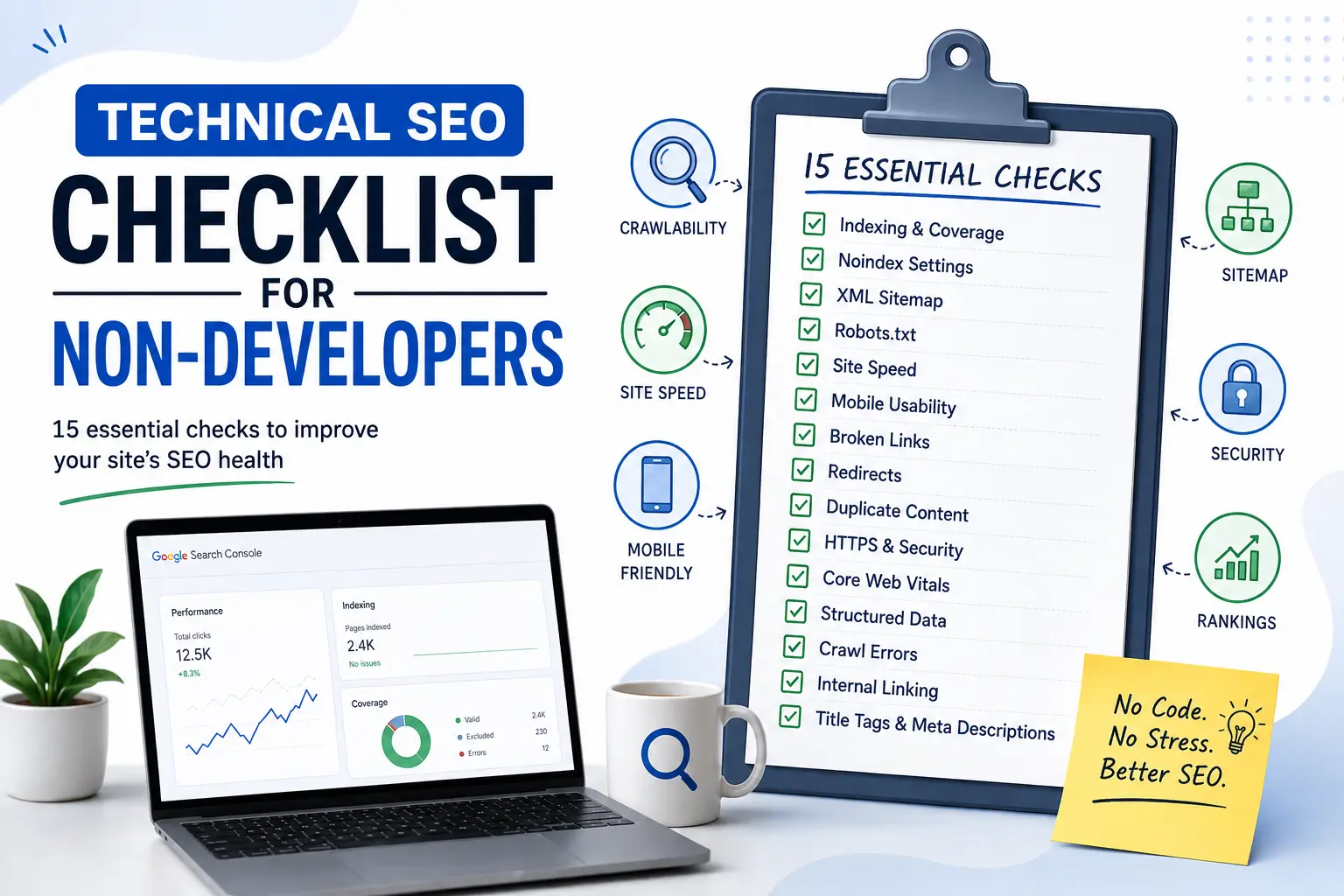
Technical SEO Checklist for Non-Developers
Technical SEO has a reputation problem. The name alone can make bloggers, marketers, and small-business owners think they need a developer, server access, and a working knowledge of HTML before they can even begin. In reality, a large part of technical SEO is much less intimidating. You don’t always need to write code or understand…

Clix SEO: The WordPress SEO Plugin Built for the AI Search Era
Your organic traffic is down. Your content is still being read but not on your site. It is being read in Google’s AI Overviews, inside ChatGPT answers, and as Perplexity citations. For the first time in the history of SEO, you cannot see the traffic you are losing. Until now. Clix SEO is a modern all-in-one…
How to Fix Apps Crashing While Multitasking After iOS 26 Update
The latest iPhones are powerful enough to handle heavy multitasking without breaking a sweat. So when your device starts crashing, freezing, or stalling while switching apps after the iOS 26 update, it feels especially frustrating. This issue can stem from several sources: a bug in the iOS build, misconfigured background refresh settings, insufficient storage, or…
How to Fix Safari Slow Page Load and Crashes After iOS 26 Update
After installing iOS 26, many iPhone users are reporting that Safari has become noticeably slower. Pages take longer to load, scrolling feels laggy, and in some cases, the browser crashes altogether. While some performance dips are common after a major iOS update, the severity of these reports suggests deeper compatibility issues. The good news: most…