

Movavi Video Converter Review
These days people are preferring watching videos on their mobile devices. Versatile video converters are hard to find, commonly available video conversion tools allow you to convert videos to standard formats only. Movavi Video Converter is a powerful video converter for Windows and Mac. You can easily convert any video file or DVD disc into…


Movavi is a good solution to convert videos to numerous formats.
These days people are preferring watching videos on their mobile devices. Versatile video converters are hard to find, commonly available video conversion tools allow you to convert videos to standard formats only. Movavi Video Converter is a powerful video converter for Windows and Mac. You can easily convert any video file or DVD disc into any file format with custom video resize.

Movavi is established in 2004 with a mission to produce readily available, user-friendly software applications in any format, on any device. Movavi Video Converter is a great video converter cum video resizer from the company.
Download the Movavi Video Converter setup file directly from the company website and install it. To convert a media file, drag&drop it onto the app window or click the Add Files button at the top. The app supports bulk conversion; you can add a folder for bulk conversion. The app’s interface is divided into four sections, with the top pane listing all the files that have been added for conversion, middle left panel for drag and drops facility, video preview panel on the right side. At the bottom, you’ll see preset, destination, and settings options.

The main advantage of Movavi video converter is its video resizing capability. It let users configure extensive amount of choices to resizing. The video Size change option offers a whole of different settings to tweak with video image size. It lets you configure width height pixels, resize quality and resize method. In the resize method you can stretch, crop and letter box the video.

Movavi Video Converter is capable of converting videos into popular formats like AVI, MP4, 3GP, FLV, MPEG, MPEG-TS, MKV, WMV, SWF, ASF, WebM, OGV, RM, WTV with 180+ presets. The best part of the software is its fast conversion speeds for various mobile devices. The devices list includes iPad, iPod, iPhone, Nokia, HTC, LG, Motorola, Samsung Galaxy, iPhone 5C and 5S, Amazon Kindle Fire line, Samsung Galaxy S III and Galaxy Note, HTC One X, Sony Xperia S smartphones and tablets, Android devices, Sony PSP,PlayStation Vita, Google Nexus, Xbox 360, and more.
Overall its is a very good video converter with a lot of features. Movavi Video Converter is paid video converter, but you can try the software free for 30 days. It’s actual price is $49.95 for a standard license, but you can save $10 by buying before December 8, 2013.
More in Mac
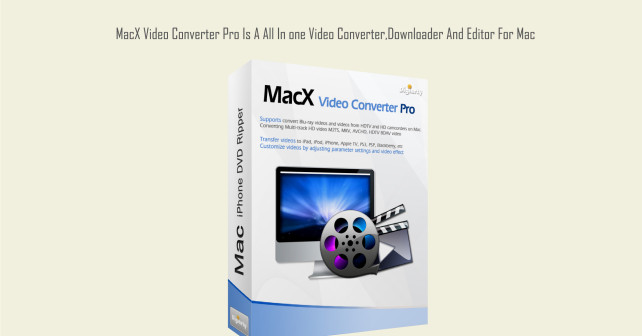
MacX Video Converter Pro Is A All In One Video Converter,Downloader And Editor For Mac
Mac is very user friendly for video conversion and editing. You can make videos, slide shows and editing more comfortably with MacX Video Converter Pro. It supports ton of input and output options for various video formats. You don’t have to be a professional to convert videos, if you install MacX Video Converter it makes…

iSkysoft Video Converter For Mac Review
The need for video converters has increased due to the huge number of video supported devices in the market right now. For Windows platform, we have a vast number of free and paid options. I’ve been using video converters for last six years, but for Mac we have limited choice.
Top 10 Transcription Software For Mac
Typing up hours of conversation, interviews or speeches can be incredibly dull and tedious. Transcription software packages alleviate this problem by converting human speech into a text transcript, or at least by accelerating the process. This list of the top ten transcription software packages has been assembled to help you save precious time and get…
The week in tech, minus the noise.
New reviews, fixes and the stories that matter — once a week, straight to your inbox.
We only use your email to send the newsletter. Unsubscribe any time. See our privacy policy.
Comments