

What is Guest Mode in Android Smartphones
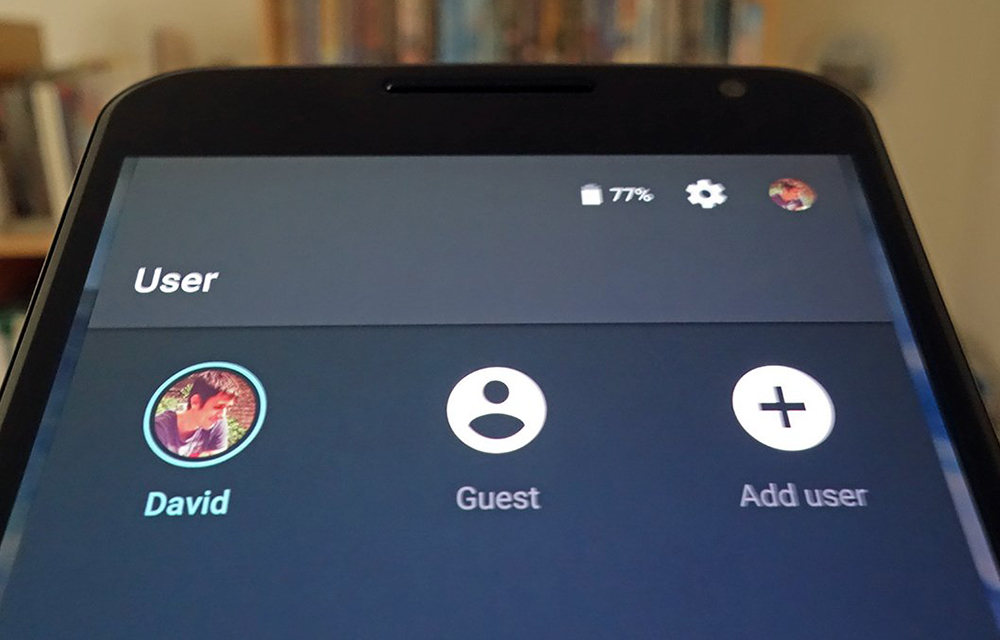
Ever noticed a feature called ‘Guest Mode‘ in your android smartphone? Ever wondered what it actually does? If so, here is the answer for you. If one of your friends told you: Hey bro, give me your smartphone. I’ll return it tomorrow. What will you do? Will you give your smartphone to him with your personal…


Ever noticed a feature called ‘Guest Mode‘ in your android smartphone? Ever wondered what it actually does? If so, here is the answer for you.
If one of your friends told you:
Hey bro, give me your smartphone. I’ll return it tomorrow.
What will you do? Will you give your smartphone to him with your personal assets inside? Or will you tell him,
Sorry bro, I am waiting for a serious call. Can you ask someone else?
No more worry about this. The Guest Mode in android smartphones is a great feature that will help you smoothly handle such situations without making your friend think bad of you. So, let’s have a look into it deeply.
What is Guest Mode?
Guest mode is a feature introduced in android smartphones to block the users from accessing your personal data like Call Log, Messages, Photos, Incoming calls, etc. The users will have to use the device as a brand new smartphone without any data included inside. You can set custom passwords for the guest mode which will add the complete control over your device.
Note: Some smartphones like Samsung Galaxy S7 also refer the Guest mode as Private mode.
What Data will be Hidden?
The guest mode will simply secure all the important personal data in your smartphone. It include, Call logs, Messages, Photos, Incoming calls, etc. I think, it covers all the important info. For example, if the guest user tries to open the gallery, the photos will be hidden to him and it will show a blank screen.
Wrapping Up
So, Guest mode is simply a great idea to make your date safe when giving your smartphone to any other person. As the cyber world is full of crime and criminals, it is always good to take precautions before giving your smartphone to anyone, even he is 100% trusted. So, be safe with the Guest mode. You can also refer to this article to know more about Guest mode. Also look into our article on How to enable and disable guest mode in Android smartphones.
You might also like
How to Switch to Guest mode in Android Smartphones
If you let someone borrow your smartphone, the things are not that much silly because you are giving them one of your personal assets. So, android coming with a built-in feature namely, Guest mode that will hide your personal info, contacts, messages and photos from the users till you turn it off manually. This feature…

How to Secure Android Lollipop Guest Mode
Do you know how secure is the Android Guest mode in your Lollipop? Are you completely protected by just tapping a button to enable guest mode? I don’t think so. In this article, we are going to secure your Android Lollipop Guest mode to ensure maximum privacy while sharing your smartphone with someone else. For…

How To Take Quality Photos With Your Android Phone
Ok, we’ll admit it. After launching of smartphones, the way of photography is completely changed. It seems convincing to suggest a good smartphone to take professional looking photos. Technically we are not talking about the technology used in smartphones or any rocket science involved behind the smartphone photography. But every company uses different lens and…
The week in tech, minus the noise.
New reviews, fixes and the stories that matter — once a week, straight to your inbox.
We only use your email to send the newsletter. Unsubscribe any time. See our privacy policy.
Comments