

How to Check Current Android Version of your Device
There will be several situations where you have to check the current android version of your smartphone, tablet or phablet devices. When you have to check the latest version to update your android, When you have to download a suitable application, or Even for telling your friends which android version you have. In all these…

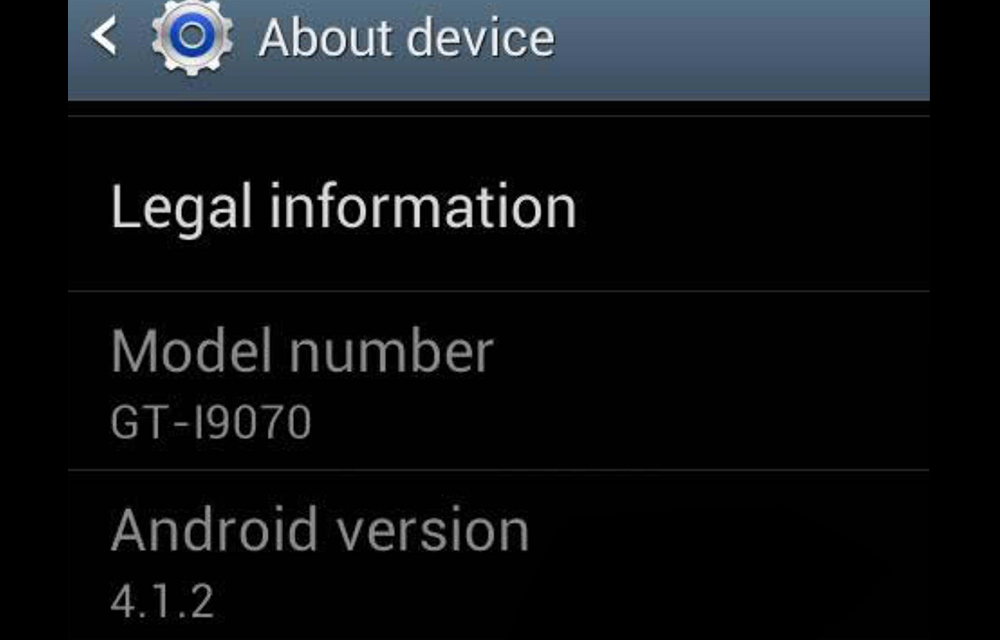
There will be several situations where you have to check the current android version of your smartphone, tablet or phablet devices. When you have to check the latest version to update your android, When you have to download a suitable application, or Even for telling your friends which android version you have. In all these situations, you should check current android version installed on your device.
So in this article, we are going to provide the solution for checking the current android version of your device. Here we listed only the basic method for checking it without depending an extra application to do the job. So, if you know the basic method to know the android version, this article is not for you.
Steps to Check Current Android Version of the Device
- Open the Settings of your device.
- Scroll to the bottom of the screen and tap About phone or About tablet option which may vary according to the device you are using.
- On the screen, under “Android version,” the number shown is your device’s Android version number. For example, it may look like 4.2, 4.4, 5.0, etc.
After getting the number, you could easily find out the android version with the tag name. For example, if you have found that the android version number is 5.0, it means, the android version installed on your smartphone is Lollipop. Like that, if you have seen 4.4, it is the KitKat. Refer our article on What is Android to know more about the versions of android.
Once you have successfully found the android version of your smartphone, you could easily select the appropriate apps for your android smartphone from various downloading sources. You could also find the latest android version and update to it. If you have any more queries regarding the android version, feel free to leave a comment in the following comment area.
More in Android

All The Android Secret Codes You Should Know
Each operating system has its own way to troubleshoot errors and diagnose the device. Android, one of the most used operating system has secret codes or dialer codes which help users to diagnose their devices and check the status of various hardware available on the device. The user can get information about the IMEI number,…
How to Update Android Smartphone, Tablet or Phablet
Updating Android OS is always important to keep your device safe and secure with the latest android version improvements. Either you are having a Lollipop or the Marshmallow as the android version, it is necessary to step over to the next level for a better-optimized performance of your smartphone or tablet. An update is the only way to…
How to Try again after an Unsuccessful Android Update
Android updates are always important to stay tuned for all latest improvements to the OS. You might be tried to update your Android smartphone at least once. But, in a few situations, it is common to have problems with the update process or someone may not even able to start the process. So, we wrote this…
The week in tech, minus the noise.
New reviews, fixes and the stories that matter — once a week, straight to your inbox.
We only use your email to send the newsletter. Unsubscribe any time. See our privacy policy.
Comments