

What is Tethering? Advantages and Disadvantages
It is known that Android has been the operating system of choice for most of the smartphone users around the world. In fact, it is known that almost 90% of the smartphones around the world are running Android. Now, this is because the iOS devices are too costly for the mid-range segment. Also, Android has…

What is Tethering
It is known that Android has been the operating system of choice for most of the smartphone users around the world. In fact, it is known that almost 90% of the smartphones around the world are running Android. Now, this is because the iOS devices are too costly for the mid-range segment.
Also, Android has a lot more customization options than the iPhones which are why some people prefer Android over iOS. As far as the options on Android are concerned, we get a feature called Tethering on Android devices which is not available on iOS.
What is Tethering?
Basically, the term ‘tethering’ is used for sharing the data connection of our smartphone to PC or Laptop. The word “Tether” means connecting 2 things. In this modern era, the word is using for Internet connections.
Now, Tethering can be done in many ways on an Android smartphone. This feature comes in very handy when you are not connected to a WiFi network and the only way to stay connected is via the cellular network. We have known that many cellular providers put a Fup on the usage of data via the means of tethering. Also, we have many best tethering apps for Android. These apps allow a simple way to start tethering on your mobile devices.
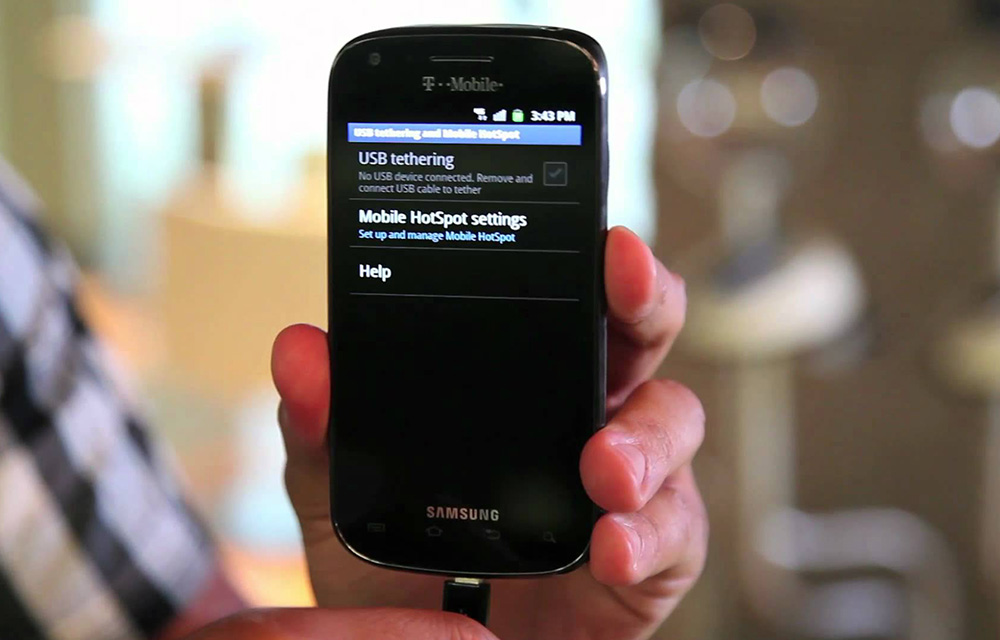
As we mentioned earlier, there are three ways through which you can tether your smartphone to PC/laptop. You can do this by connecting your phone to your computer via USB, setting up your phone as a wireless hotspot and router, and sharing a data stream over Bluetooth.
You can tether the internet connection on your Android smartphone very easily in fact. For this, you just need to plug your smartphone into the PC via a USB cable for the first time. This will install the required drivers on your PC and you are good to go. Same way, you either need to pair your device via Bluetooth or need to be in the same WiFi connection for the other two methods mentioned above and use the data connection of your smartphone on a PC.
Advantages
- It will let you connect internet on laptops and tablets anywhere.
- By using tethering you can save your laptop battery by turning off the WiFi.
Disadvantages
- When you use the smartphone as a tethering device, it will drain the battery pretty fastly.
- It is a known fact that the mobile connections are slow when compared to the broadband. In tethering, you can experience average internet speed only.
That’s all for now. Please do share your valuable views and feedback in the comment box below.
More in Android
Must Have Apps For Rooted Android Devices
Rooting your Android means you are unleashing its hidden superpowers. If you want to know what the benefits of rooting Android are, it is clear: you can access unavailable features of Android like WiFi and Bluetooth Tethering, performance updates, a better keyboard, etc. But before starting, you must be aware of the disadvantage of rooting…
PdaNet+ App Review – A Best Tethering Solution
We are now in this day and age where we need to stay connected not only to our home or office but even on the go as well. For this reason, we set up WiFi at places we frequently travel whenever possible. Now, one of those scenarios where being connected to WiFi is not possible…
How to send iMessage on Android
iMessage is an exclusive chat application available for Apple users designed by Apple. This service lets you share messages, images, videos and a lot more. Many people are stuck to iOS devices only for iMessage feature. This service work on Apple ecosystem only. This is the main disadvantage of iMessage. When you start using it,…
The week in tech, minus the noise.
New reviews, fixes and the stories that matter — once a week, straight to your inbox.
We only use your email to send the newsletter. Unsubscribe any time. See our privacy policy.
Comments