

How to Install WebTorrent on Linux
WebTorrent is an excellent application available for cross-platforms. It works like a charm for viewing and streaming music using peer to peer Torrent protocol. The WebTorrent application is available for Linux, Mac, and Windows platforms. It is an open source torrent client built on Javascript and uses WebRTC for peer-to-peer connection support. The WebTorrent is…

How to Install WebTorrent on Linux
WebTorrent is an excellent application available for cross-platforms. It works like a charm for viewing and streaming music using peer to peer Torrent protocol.
The WebTorrent application is available for Linux, Mac, and Windows platforms. It is an open source torrent client built on Javascript and uses WebRTC for peer-to-peer connection support.
The WebTorrent is made especially for legally streaming content from Internet Archive, music from Creative Commons, and Librivox audiobooks. The user interface of the WebTorrent is pretty simple and fluid. No need of waiting for downloading, just open the file and stream right away.
In this article, you will learn to install WebTorrent on all Linux Distros.
How to Install WebTorrent on Linux
WebTorrent is available for Mac, Windows, and Linux with Ubuntu and Debian packages. Downloadable source-code package which can be used for every kind of Linux OS is also available in the official downloads page.
Installing WebTorrent on Ubuntu
Ubuntu is a most popular distro of Ubuntu and always get the first preference for any kind of package support.
- The installation of WebTorrent on Ubuntu requires a manual download of DEB package file.
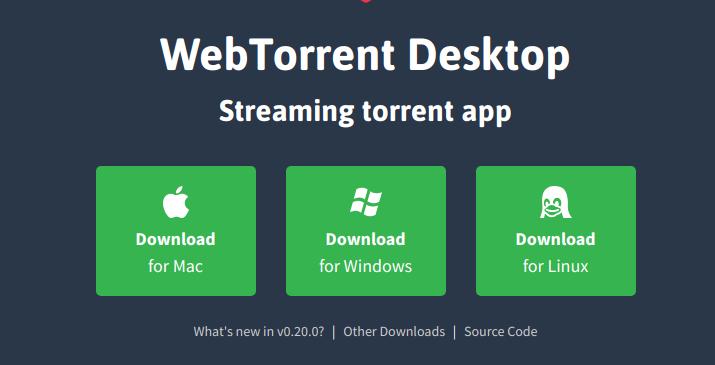
- Download the latest version of WebTorrent file for Ubuntu from the official website. On the website click on the Linux icon to download the package file.
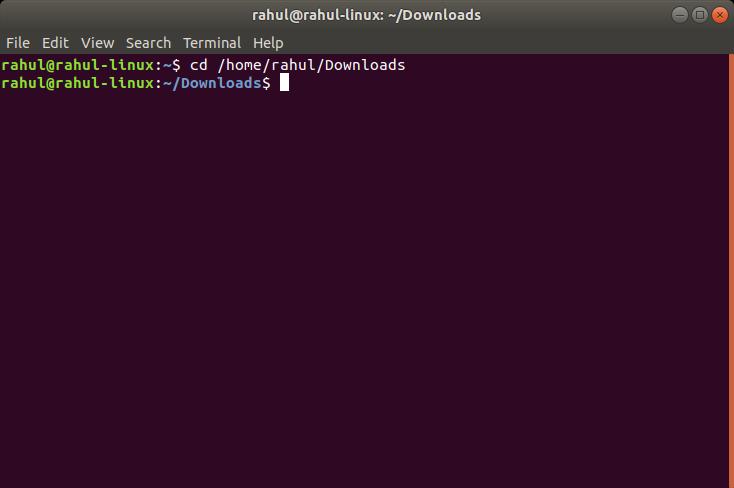
- After you downloaded the package file on your Linux, now it is the time to install. Launch terminal window by clicking Ctrl+Alt+T on the keyboard and use the CD command to get into the ~/Downloads folder.
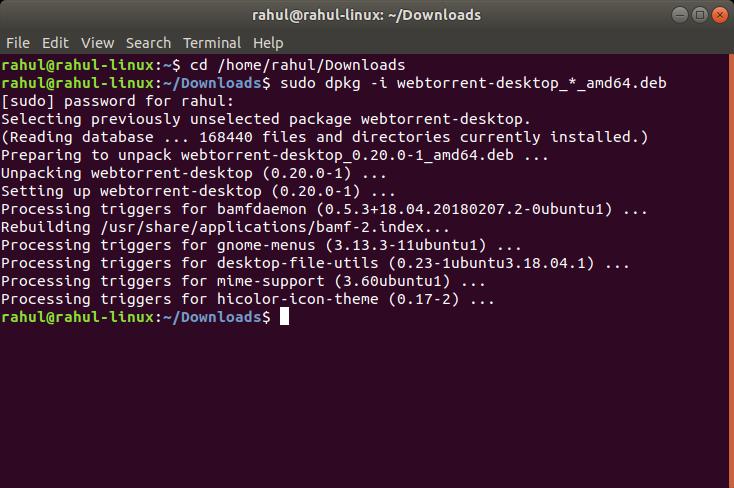
- Now, inside the ~/Downloads directory, execute the dpkg command and install the WebTorrent application on Ubuntu.
sudo dpkg -i webtorrent-desktop_*_amd64.deb - After finishing the installation, now run the Apt install -f command to correct any dependency issues that may come up.
Arch Linux
- In the Arch Linux, the installation of the WebTorrent supported via using AUR package. After you install AUR package, the installation of WebTorrent on Arch Linux is done by Pacman command.
sudo pacman -S git base-devel - Once, the above command is executed, now use the below command to download the latest code for the WebTorrent AUR snapshot.
git clone https://aur.archlinux.org/webtorrent-desktop.git - After completing the downloading process, use the CD command and move your terminal into the ~/Downloads folder.
cd ~/Downloads - Now it is the time to install WebTorrent on Arch Linux by executing the makepkg command.
makepkg -sri
Debian
- Download the official package here.
- After downloading of the file completes open terminal Window by clicking Ctrl+ALt+T on the keyboard and access downloads folder using CD and ~/Downloads.
cd ~/Downloads - Now, in the ~/Downloads directory, install the app with dpkg and correct the dependencies with Apt-get.
su -
dpkg -i webtorrent-desktop_*_amd64.deb
apt-get install -f
Fedora
In the Fedora, install the WebTorrent using the below commands.
sudo dnf install alien
sudo alien -rvc webtorrent-desktop_0.20.0-1_amd64.debsudo dnf install webtorrent-desktop-0.20.0-2.x86_64.rpmThat’s it. Now you’ve installed WebTorrent on your Linux machine. I hope you liked our tutorial, if you have any query, please message me in the comment box below.
More in Linux

How to Install Spotify on Linux
Spotify doesn’t need any introduction and it is the finest music streaming service available online. The installation of Spotify is a pretty straightforward process for platforms like Windows, Mac, Android, and iOS. But when it comes to Linux, you have to depend on the commands to install Spotify. Spotify has been officially supporting the Linux…

How To Play Sega Saturn Games on Linux
We know Sega Saturn is a great gaming console in our childhood days. But unfortunately, it lost pace with the other platforms. The Sega Saturn games are very hard to find. If you are missing Sega Saturn games and planning to enjoy the game essence once again, you must be a Linux user first. If…

How to Install Linux on Chromebook
Chromebooks are fine but for the simple usage like surfing the web, sending some emails, and often watching some videos. Apart from that, if you want to do something advanced or have complete control over your OS, Chrome OS may not be the best choice out there. So, there is no wonder in that if…
The week in tech, minus the noise.
New reviews, fixes and the stories that matter — once a week, straight to your inbox.
We only use your email to send the newsletter. Unsubscribe any time. See our privacy policy.
Comments