

How To Find Out If Your Windows Has SSD or Hard Disk
The hard disk is an essential part of any computer which contains the Operating System as well as your important files present on it. Thanks to the technology, now we are using much faster data transferring Solid State Drives than the slower traditional hard disks. From the last couple of years, the SSD becomes much…

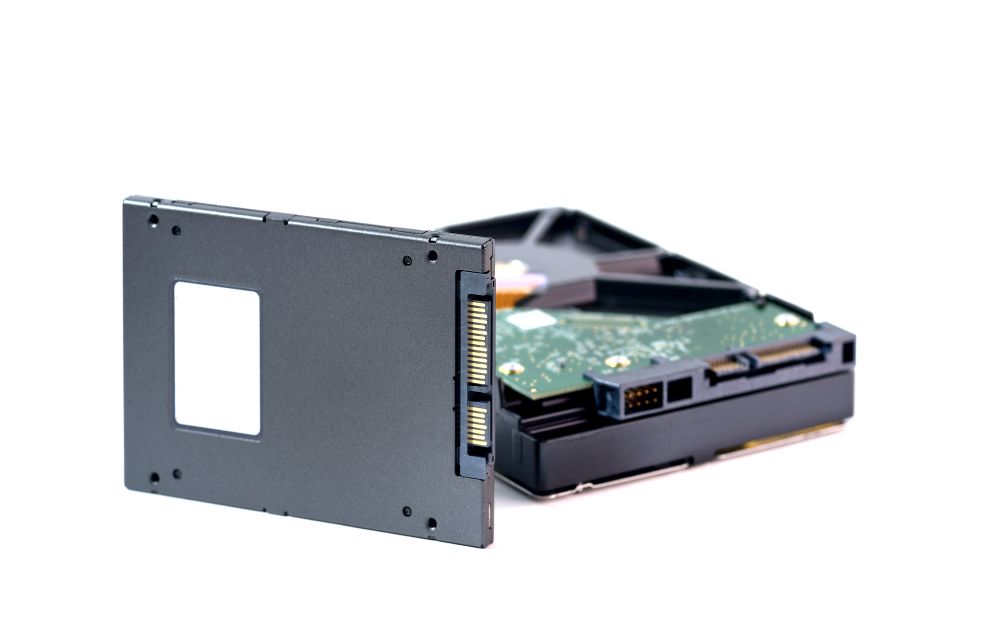
How To Find Out If Your Windows Has SSD or Hard Disk
The hard disk is an essential part of any computer which contains the Operating System as well as your important files present on it.
Thanks to the technology, now we are using much faster data transferring Solid State Drives than the slower traditional hard disks. From the last couple of years, the SSD becomes much cheaper and comes as a default disk in many company laptops and desktops.
Now the issue is how to find which type of disk is present on your computer. You can simply find it out by transferring files or other types of data between the folders.
If the transfer is pretty faster, then you can conclude it as an SSD present on your machine. If the performance of the system is drastically slow, then you can confirm it as a traditional Hard disk. But both of these conclusions are assumptions and you need a valid proof to conclude which type of hard disk is present on your system.
How to Check Your Windows PC has an SSD or Hard Drive?
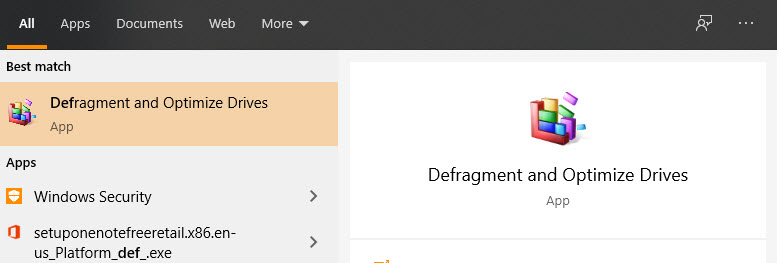
- Click on the start menu and type “Defragment” in the search box.
- After clicking on the first search result it will open the “Optimize Drives” window.
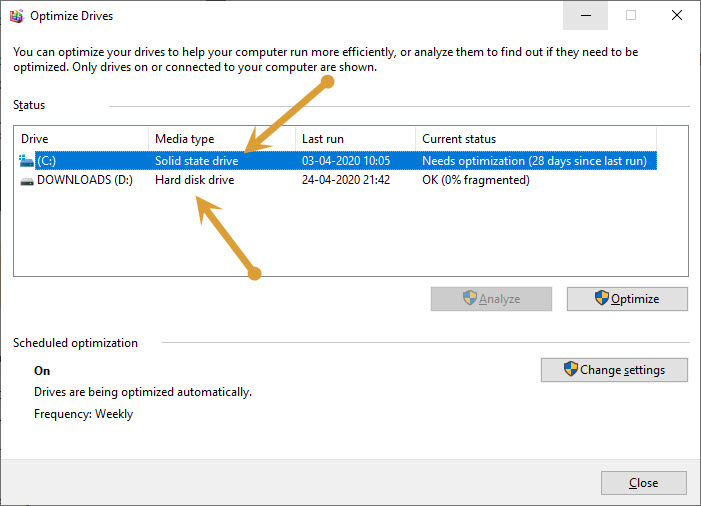
- Here you will see, the list Hard Disks present on your system.
- In the “Media” section you will find the type of hard drives mounted on your system.
- From here you can confirm which type of Hard Disk is installed on your system.
- Optimize Drives window also shows the additional information like which disk has the operating system installed, current status, and last run.
After checking the information you can close the Optimize Drives window and continue the work.
That’s all for now. I hope you find out the type of hard disk installed on your PC easily.
Let us know your valuable feedback in the comment section below.
More in How-to
Advantages and Disadvantages of SSD
Solid-state drive or SSD drive uses non-volatile memory as a means of storing and accessing data, like computer RAM. It is a data storage device for your computer. Adding an SSD to your computer is the best upgrade. They are very fast when compared to traditional hard disks. The read and write speeds are top-notch, and…
How To Save Most Of The Space On The Hard Drive
It is very easy to run out of the disk space, because data size is going bigger and larger. In this digital age every data is converted into digital applications, videos, songs, movies and documents etc. Even 1TB hard drive became minimum these days. Solid state drives are replacing the traditional hard drives, they are…
How to Wipe a Hard Drive Completely
In this day and age, everyone must be using a Windows or macOS powered laptop or desktop. If you use either of these, you are bound to be using hard drives. In some cases, SSDs are used in Laptops or PCs but generally, people use hard drives. This is because they are much cheaper than…
The week in tech, minus the noise.
New reviews, fixes and the stories that matter — once a week, straight to your inbox.
We only use your email to send the newsletter. Unsubscribe any time. See our privacy policy.
Comments