

How To Uninstall Multiple Windows Programs In One Click
Sometimes we need to uninstall multiple applications once. Windows default ‘Add or Remove Programs feature is good but options are basic and limited. You can uninstall only one program at a time, it doesn’t support batch uninstallation. We can easily overcome this situation by installing third-party uninstallers on Windows. Control Panel Using control panel->uninstall programs…

Sometimes we need to uninstall multiple applications once. Windows default ‘Add or Remove Programs feature is good but options are basic and limited. You can uninstall only one program at a time, it doesn’t support batch uninstallation. We can easily overcome this situation by installing third-party uninstallers on Windows.
Control Panel
Using control panel->uninstall programs is the most common procedure to uninstall unwanted programs in Windows. It is the simple and easiest way to uninstall a program. But this default program does not let you uninstall multiple programs at once. If you want to uninstall multiple programs at a time, it is preferable to opt for a third-party uninstaller.
We selected some free and paid third-party uninstallers for Windows, here is the list.
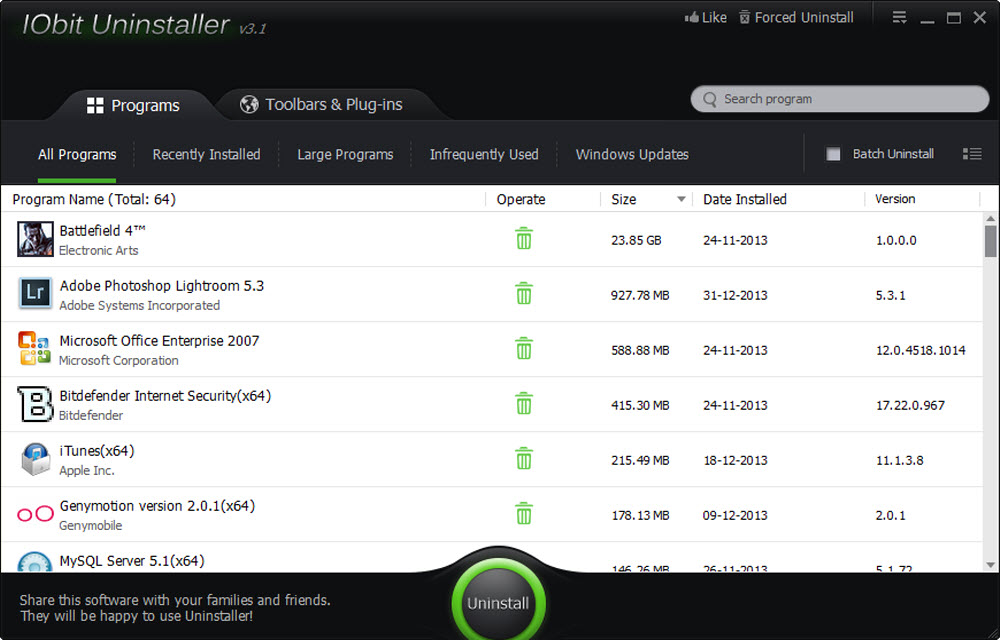
1. IObit Uninstaller
IObit Uninstaller 3 is a light and free uninstall tool that helps you to remove unwanted programs and leftovers completely without any hassle. It detects and categorizes all of the installed programs, and allows bulk uninstallation with just ONE click! The new app voting system helps you identify malicious apps & plug-ins. With “Powerful Scan” and “File Shredder” features, you’ll never be bothered by leftovers or stubborn plug-ins anymore. IObit Uninstaller 3 is an easy-to-use and powerful uninstall tool. The latest version of the program is compatible with the Windows 11.
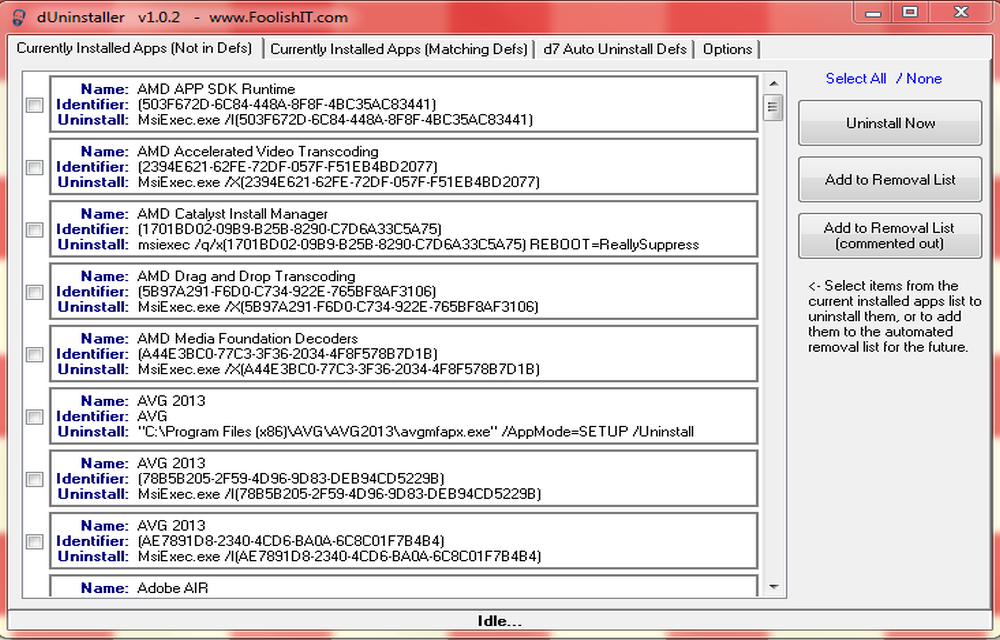
2. dUninstaller
dUninstaller is a portable tool, just download and run the program. dUninstaller reads the section of the registry where installed applications are registered with Windows. Within these registry entries is an “uninstallstring” value that tells Windows (via Control Panel) how to uninstall the application. Batch uninstallation is a very useful feature, just simply mark the item and hit “Uninstall now” tab.
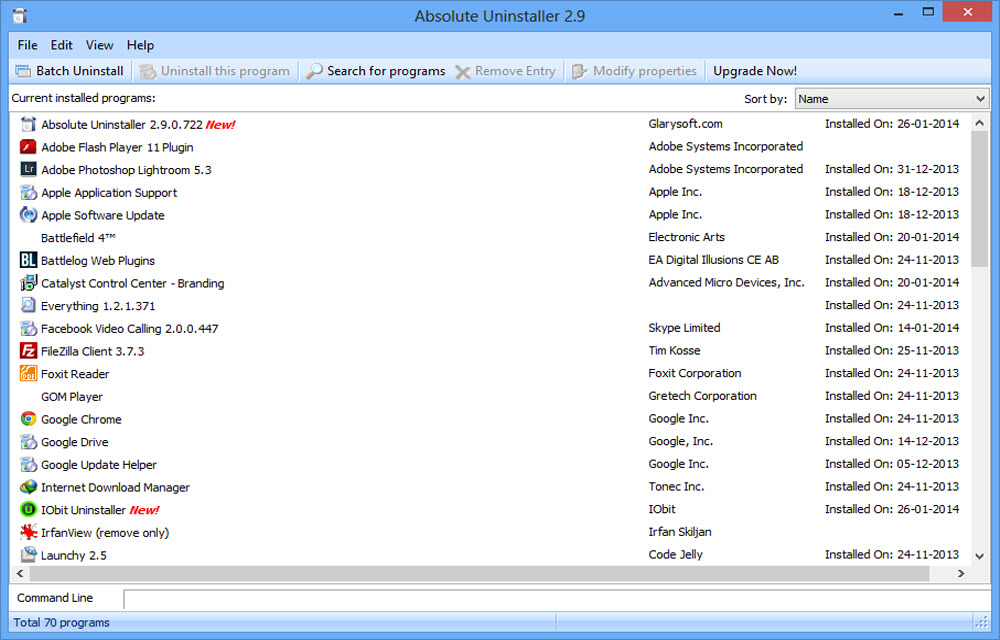
3. Absolute Uninstaller
Absolute Uninstaller starts up faster than Add/Remove program with all appropriate icons of the application loaded and marks the recently installed program. so that you can easily find out the application you want to uninstall. You can uninstall multiple programs at once, search for apps, remove entries or restore them, change program properties, check program support information, view command lines, fix invalid entries automatically, backup and restore uninstall info, and export the program list.
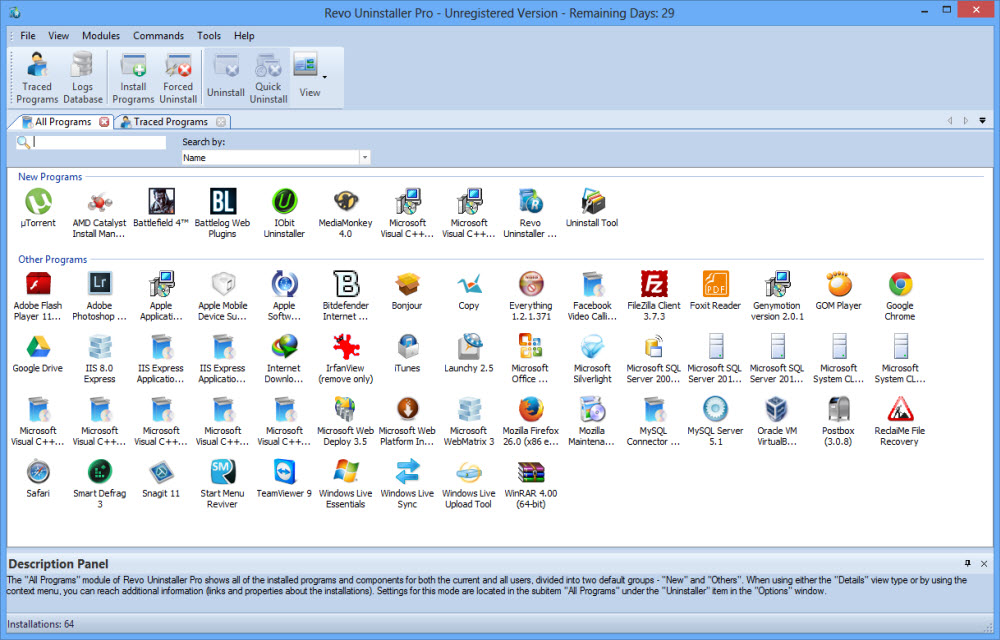
4. Revo Uninstaller (Paid)
Revo Uninstaller Pro helps you to uninstall software and remove unwanted programs installed on your computer easily. It supports multiple uninstallations of programs at once. Revo Uninstaller is a much faster and more powerful alternative to “Windows Programs and Features (Add or Remove Programs)”.
5. Wise Program Uninstaller
Uninstall any kind of program even the stubborn or broken program using the Wise Program Uninstaller. It is a simple solution to quickly uninstall batch programs by scanning the entire associated files and folders.
Conclusion
These are the best programs to uninstall batch programs with a single click. The best part of these programs is all are compatible with Windows 11 operating system.
More in Windows
How To Uninstall A Microsoft Windows OS Update
After installing updates sometimes, we face unexpected system crashing problems, errors and blue screen of death problems. It is always advisable to maintain your system up to date, but after updates if issues are raised you can uninstall Windows update manually.

How to free up RAM on Windows 10
No one likes a slow-performing computer. As we are moving towards the future with the latest apps and games, the computing power also must meet software requirements. RAM (Random Access Memory) plays a crucial role in the performance of the computer. Sufficient RAM is required to handle the tasks. For example, if you are using…
How to Uninstall Cortana
Cortana is a virtual and personal assistant developed by Microsoft. This features enabled with Windows 10 Operating system as a default feature. Recently I stumbled the Internet and many people searching for “how to uninstall Cortana.” Reasons are many for uninstalling Cortana, it is mainly due to some security reasons. To serve you better, Cortana…
The week in tech, minus the noise.
New reviews, fixes and the stories that matter — once a week, straight to your inbox.
We only use your email to send the newsletter. Unsubscribe any time. See our privacy policy.
Comments