

How to Fix The 0x97 Error on Epson Printer
Once you connect your printer to Windows 10 it will automatically run and print in a few minutes. However, in some cases, you may face unexpected errors on your Epson printer. If you are facing a 0x97 error on your Epson printer, then you are in the right place to solve the issues. In this…

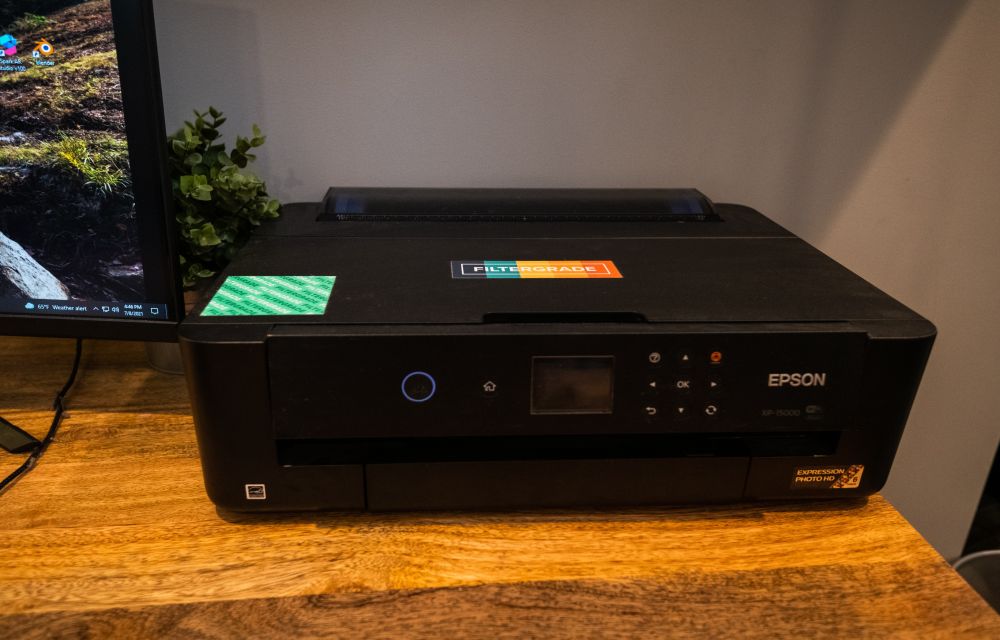
How to Fix The 0x97 Error on Epson Printer
Once you connect your printer to Windows 10 it will automatically run and print in a few minutes. However, in some cases, you may face unexpected errors on your Epson printer.
If you are facing a 0x97 error on your Epson printer, then you are in the right place to solve the issues. In this article, we will discuss the fix for the same.
Step 1:Basic CheckList
Here are the things you should take care of before fixing the error.
- Make sure that the cable connection and power supply to your printer are secure.
- Check if the cables are not damaged and always make sure to use the original cable.
- Further, you have to check whether the surface on which the printer is placed. Please note that it is best to place it on a flat surface and there aren’t any open panels.
- Make sure no paper is jamming the printer, and that the tray is loaded.
- Also, make sure the tray is loaded.
- Finally, connect the printer to a new port on the same computer.
However, if you still encounter the error after making the above changes, try the below-mentioned fix.
Step 2: Run printer troubleshooter
In Windows 10 you will find a built-in troubleshooter for a printer that you have connected. Try to run it to solve your error.
Go to settings. Keyboard shortcut: Win+I
- Find the Update & Security feature.
- Click on the Troubleshoot tab.
- Go to Additional troubleshooters.
- Click on the Printer troubleshooter to run it.
- Make the changes that are recommended.
Step 3: Uninstall and reinstall the printer
If you are still facing the same issue try to uninstall and reinstall your printer on Windows 10.
- Go to settings. Keyboard shortcut: Win+I
- Click on Devices and then select the printers & scanners option available.
- Go to the Epson printer and select Remove device.
- Disconnect the printer.
- Shut down and restart the computer.
- unplug the printer after turning it off.
- Leave it that way for 2-3 minutes.
- Now Boot the computer back up.
- Finally, connect the printer again to the computer and wait for Windows to install it.
Wrapping it up:
Sometimes the primer installed on your computer may not be the latest version. Hence you should update the printer driver. Further, if you encounter the error, try physically cleaning your printer.
More in How-to
How To Fix “Printer Needs User Intervention” In Windows 10
Windows and printer is a deadly combination of productivity. But in cases, the combination is a nightmare too. There are some errors codes appear when you get a particular type of printer error. Previously we written few printer errors fixes such as 0x00000709 error, printer driver update problem, Printer Has Experienced An Unexpected Configuration Problem…
How To Fix Canon B200 Error
Printer errors are most common in Windows OS. It is quite frustrating when you need a print out in important or emergency situations suddenly an error code appears on the screen. Recently, our readers asked how to fix printer offline problem and we have given a quite simple guide to fix the issue. In today’s…
How to fix Google Cloud Printer offline error
If you are having an issue while printing a document with Google Cloud Print then you are in the right place. There are several types of Google Cloud Printer errors come as normal printers do. These are the possible Google Cloud Printer offline error messages you may encounter. When you are trying to connect a…
The week in tech, minus the noise.
New reviews, fixes and the stories that matter — once a week, straight to your inbox.
We only use your email to send the newsletter. Unsubscribe any time. See our privacy policy.
Comments